Adding your ProductReview profile link puts ProductReview on your HiFiveStar review page, so customers can go there to leave a review. HiFiveStar does not import ProductReview reviews yet.
Follow these simple steps to add your ProductReview profile.
This video shows our previous app. The written steps on this page describe the current one.
ProductReview matters for the Australian market. Adding it to your review page gives happy customers an easy way to review you there.
Follow these straightforward instructions to link your ProductReview profile to the business dashboard.
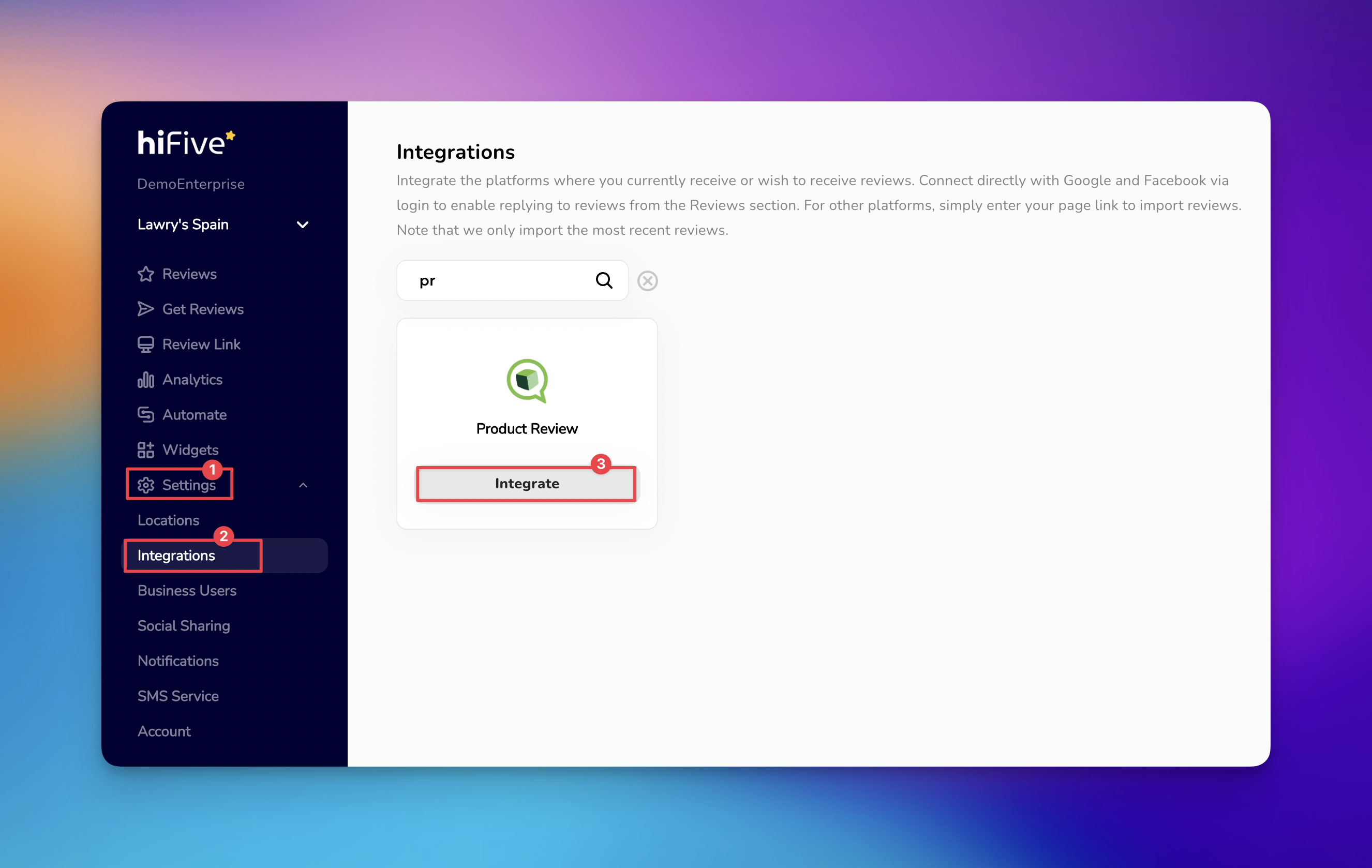
Log in to your HiFiveStar account. This will bring you to the main business overview where you manage your locations.
Click the 'Settings' button in the navigation menu to view your configuration preferences.
Click the 'Integrations' tab to display all external platforms currently compatible with the software.
Scroll through the list or use the search bar to find Product Review (two words). Once it appears, click the 'Integrate' button next to it.
Click into the field provided and paste the URL of your business profile.
Confirm by clicking the 'Integrate Product Review' button. HiFiveStar saves the link and adds ProductReview to your review page.
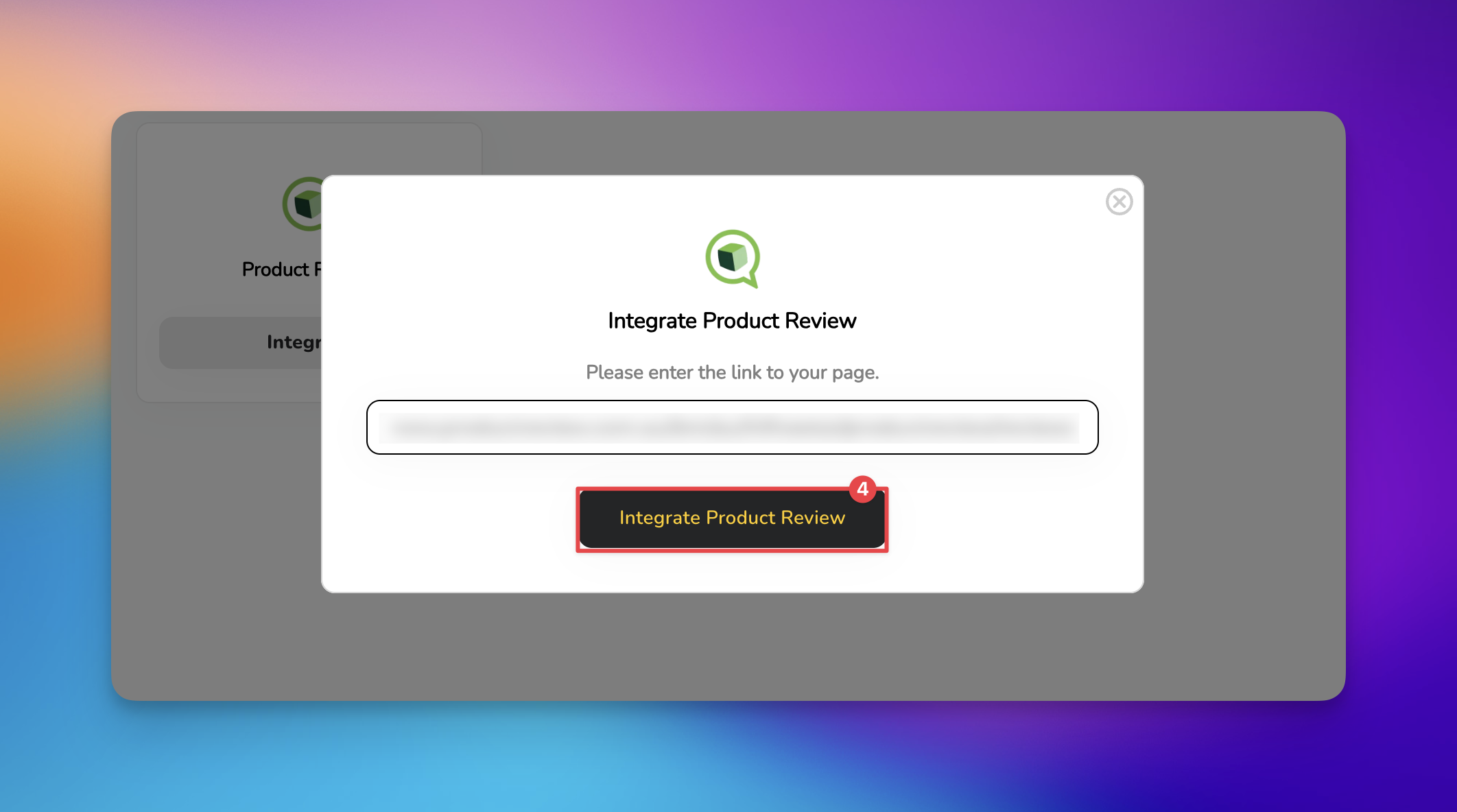
HiFiveStar does not import ProductReview reviews yet, so new ones do not show up in your dashboard. Reply to them on ProductReview itself.

Review Link Explained
This is the link your customers will visit to leave you a review
How to Disable Negative Review Filtering
Turning off Review Gating which redirects customers to the negative experience page
