Adding your FindLaw profile link puts FindLaw on your HiFiveStar review page, so clients can go there to leave a review. HiFiveStar does not import FindLaw reviews yet.
This guide will walk you through the quick process of linking your professional legal page.
This straightforward process adds FindLaw to your review page.
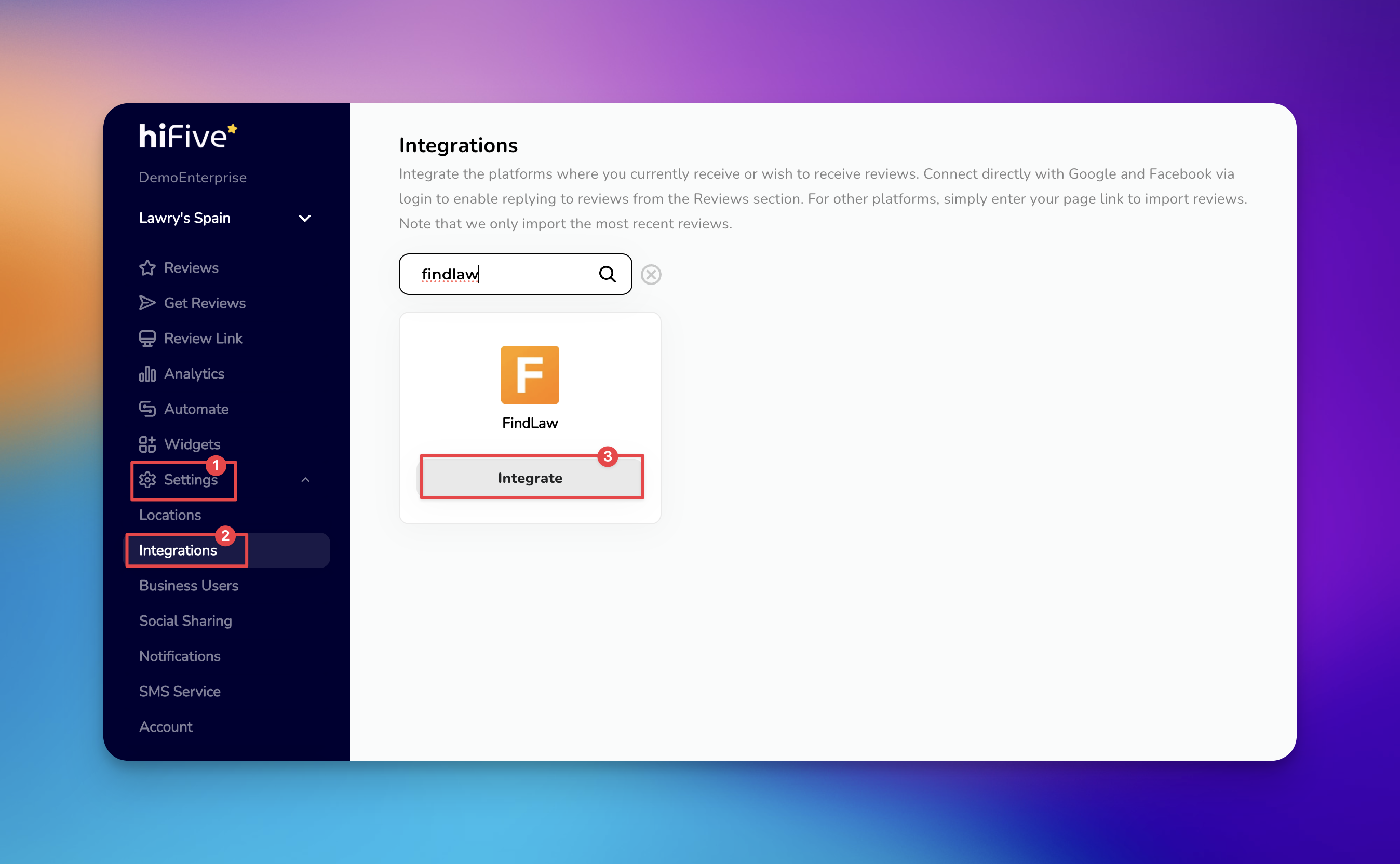
Open the HiFiveStar login portal and enter your account credentials. This opens the main business overview where you manage your locations and reviews.
Select the 'Settings' tab located in the main navigation menu. This area houses your profile information and platform configurations.
Look for the 'Integrations' category within the settings menu. This section displays all the external platforms currently compatible with your account.
Scroll through the list of service providers or utilize the search function. Inputting "FindLaw" into the search bar will immediately highlight the correct option.
Choose the 'Integrate' option for FindLaw. A specific input box will appear, asking for the URL of your FindLaw professional profile.

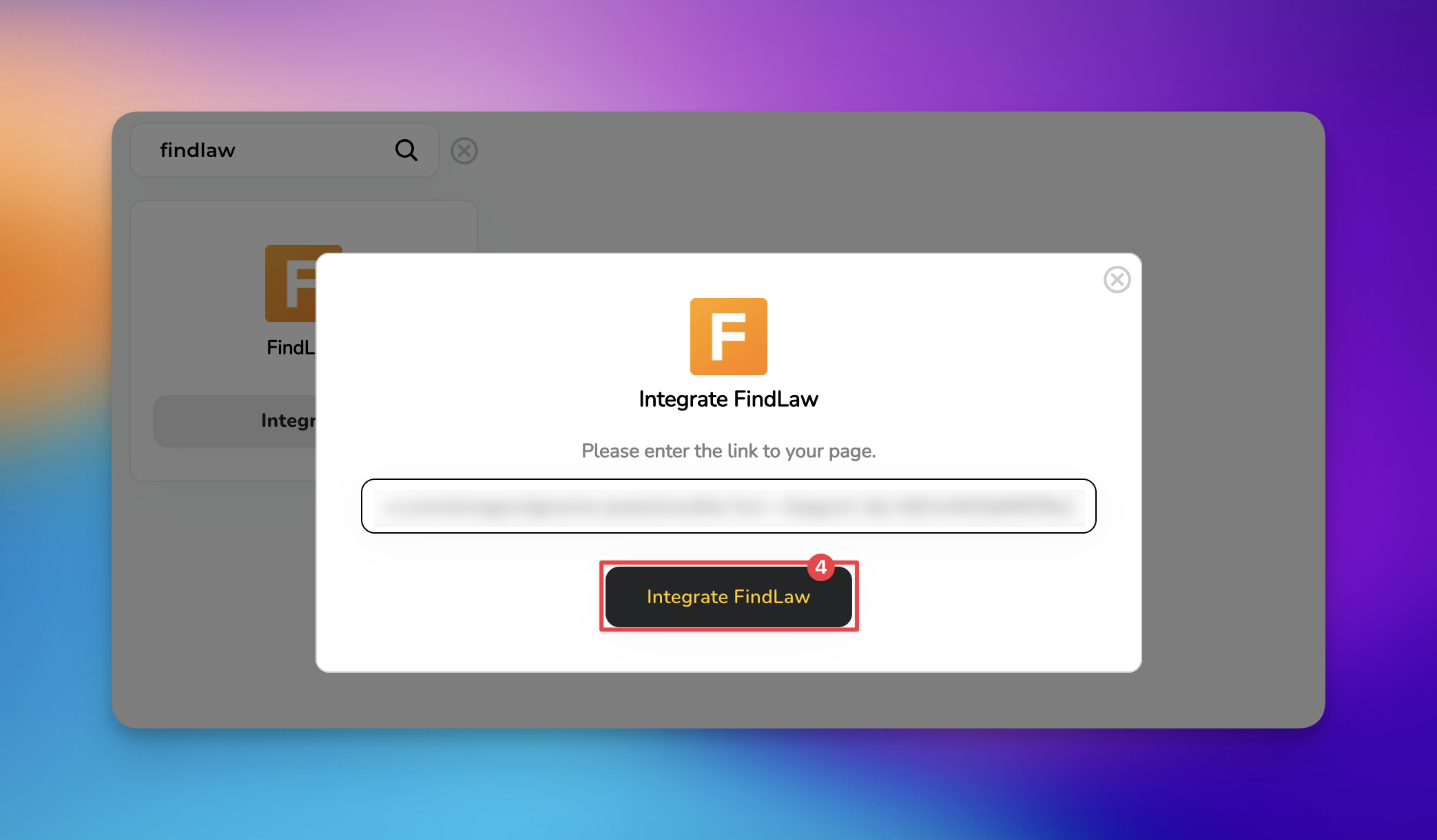
Paste your profile link into the empty field and select the final 'Integrate FindLaw' button. HiFiveStar saves the link and adds FindLaw to your review page.
FindLaw now appears on your review page. New FindLaw reviews do not show up in your dashboard, because HiFiveStar does not import them yet. If you encounter any issues during the linking process, please reach out to our support team for further assistance.
Linking your FindLaw profile offers several strategic advantages for your legal practice:
More FindLaw Reviews: Your review page offers happy clients a button to review you on FindLaw.
Managing a law firm's reputation requires a balance of professional courtesy and strict adherence to ethical standards.
Maintain Confidentiality: Never disclose specific case details or confirm a person was a client in your public response. Even if a reviewer shares details, your response should remain general to protect attorney-client privilege.
Respond with Professionalism: Address negative feedback calmly and move the conversation offline as quickly as possible. Providing a phone number or email for a private discussion shows potential clients that you are proactive and respectful.
Request Reviews Strategically: Timing is everything in the legal field. Ask for feedback immediately after a successful case resolution or a positive milestone when the client’s satisfaction is highest.
Integrations Explained
Maximizing Your Online Presence with HiFiveStar's Platform Integrations
Filtering Negative Reviews with HiFiveStar
Effectively Handle Low-Star Reviews with the Review Link Menu
