
This guide shows our previous app. The written steps on this page describe the current one.
Addressing negative feedback is crucial for maintaining a positive online reputation. HiFiveStar offers tools to manage low-star reviews effectively through the Review Link menu.
Addressing Low-Star Reviews
The "Negative Experience" page is shown to customers who give a rating at or below the threshold you set (1, 2, 3, or 4 stars). This page allows you to gather their contact information for follow-up, enabling you to address their concerns privately and improve their experience.
This page only appears when Ask for a rating first (star filter) is on in Review Link, and it is off unless you turn it on. With it off, your review page opens straight on your review sites.
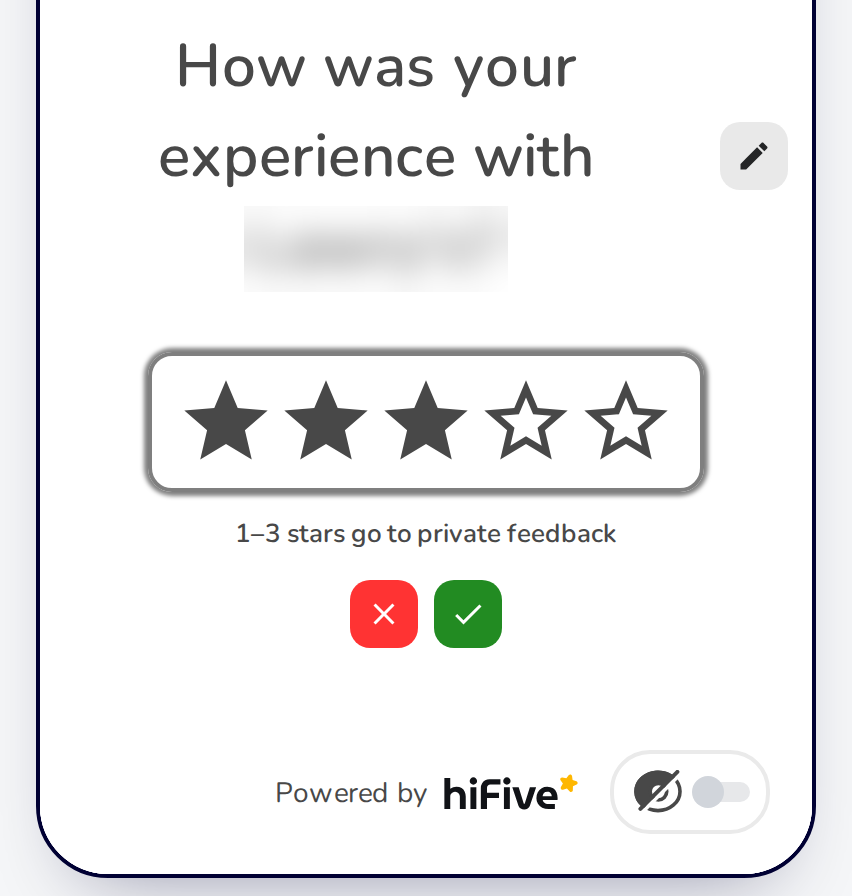
Setting the Star Threshold
You can change the evaluation filter threshold to set the desired score for displaying specific feedback pages:
Score ≤ Threshold: Shows the "Negative Experience" page for private feedback.
Score > Threshold: Displays the "Positive Experience" page, which sends the customer to your review sites (e.g., Google, Facebook) to leave a public review.
💁🏻♀️ FYI: The default threshold is 3.
A Public Review Is Always Offered
When the page has at least one review site, the private feedback form also offers "Leave a public review", so a customer who gives a low rating can still choose to post publicly. You hear about the problem and can reply privately, and the choice to post publicly stays with the customer.
By using these features, you can effectively manage and respond to negative feedback, ensuring customer concerns are addressed and improving overall satisfaction.
Related Articles
Managing Reviews
Elevating Your Business with Advanced Review Management