Adding your DealerRater link puts DealerRater on your HiFiveStar review page, so customers can go there to leave a review. HiFiveStar does not import DealerRater reviews yet.
This video shows our previous app. The written steps on this page describe the current one.
Follow these simple steps to add your DealerRater profile.
Log in to your HiFiveStar account.
Under Settings, select 'Integrations'.
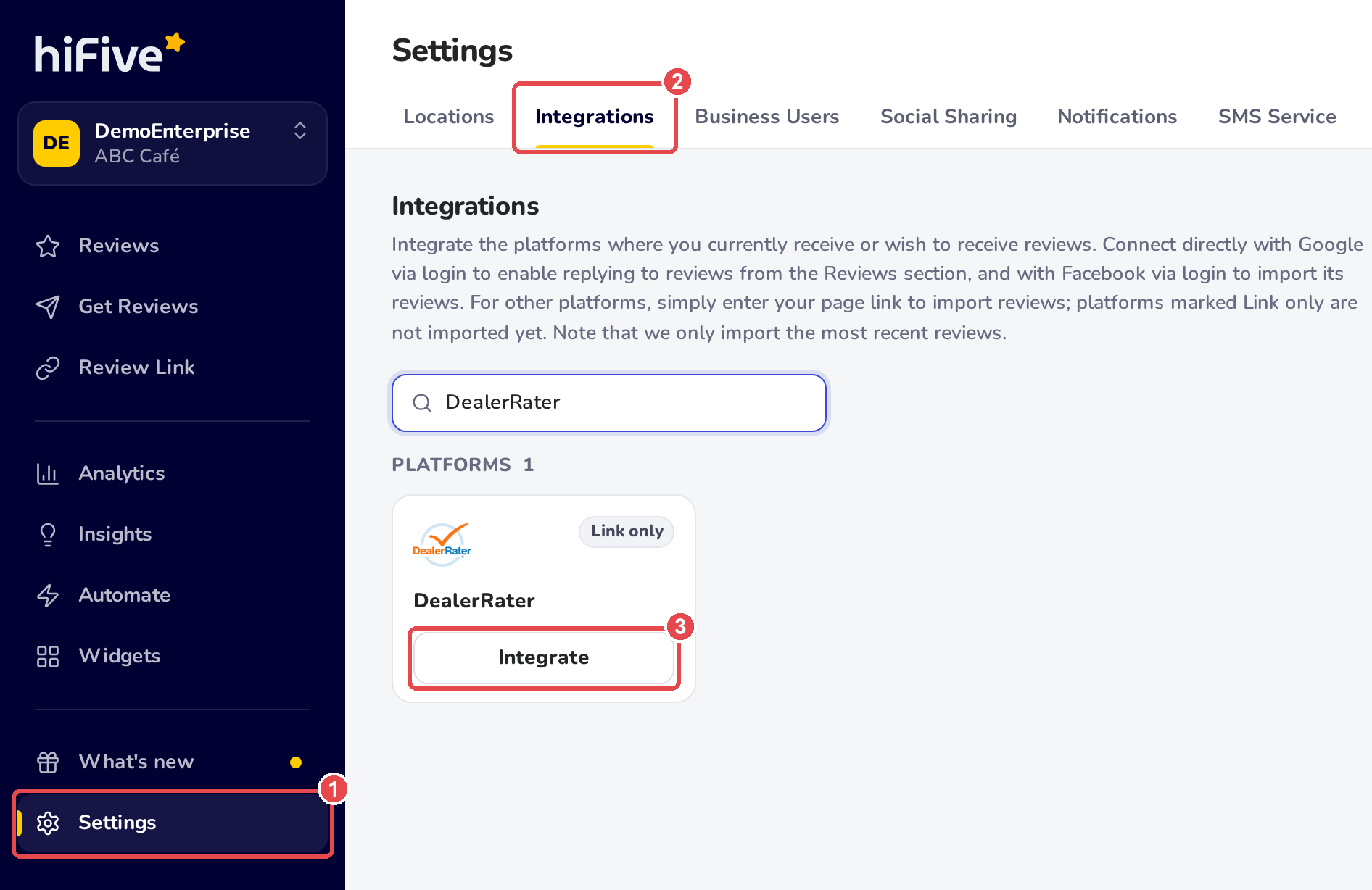
Use the search bar to find DealerRater.
Select 'Integrate' on the DealerRater card.
Paste the URL of your DealerRater business page (e.g., https://www.dealerrater.com/dealer/your-business-name/) into the field.
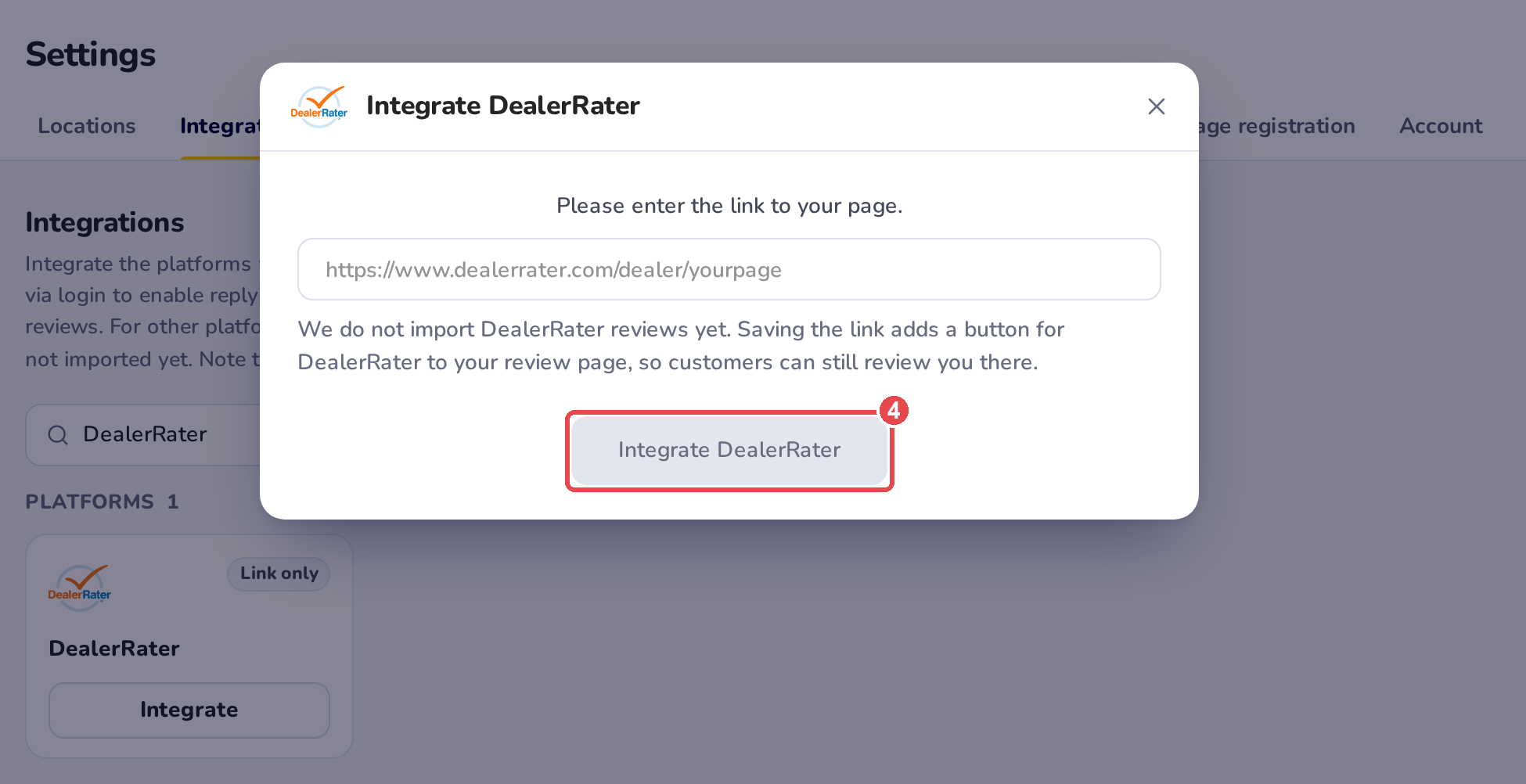
Select 'Integrate DealerRater' to finish the integration process.
Once connected, DealerRater appears on your review page. New DealerRater reviews do not show up in your dashboard, because HiFiveStar does not import them yet.


The DealerRater integration is most effective for automotive dealerships looking to build high-trust social proof. Since DealerRater is a niche platform specific to the auto industry, sending happy customers there helps you demonstrate specialized expertise that general review sites might miss.
CarGurus Integration
Boost your dealership's credibility by adding CarGurus to your review page today
Linking Google Reviews with HiFiveStar
Linking Google Reviews with HiFiveStar
