This guide explains how to add your Hotels.com property link to HiFiveStar. It puts Hotels.com on your review page, so guests can go there to leave a review. HiFiveStar does not import Hotels.com reviews yet.
This video shows our previous app. The written steps on this page describe the current one.
Hotels.com reviews come from verified travelers who have completed their stay. Sending happy guests there from your review page can boost your property’s online visibility.
Follow these instructions to add your property link.
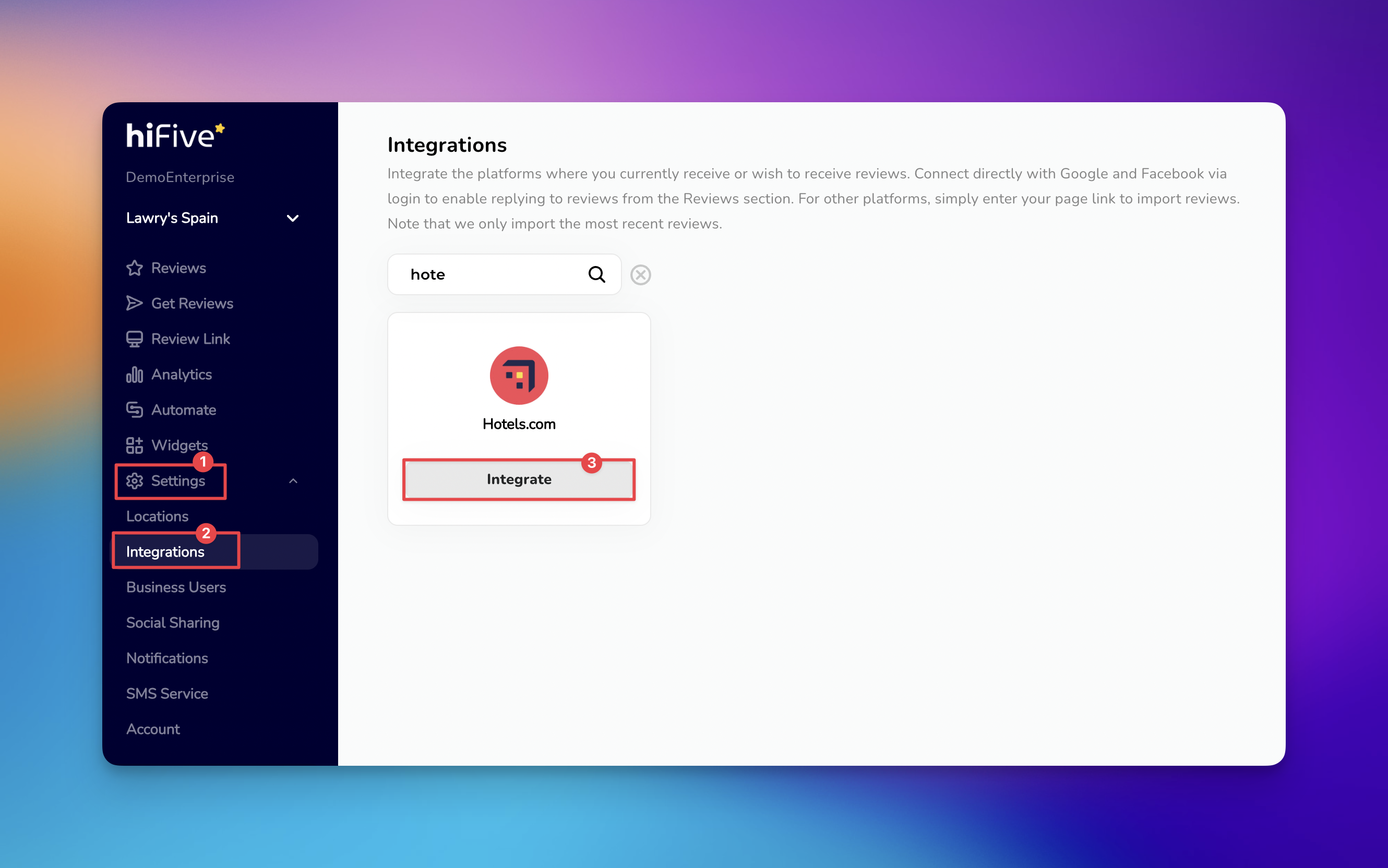
Access the Account: Open the HiFiveStar login portal. Use your registered credentials to enter the main Business Dashboard.
Open the Configuration Menu: Look for the 'Settings' tab. Selecting this option opens the administrative backend of your account.
Locate the Connectivity Hub: Within the menu, select 'Integrations'. This section displays all external platforms compatible with the software.
Identify the Platform: Scroll through the list of providers or use the search function. Input "Hotels.com" to isolate the correct option.
Initiate the Connection: Select the 'Integrate' button. This action opens a prompt for your unique Hotels.com property link.
Save the Link: Paste your property URL into the designated text box. Select the 'Integrate Hotels.com' button. HiFiveStar saves the link and adds Hotels.com to your review page.


When you reply to Hotels.com reviews on Hotels.com, use these strategies to maintain a top-tier reputation:
Speed Matters: Aim to respond to feedback within 48 hours to show guests and future bookers that you are attentive and professional.
Personalize the Conversation: Address reviewers by name and mention specific details they shared about their stay to avoid sounding like a bot.
Stay Objective: When handling negative feedback, remain calm and focus on providing a solution or inviting the guest to a private discussion.
How to Control Which Review Options Appear on Your Review Link
Learn how to easily customize which review sites to appear to your customers on your HiFiveStar review link
