Boosting your online reputation starts with centralizing your feedback. By linking your Tripadvisor page, your Tripadvisor reviews come into HiFiveStar once a day, making it easier to monitor guest satisfaction. To respond, Reply on Tripadvisor opens the review on Tripadvisor (in the classic look, Reply).
This video shows our previous app. The written steps on this page describe the current one.
Follow these simple instructions to sync your Tripadvisor reviews directly with your business dashboard.
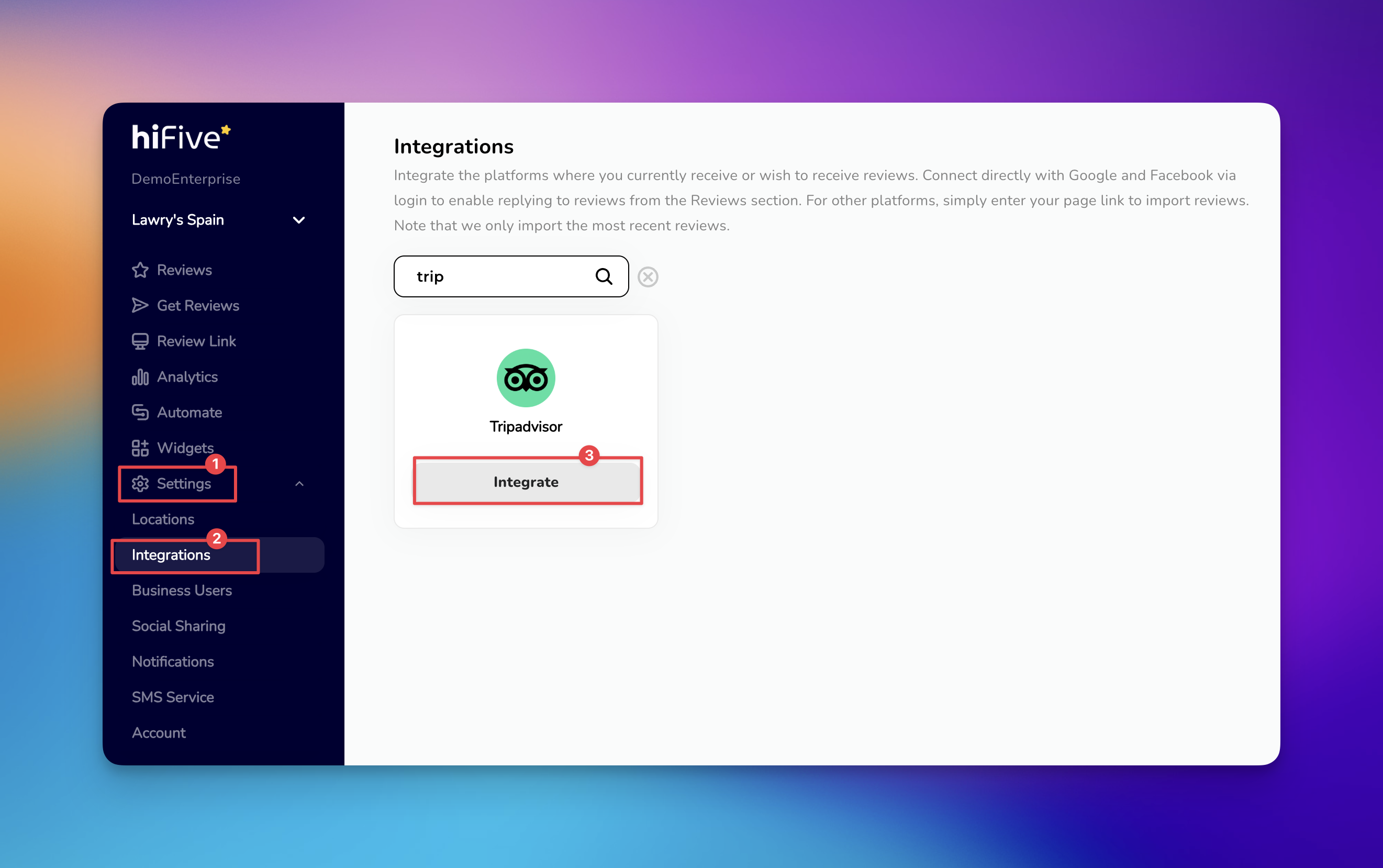
Open HiFiveStar login page and enter your account credentials. This action opens the main Business Dashboard where your review data is managed.
Look for the 'Settings' option in the primary navigation panel. Selecting this will open the configuration area for your business profile.
Find the tab or menu item labeled 'Integrations'. This houses all the third-party platforms available for syncing with your account.
Scroll through the list of review sites or use the search bar. Typing "Tripadvisor" will quickly highlight the correct option.
Select the 'Integrate' button next to the Tripadvisor logo. A box will appear asking for the URL of your specific business page. Tripadvisor imports work only for hotels, restaurants and attractions.
Paste your Tripadvisor Business URL into the empty field. Select the 'Integrate Tripadvisor' button to complete the process and start syncing your reviews.
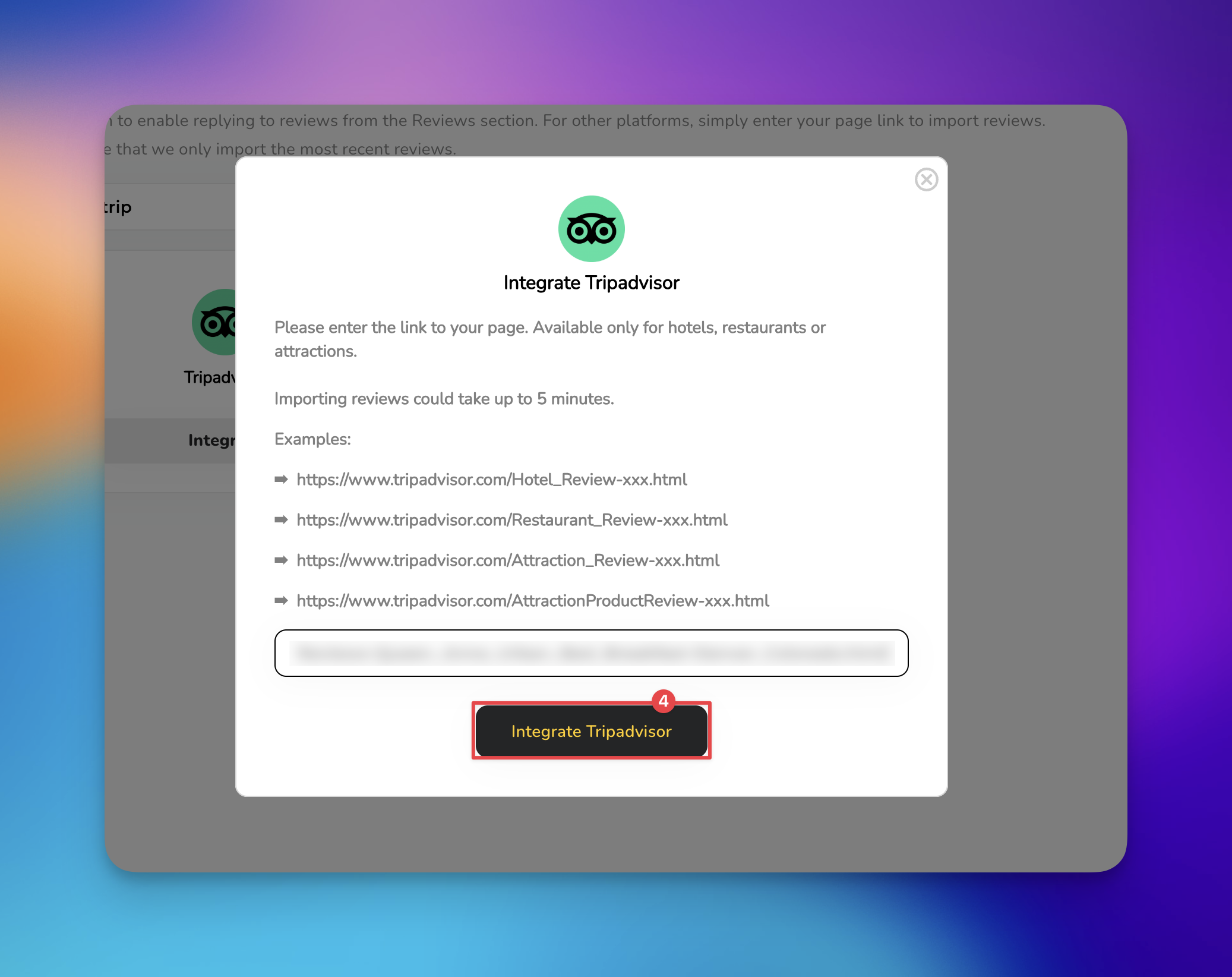
Now that your accounts are linked, your Tripadvisor reviews will begin appearing in your feed shortly. You can now use the dashboard tools to analyze these travel-specific insights alongside your other review sources.

Integrating these platforms allows you to centralize your reputation management by pulling travel-specific feedback into a single view alongside your other review sources. This synchronization ensures you never miss a guest comment, allowing for faster response times and a more holistic understanding of your customer experience.
Once the integration is active, your Tripadvisor feedback will automatically populate within your review feed. By platform on the Reviews screen shows how many of your Tripadvisor reviews are in HiFiveStar and their average, when Tripadvisor is one of your three sites with the most reviews there, and Analytics shows how your rating grows over time, site by site. In the classic look, the list of platforms in the left menu shows Tripadvisor only for a page linked in our previous app, with the count and average carried over from it.
To engage with guests who have shared their travel experiences, click Reply on Tripadvisor on a review (in the classic look, Reply): it opens the review on Tripadvisor, where you respond.
Review Link Explained
This is the link your customers will visit to leave you a review
