
Integrating Lawyers.com with HiFiveStar
Adding your Lawyers.com profile link puts Lawyers.com on your HiFiveStar review page, so clients can go there to leave a review. HiFiveStar does not import Lawyers.com reviews yet.
Step-by-Step Connection Guide
Open the HiFiveStar portal and provide your credentials. This opens the primary dashboard where your business overview is located.
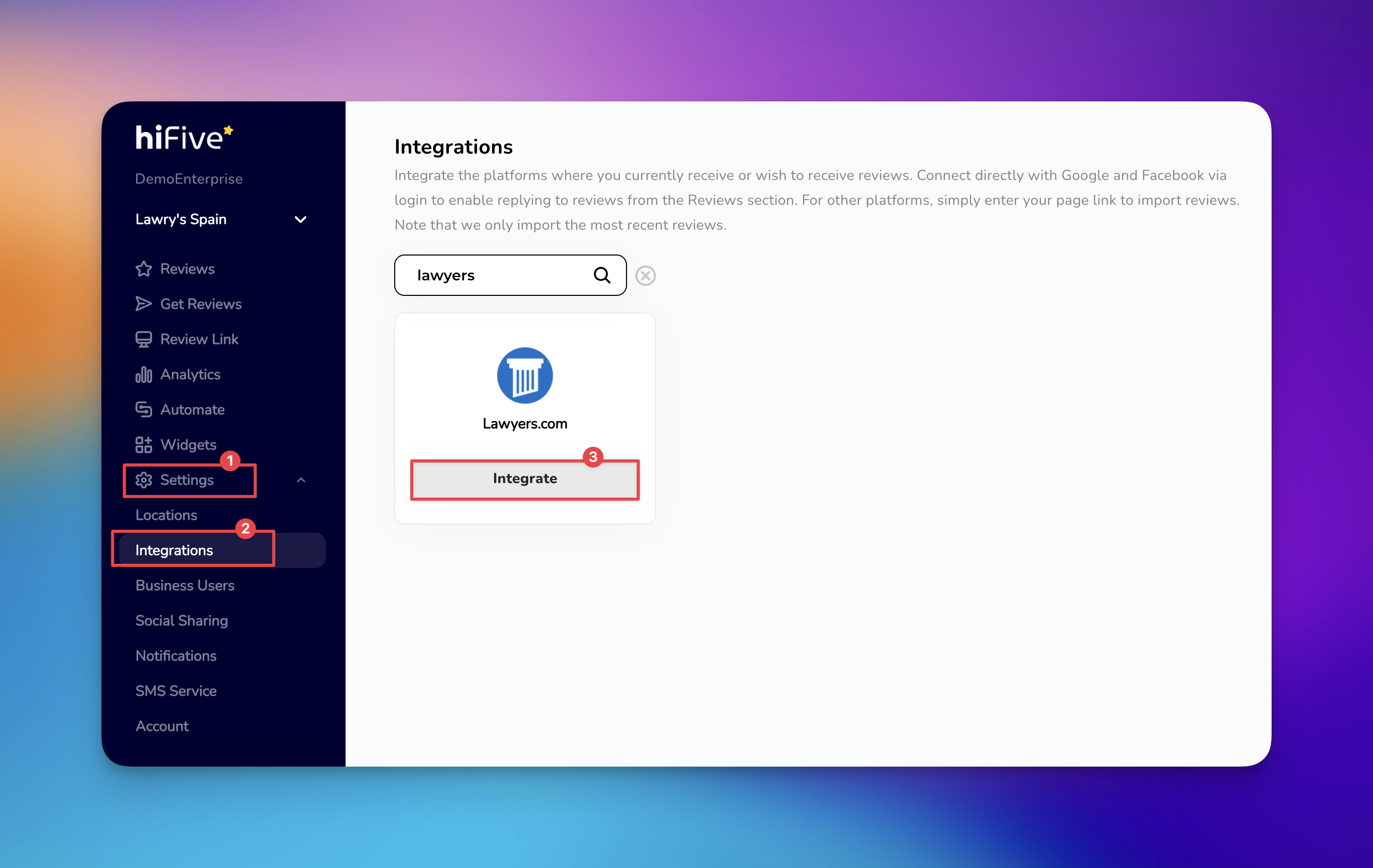
Select 'the Settings' category. This area houses the core administrative tools for your account.
Choose the 'Integrations' tab under the Settings menu. This section displays the various third-party platforms compatible with the software.
Scroll through the available platforms or use the search function to find Lawyers.com.
Select Lawyers.com from the results and click 'the Integrate' button. This action triggers a prompt requesting your specific company URL.
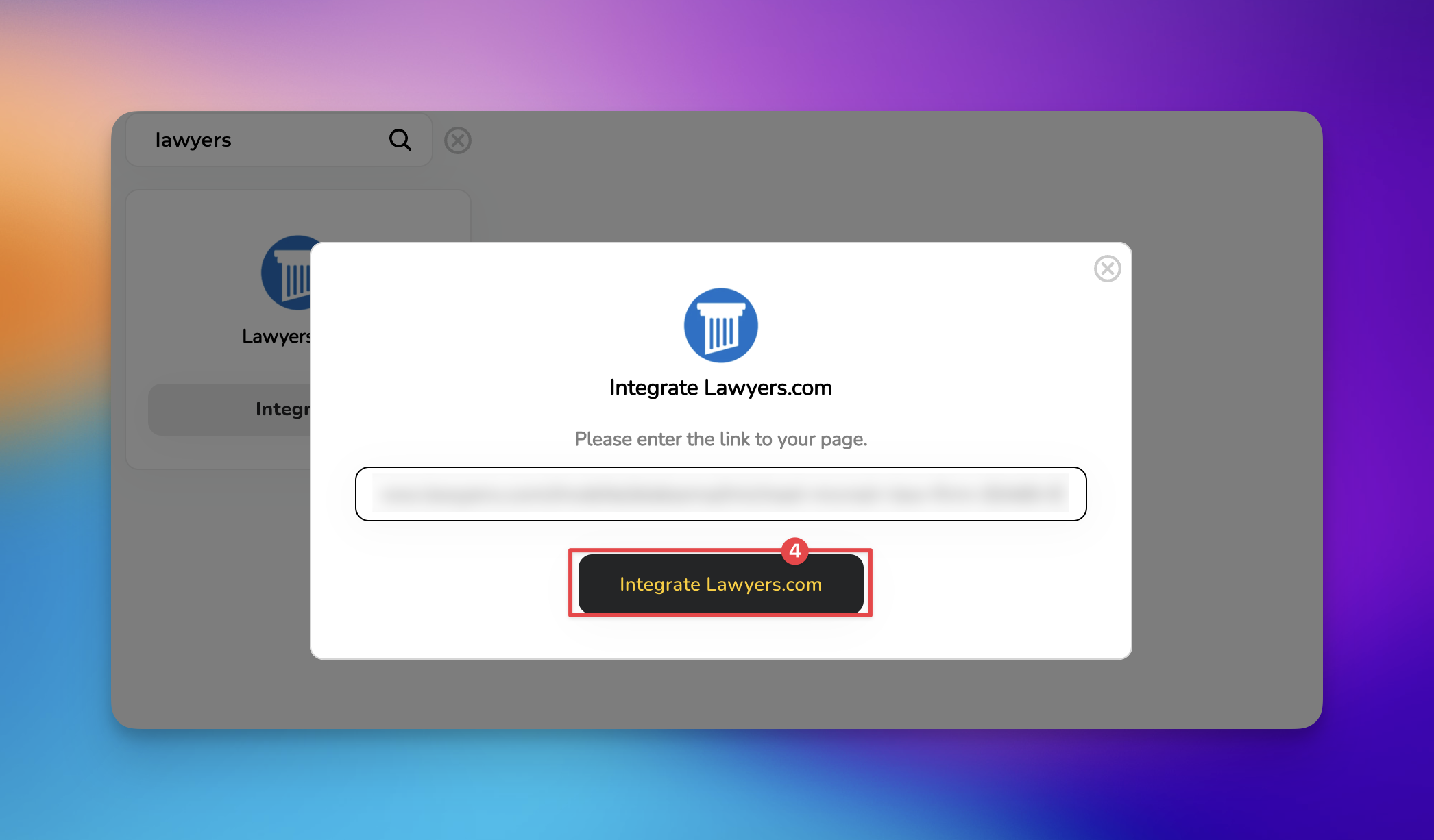
After pasting the URL, click the button labeled 'Integrate Lawyers.com'. HiFiveStar saves the link and adds Lawyers.com to your review page.
Once the link is saved, happy clients can reach your Lawyers.com profile from your review page. Reply to Lawyers.com reviews on Lawyers.com itself.
Best Practices for Lawyers.com Reviews
Managing a reputation on legal-specific platforms requires a high degree of professionalism and adherence to ethical standards.
Protect Client Confidentiality: Never confirm an attorney-client relationship or disclose specific case details in a public response. Even if a reviewer shares details, your duty of confidentiality remains absolute.
Respond with Neutrality: Use a standard, professional tone for all replies. Address the feedback generally by stating that the firm takes all client concerns seriously and invite the individual to a private consultation.
Time Your Requests: Ask for reviews immediately following a successful case resolution or a positive milestone. Satisfied clients are most likely to provide feedback when the value of your service is top-of-mind.
Avoid Defensive Rebuttals: If a review is negative, resist the urge to argue or correct the facts publicly. A simple, empathetic invitation to discuss the matter offline demonstrates better leadership to prospective clients reading the thread.
Related Articles
How to Disable Negative Review Filtering
Turning off Review Gating which redirects customers to the negative experience page