Your team's feedback is just as important as your customers' praise. By bringing your Glassdoor reviews into HiFiveStar, you can keep a pulse on your company culture and respond to employee insights without jumping between different websites. It’s a simple way to manage your entire professional reputation from one home base.
Open the HiFiveStar login page and enter your credentials to reach your main dashboard.
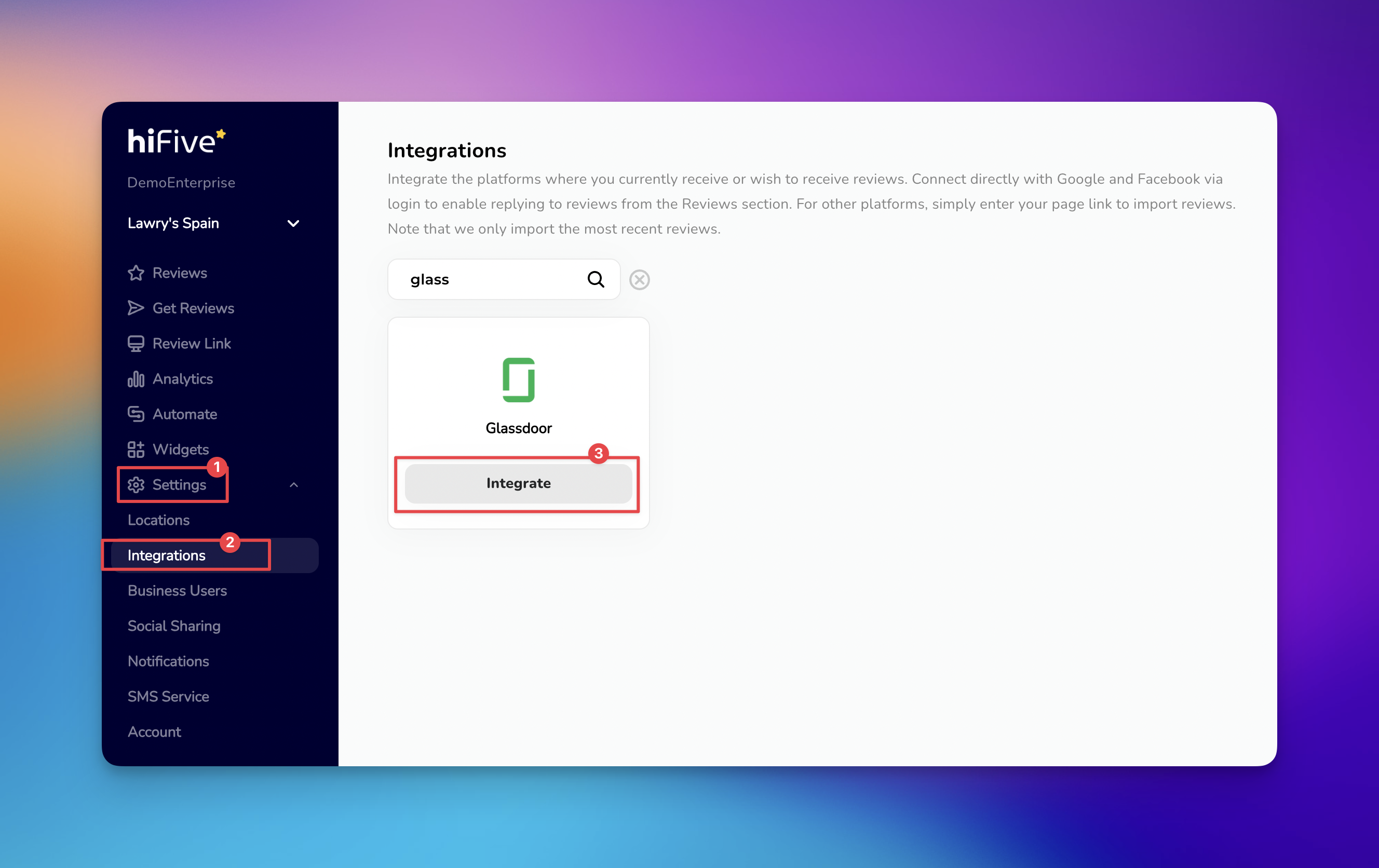
Select the 'Settings' option from the main navigation menu.
Within the settings area, locate and click on the 'Integrations' tab. This section displays all the third-party platforms available for review monitoring.
You can browse the list of directories or use the search bar at the top. Type "Glassdoor" to quickly filter the results.
Choose the 'Integrate' button associated with the Glassdoor icon. A field will appear requesting your specific profile information.
Visit Glassdoor to copy the web address of your official company profile. Paste this link into the provided field and click 'Integrate Glassdoor'.
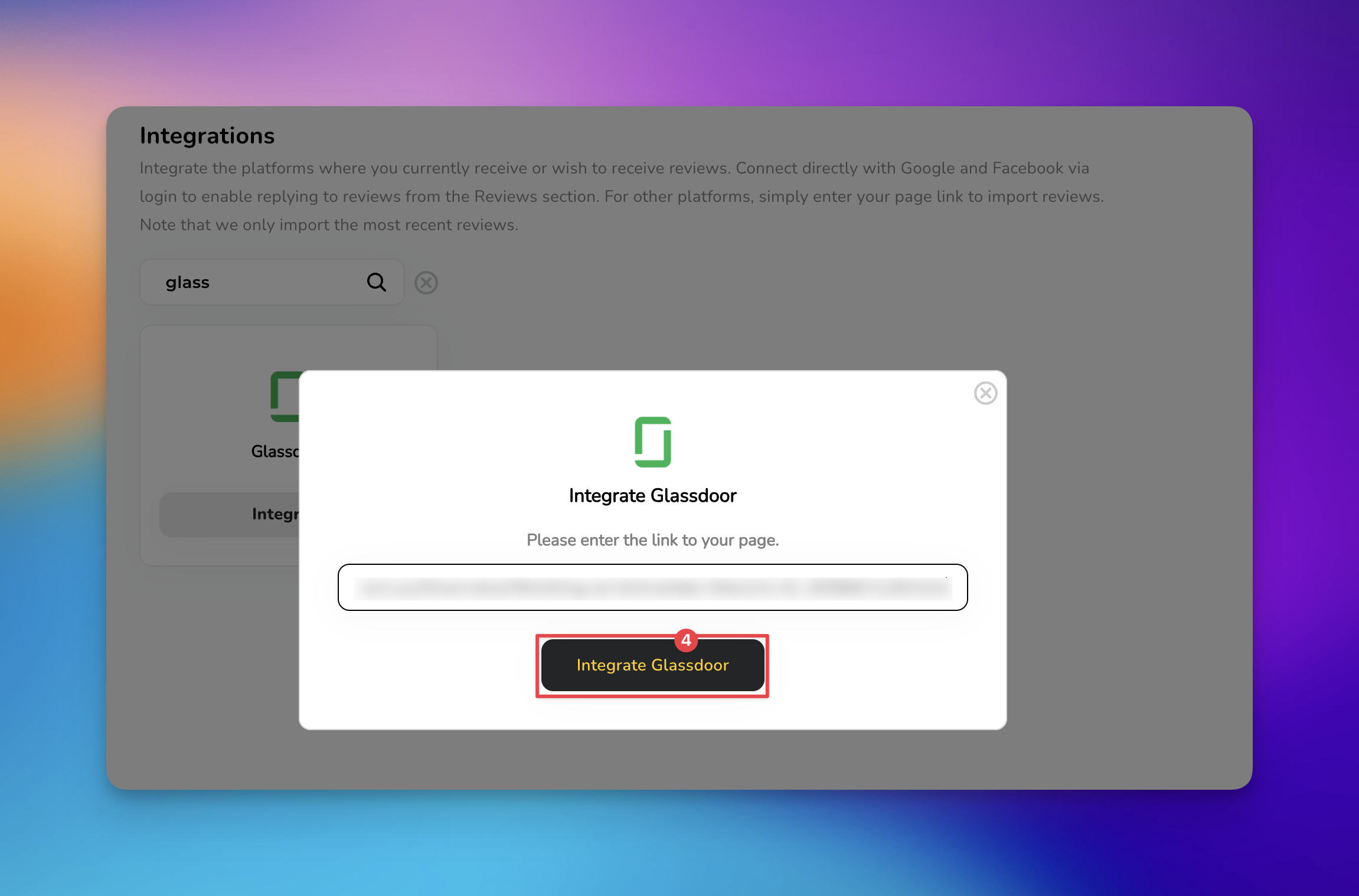
Once you have saved the link, HiFiveStar will begin pulling in your Glassdoor reviews automatically. This gives you a holistic view of how both your customers and your team perceive your brand.
You can now manage your professional reputation and your employer brand from a single, unified interface.

glassdoor.com/Reviews/Your-Company-Name... rather than a generic homepage link.Avoid Admin Dashboard Links: Do not copy the URL from your private Employer Center or account management page. The integration requires the public-facing link that job seekers and employees see.
Profile Visibility: If your Glassdoor page is hidden, under moderation, or newly created, the integration may not be able to pull data immediately. Wait until the profile is fully live before attempting the link.
Managing your reputation is about more than just reading comments; it is about active engagement. Here is how to make the most of your Glassdoor integration:
Respond with Professionalism: Whether a review is glowing or critical, always remain professional. For employee reviews, thank them for their feedback and address specific concerns without getting defensive.
Identify Patterns: Use the consolidated data to look for recurring themes. If multiple employees mention a specific internal process, it might be time for an organizational update.
Showcase the Positive: Don't be afraid to highlight positive employee testimonials on your social media or recruitment pages to attract top-tier talent.
Be Timely: Aim to respond to new reviews within a few business days. A quick response shows that you value feedback and are actively listening.
How to Control Which Review Options Appear on Your Review Link
Learn how to easily customize which review sites to appear to your customers on your HiFiveStar review link
