Managing your home service reviews shouldn't feel like a full-time job. By linking your Angi profile directly to HiFiveStar, you stop jumping between apps and start seeing all your feedback in one place.
This connection doesn't just save you time; it helps you respond to homeowners faster, keep your "Pro" status high, and turn your best project stories into marketing tools that actually win you more jobs.
Log in to your HiFiveStar account using your admin credentials to reach the main business dashboard.
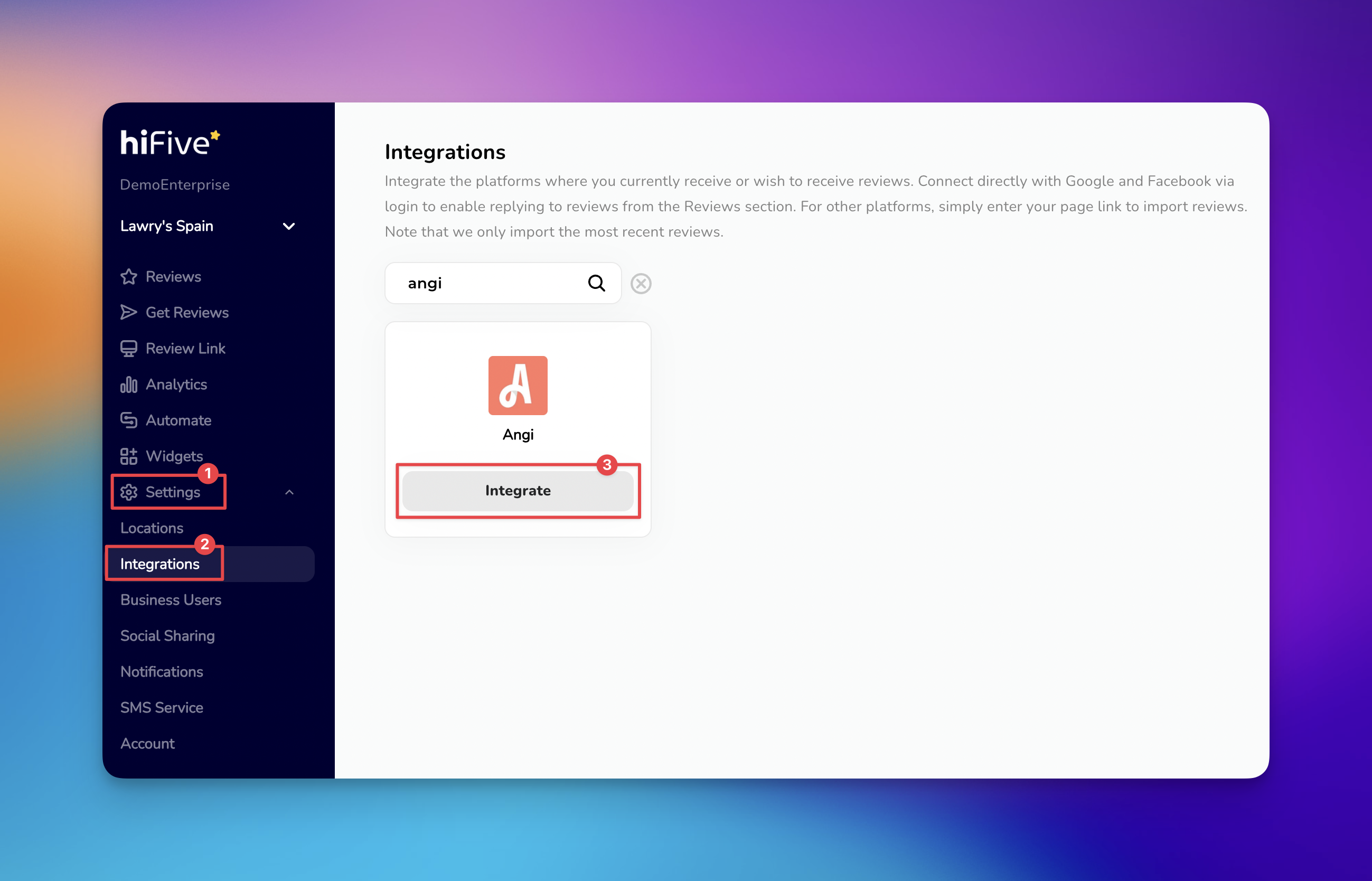
Locate the ‘Settings’ option in the primary navigation menu, typically found on the left-hand sidebar.
Within the Settings menu, click on the ‘Integrations’ tab. This section displays all available platforms for review monitoring and collection.
Use the search bar at the top of the page and type "Angi" to quickly filter the results. Once the Angi icon appears, click the ‘Integrate’ button.
A field will appear requesting your Angi Business URL. Copy the full web address of your public Angi profile and paste it into this box.
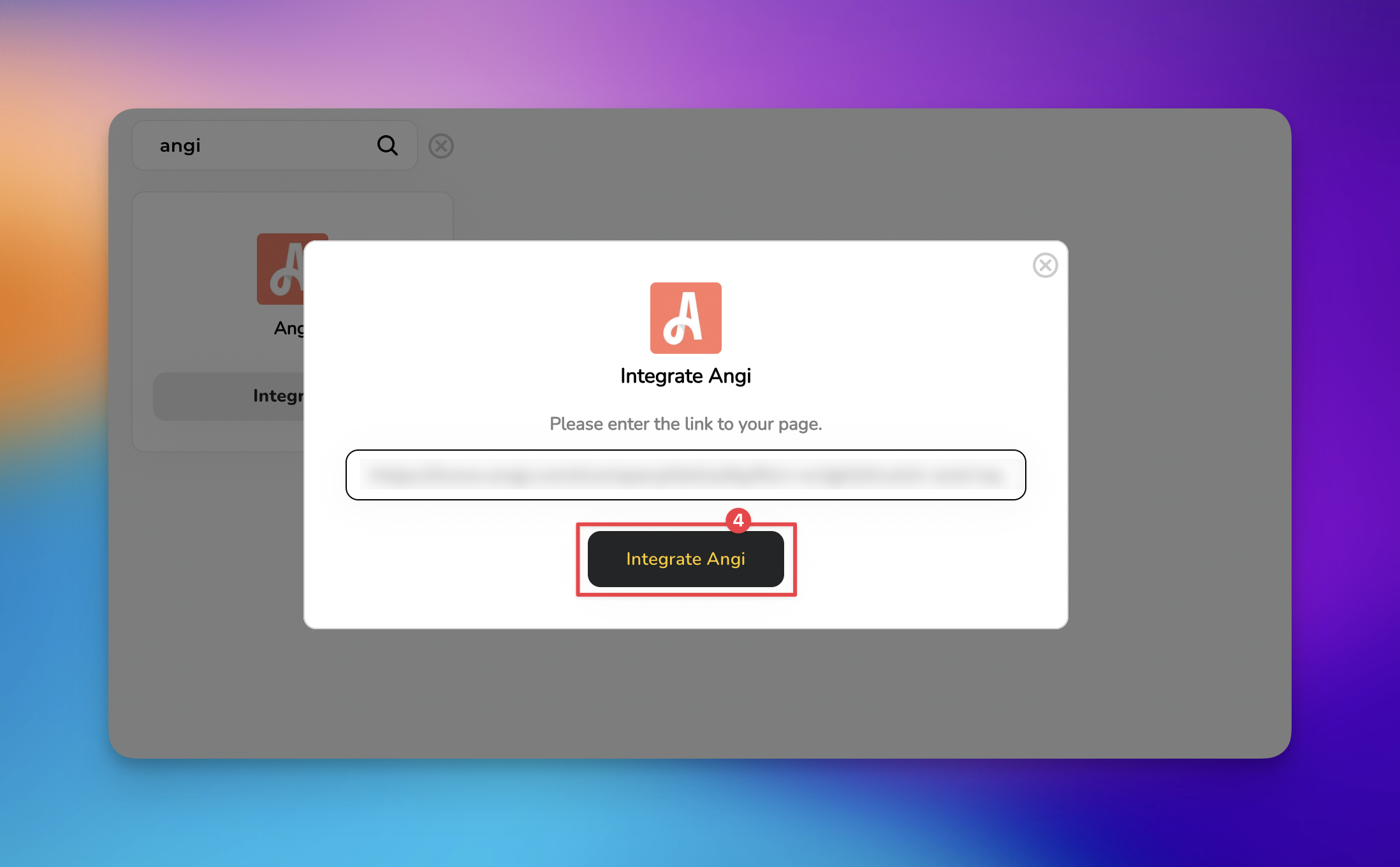
Click the ‘Integrate Angi’ button to confirm. Your recent reviews will begin syncing with your HiFiveStar dashboard shortly.

Unified Review Monitoring: Instead of manually checking the Angi Pro app for new feedback, all reviews are funneled into your HiFiveStar Universal Command Center. This ensures you never miss a review from a verified homeowner, allowing you to respond faster and maintain a high responsiveness score.
Boosted Local SEO and Visibility: Angi reviews are highly trusted by search engines. By pulling these reviews into HiFiveStar, you can automatically display your top-rated Angi projects on your website via customizable review widgets and provide search engines with fresh, keyword-rich content that helps your business rank higher.
Reputation Protection: HiFiveStar acts as a vigilant shield by allowing you to set up the platform to internally capture feedback from dissatisfied customers before it reaches your public Angi profile, giving you the chance to resolve issues privately.
Increased Lead Conversion: Homeowners on Angi are often ready to hire immediately. When you use HiFiveStar to broadcast your best Angi testimonials across social media and your website, you provide the final social proof needed to turn a hesitant lead into a booked job.
Will HiFiveStar pull in my old Angi reviews?
Yes, once the integration is active, HiFiveStar performs an initial sync to import your existing public reviews so your dashboard is up to date from day one.
Does this integration allow me to dispute Angi reviews?
Disputes must still be handled through the Angi Pro portal. However, HiFiveStar alerts you the moment a low-rating review is posted, giving you a significant head start in reaching out to the customer or starting the dispute process.
Can I choose which Angi reviews show up on my website?
Absolutely, within the HiFiveStar widget settings, you can set filters to only display reviews with a specific star rating (e.g., 4 stars and above) or those that contain specific keywords relevant to your best services.
How to Control Which Review Options Appear on Your Review Link
Learn how to easily customize which review sites to appear to your customers on your HiFiveStar review link
