Managing a vacation rental requires staying on top of guest feedback across multiple platforms. By linking your VRBO property listing to HiFiveStar, you can consolidate your hosting reviews into a single, organized dashboard.
This integration ensures that every five-star stay is captured, allowing you to monitor your performance, respond to guests efficiently, and showcase your best reviews on your own website.
Start by visiting the HiFiveStar login portal. Enter your username and password to open your business dashboard.
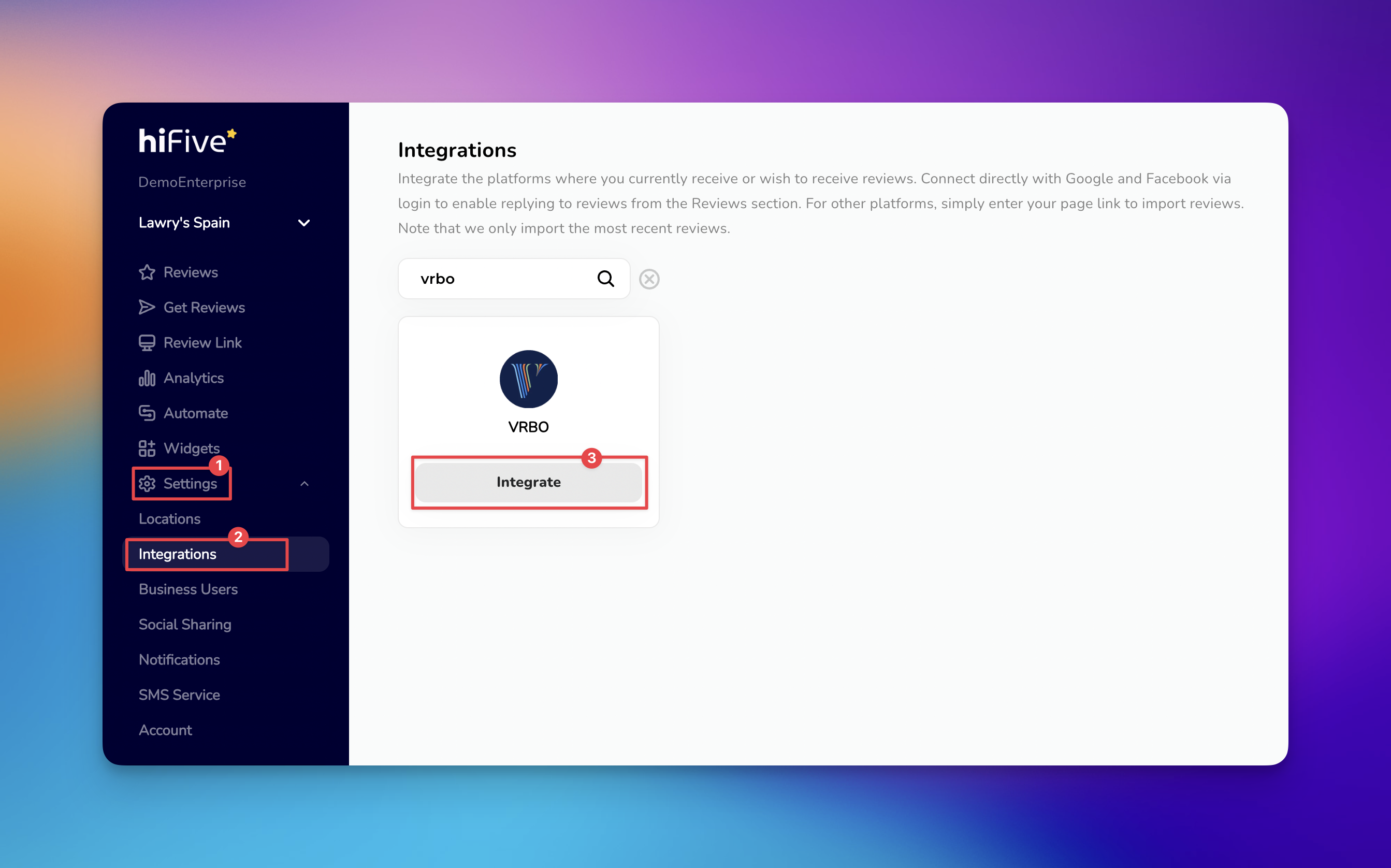
Once you are on the main interface, locate the navigation sidebar and select the 'Settings' option.
From the secondary menu that appears, click on the 'Integrations' tab. This area displays the various review platforms and directories compatible with the software.
You can scroll through the travel and hospitality section or use the Search Bar at the top of the list. Type "VRBO" to quickly filter the results.
Select the 'Integrate' button located next to the VRBO branding. This will trigger a prompt asking for you to paste your VRBO profile link.
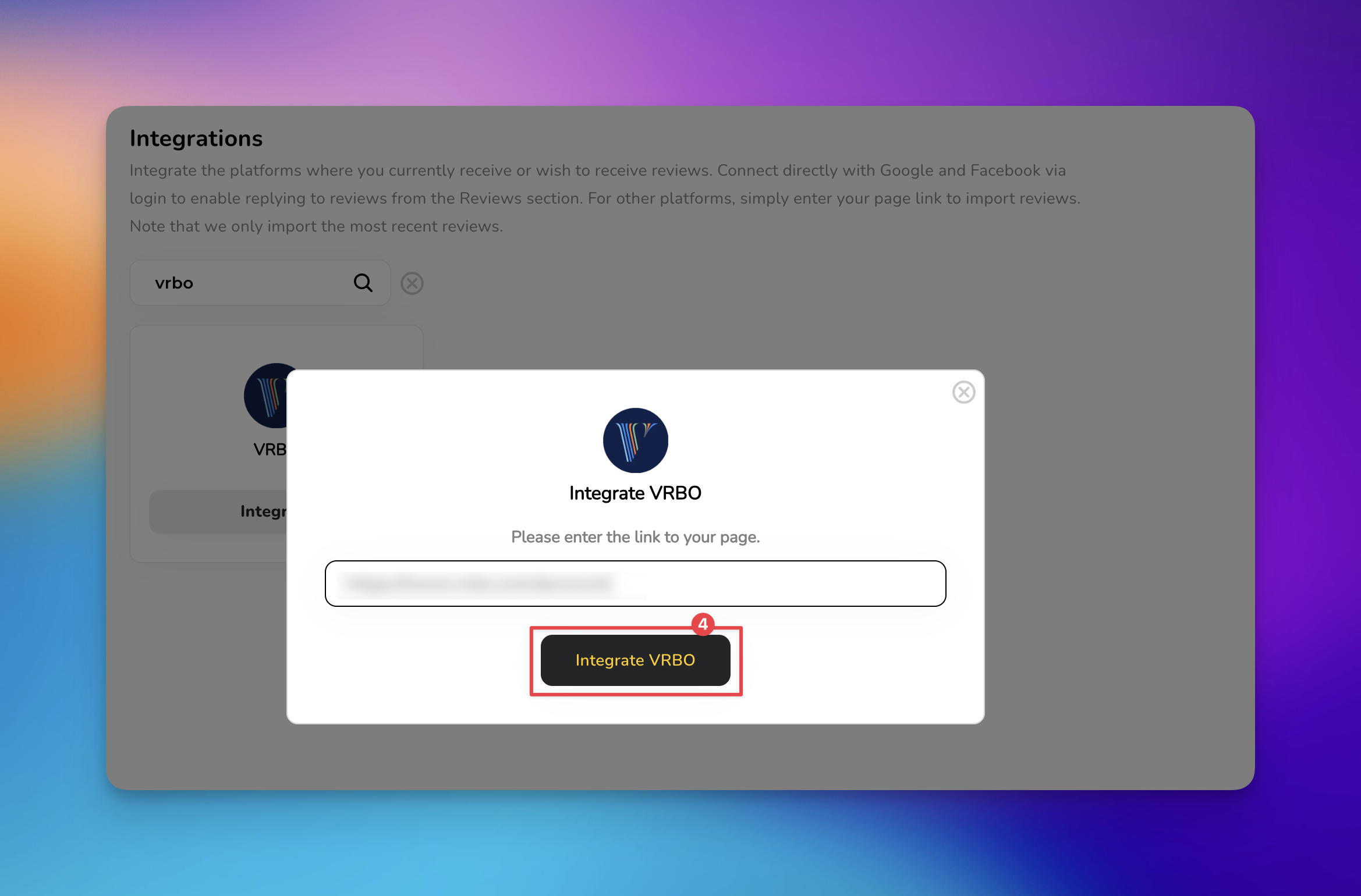
Paste the full web address of your profile VRBO page into the provided input field. Click 'Integrate VRBO' button to establish the link.

If your reviews are not appearing after 24 hours, check the following common issues:
Active Listing Status: Ensure your property is currently "Live" on VRBO. Paused or hidden listings may prevent the software from fetching data.
Property ID Changes: If you have recently moved your listing to a new property ID on VRBO, you must update the URL in HiFiveStar to match the new location.
Sync Frequency: HiFiveStar typically updates review data periodically throughout the day. If a guest just posted a review, it may take a few hours to reflect in your dashboard.
Once integrated, you can leverage your high-quality vacation rental feedback across your marketing channels:
Website Widgets: Use the HiFiveStar Widgets to create a "Wall of Love" or a carousel featuring your top-rated VRBO stays.
Social Sharing: Easily turn a five-star VRBO review into a branded social media post directly from the dashboard with HiFiveStar Social Sharing feature.
Review Filtering: Set up automatic filters to only display reviews with a 4-star rating or higher on your public-facing widgets.
Linking Google Reviews with HiFiveStar
Linking Google Reviews with HiFiveStar
