Integrating Zillow with your HiFiveStar dashboard allows you to bridge the gap between your property listings and your professional credibility. By centralizing your Zillow agent reviews alongside your other platforms, you can monitor client feedback in real-time, respond to testimonials more efficiently, and showcase your closing expertise to prospective homebuyers from a single interface.
Follow this guide to link your professional Zillow profile and start managing your real estate reputation more effectively.
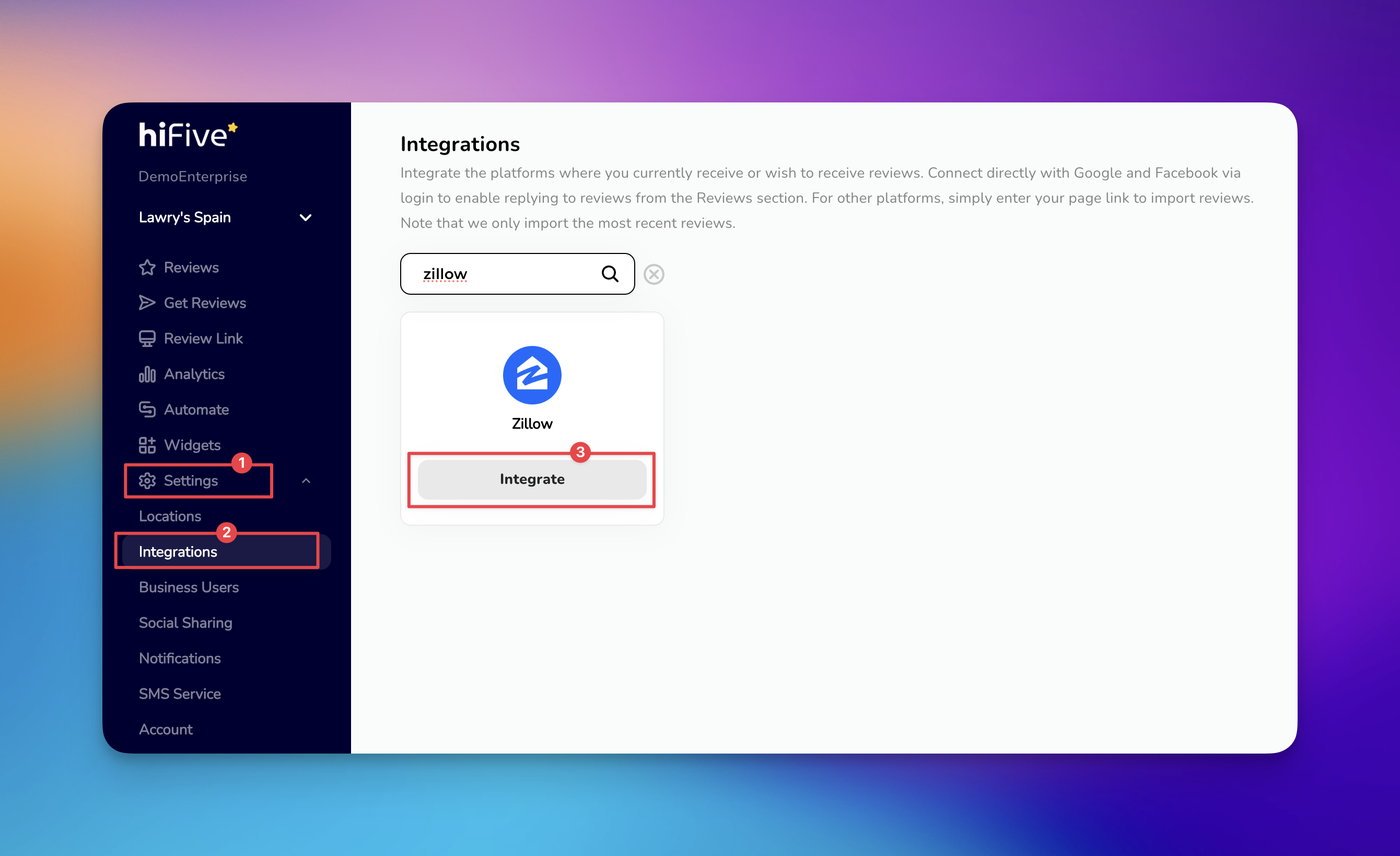
Access the HiFiveStar login page and enter your credentials to reach your main business overview.
Locate the navigation menu and click on 'Settings'. Within the Settings sub-menu, select the 'Integrations' tab. This section displays all platforms currently supported for review monitoring.
You can scroll through the list of local directories or use the search bar at the top of the page. Type Zillow to quickly filter the results.
Click the 'Integrate' button next to the Zillow icon. A field will appear requesting your Zillow Business URL.
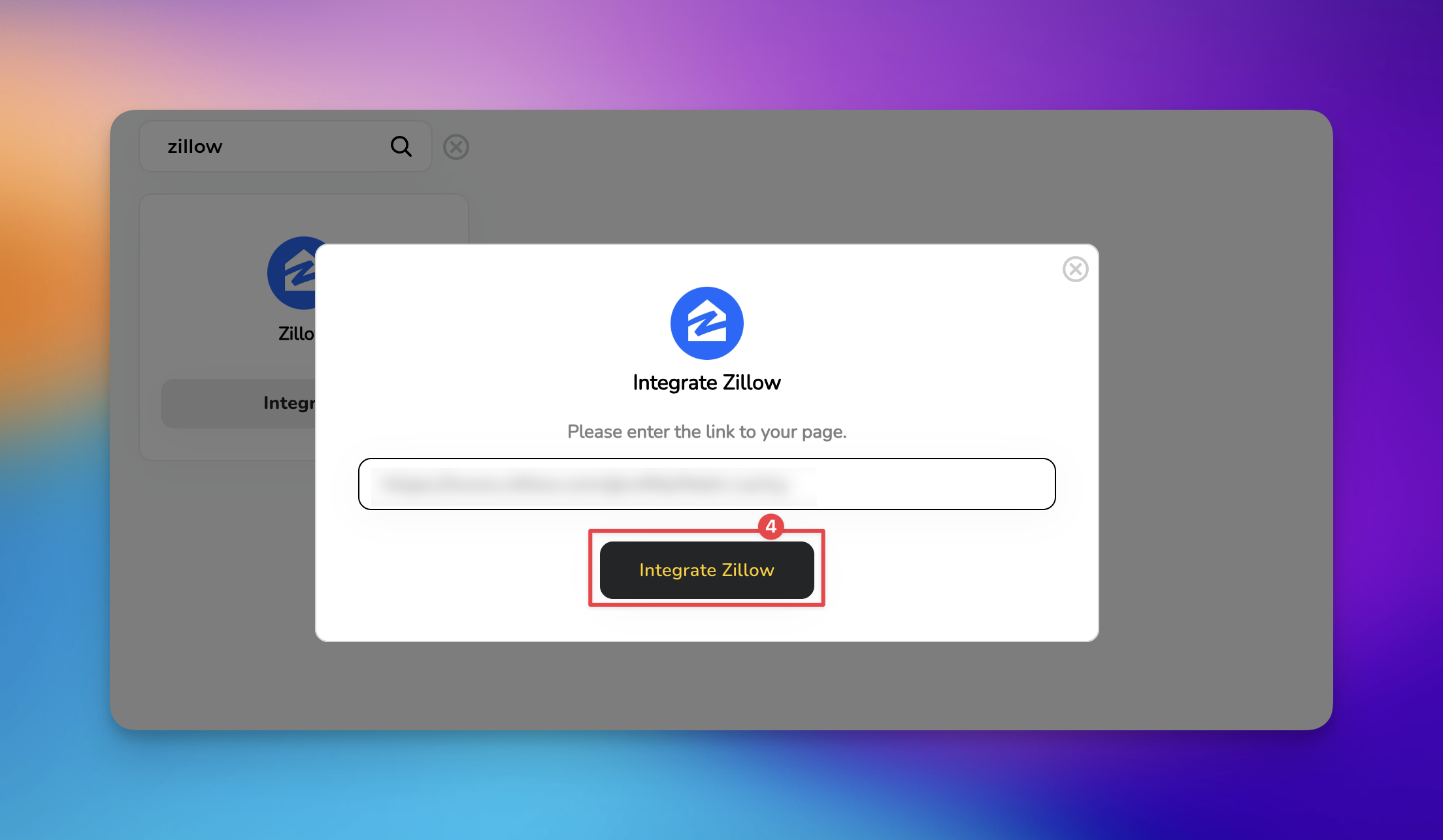
Paste your specific Zillow agent or business profile link into the provided field and click 'Integrate Zillow'.

Check for Typos: Ensure the URL is pasted exactly as it appears in your browser. Even a small trailing space can cause the integration to fail.
Avoid Generic Links: Do not paste the general Zillow homepage or a specific property listing. The integration requires your public professional profile to pull reviews correctly.
Patience is Key: Once integrated, it may take a few minutes for your existing Zillow reviews to populate within the HiFiveStar dashboard.
Why are my Zillow reviews not syncing immediately?
Zillow reviews often undergo a moderation period (usually 24–72 hours) before they are publicly visible. HiFiveStar can only pull reviews once they are officially published on your public Zillow profile.
What happens if a review is deleted or moved on Zillow?
HiFiveStar periodically syncs with Zillow to ensure accuracy. If a review is removed from the source platform, it will eventually be updated or removed from your HiFiveStar dashboard during the next sync cycle.
Integrations Explained
Maximizing Your Online Presence with HiFiveStar's Platform Integrations
