Connecting Foursquare to your HiFiveStar account is a simple way to centralize your location-based feedback and reviews. By linking these platforms, you can monitor customer tips and ratings alongside your other review sources in one unified dashboard.
This integration ensures that you never miss a check-in or a recommendation from your local customers. Follow the steps below to sync your business profile and begin importing your data immediately.
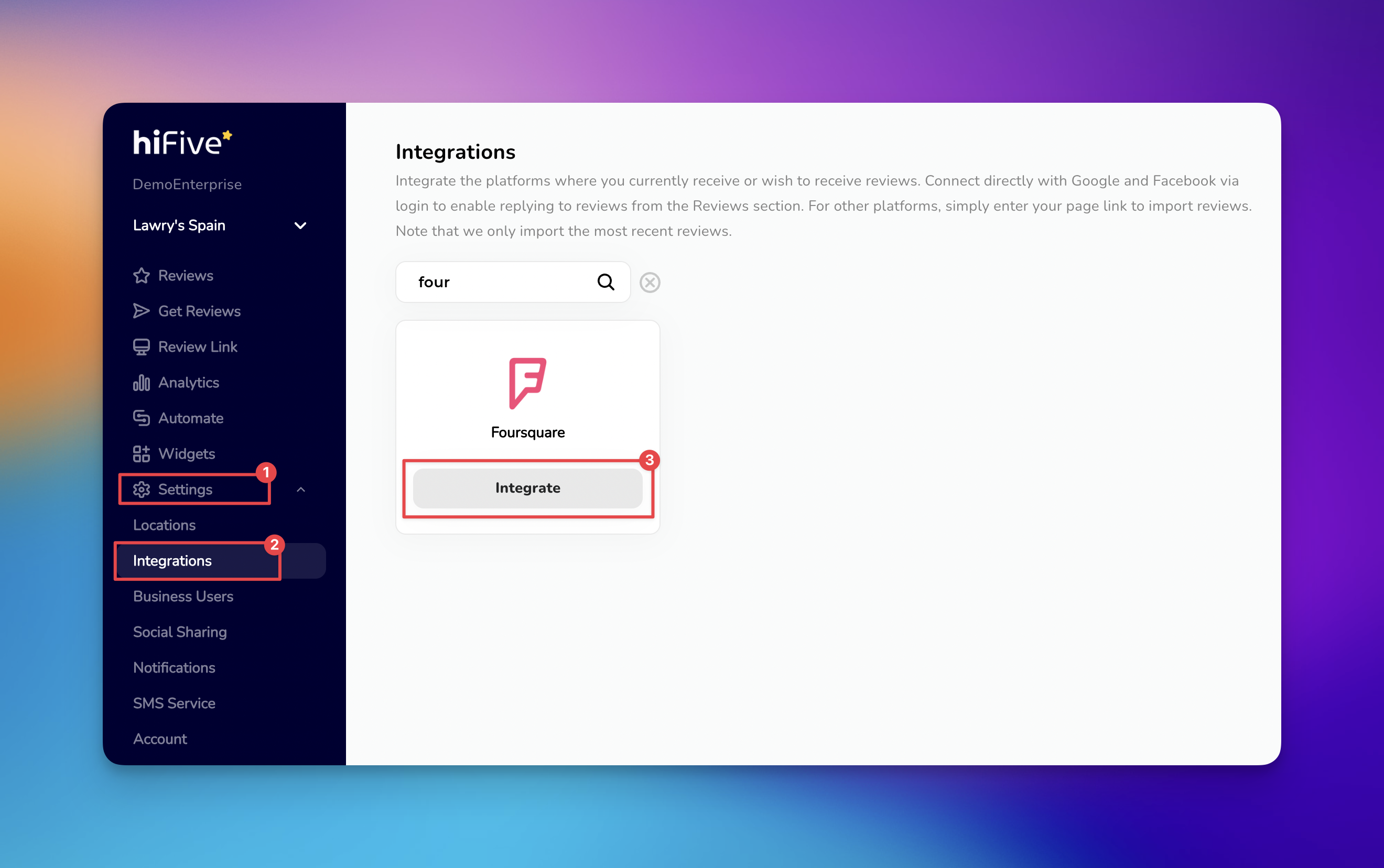
Navigate to the HiFiveStar login page and enter your credentials to access your business dashboard.
Once logged in, look at the navigation menu and click on 'Settings'.
From the sub-menu that appears, select the 'Integrations' tab. This page lists all the platforms currently supported for review monitoring. You can either scroll through the list of local business directories or use the search bar at the top of the page. Type "Foursquare" to find the correct option.
Click the 'Integrate' button next to the Foursquare icon. A pop-up window or field will appear asking for your Foursquare Business URL.
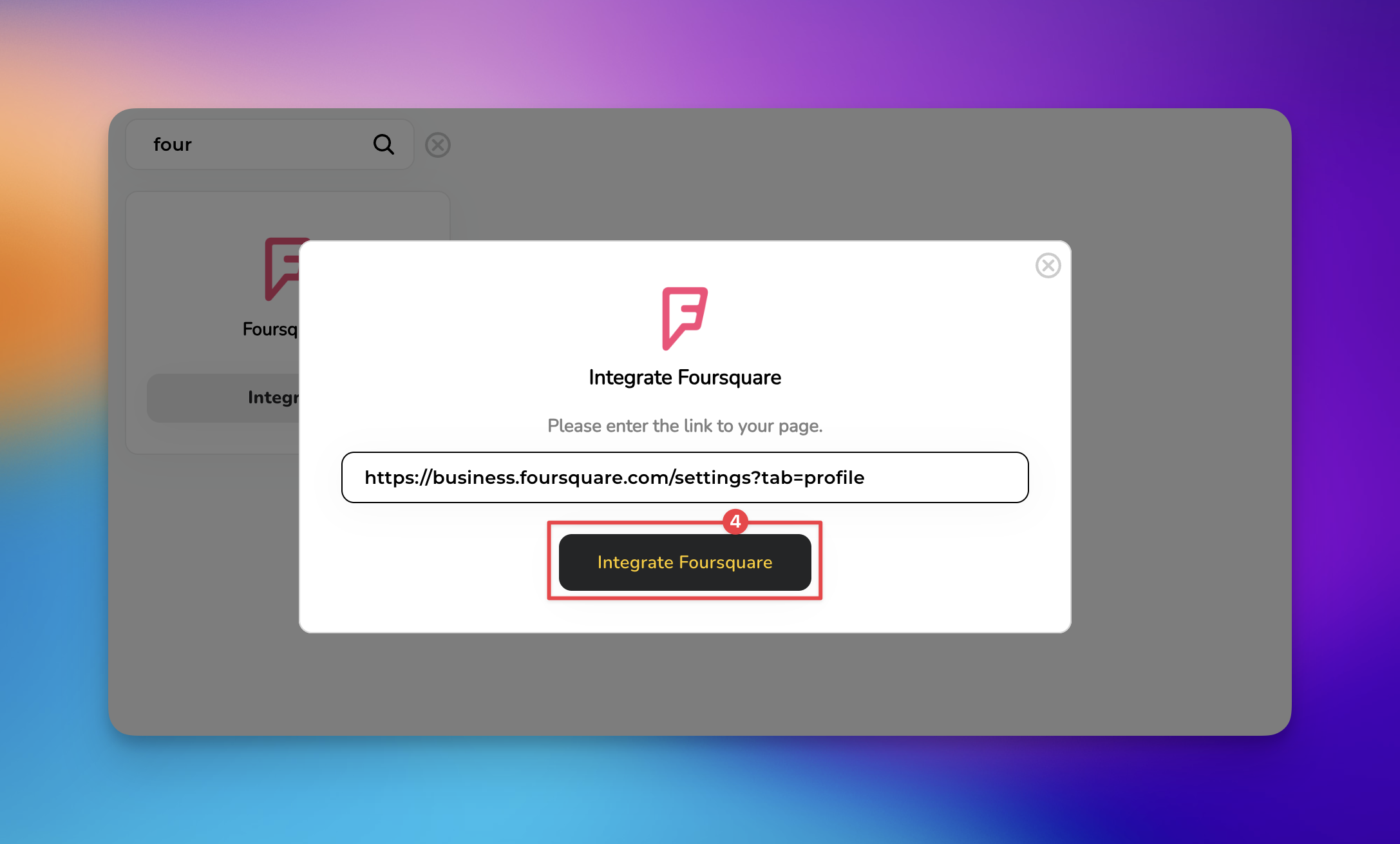
Paste your specific profile link into the provided field and click 'Integrate Foursquare'.

Don’t use a Search Result URL: Ensure you are pasting the URL of your specific business page. Do not paste the URL of a Foursquare search result page (e.g., a list of "Pizza near me"), as the integration will fail to find your specific data.
Caution on Duplicate Listings: If your business has multiple Foursquare listings for the same location, merge them on Foursquare first. Integrating a duplicate or "unclaimed" page may result in missing reviews.
Don't Close the Window Prematurely: After clicking "Integrate," wait for the confirmation message. If you navigate away while the "Verifying URL" status is active, the initial sync may be interrupted.
Check Privacy Settings: Ensure your Foursquare business page is set to "Public." If the page is restricted or hidden, HiFiveStar’s crawlers will be unable to import your data.
Do I need to be a Foursquare Superuser to integrate?
No. You only need the public URL of your business listing. However, claiming your business on Foursquare is recommended so you can respond to the reviews once they sync.
Does HiFiveStar import old Foursquare reviews?
Yes. During the initial setup, HiFiveStar will import your most recent existing reviews. The exact number depends on your current subscription plan limits.
Can I respond to Foursquare tips directly from HiFiveStar?
Currently, Foursquare integrations typically function as "Monitor Only." While you can view and manage the data in your dashboard, you will be redirected to Foursquare website when you want to reply to a specific review.
What happens if I change my business name on Foursquare?
If the URL remains the same, your integration will continue to work. If Foursquare issues a new URL for your listing, you will need to remove the old integration and reconnect using the new link.
Integrations Explained
Maximizing Your Online Presence with HiFiveStar's Platform Integrations
