Managing your professional reputation as a healthcare provider is essential for building trust with new patients. By integrating RateMDs with your HiFiveStar dashboard, you can consolidate your patient feedback into a single, easy-to-use interface. This connection allows you to monitor your ratings in real-time, respond to patient concerns more efficiently, and showcase your top-tier medical care alongside your other review sources.
Follow the steps below to link your profile and start streamlining your reputation management.
Access your account by entering your credentials on the HiFiveStar login page to open your main dashboard.
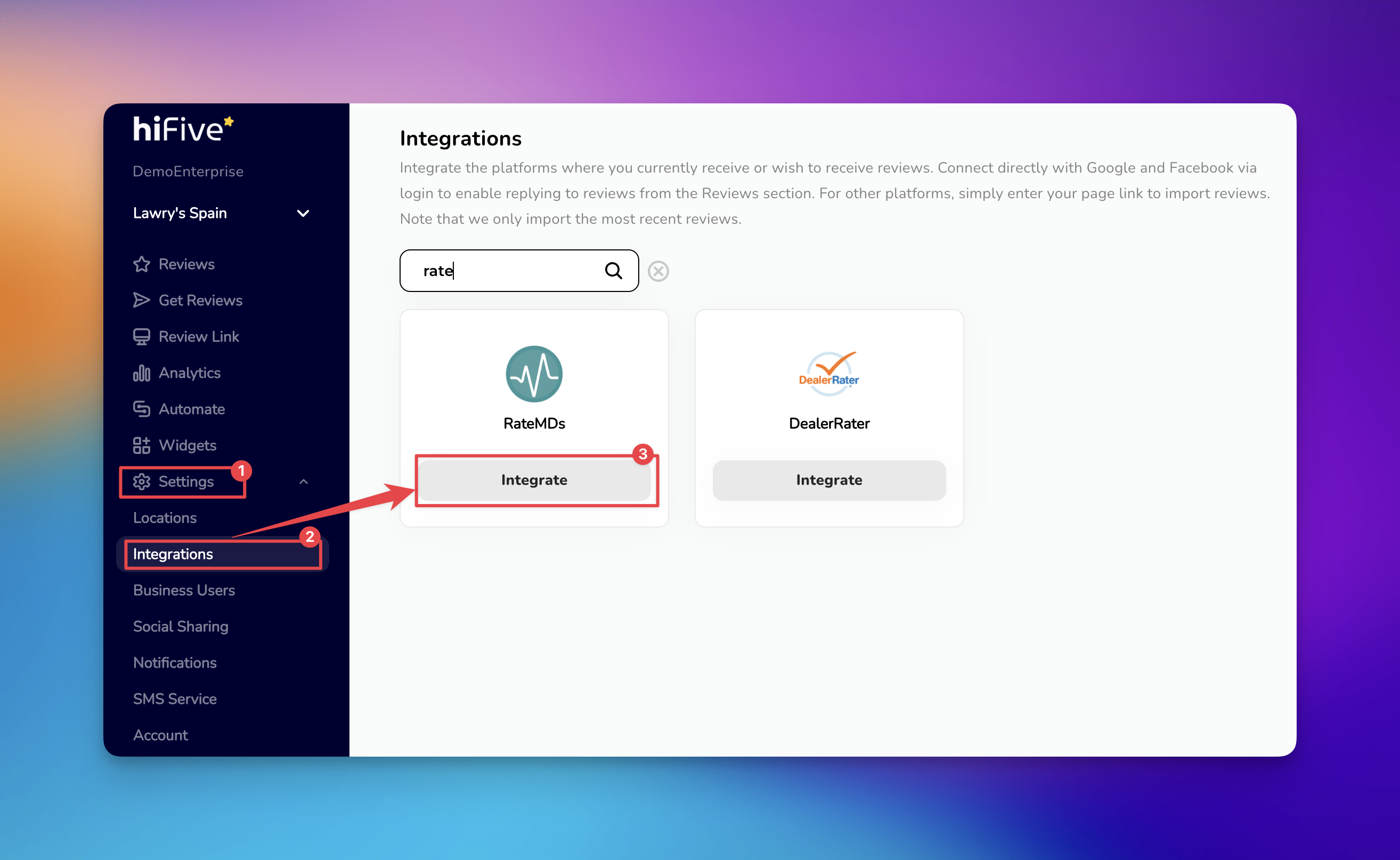
Find and click on the 'Settings' option, typically located in the main navigation menu.
Within the Settings menu, select the 'Integrations' tab to view the list of supported platforms.
Scroll through the available platforms or use the search bar at the top of the page to locate RateMDs.
Click the 'Integrate' button then you will be prompted to enter your specific RateMDs profile URL (e.g., https://www.ratemds.com/doctor-ratings/...).
Click 'Integrate RateMDs' and HiFiveStar will verify the link and begin importing your recent reviews into the platform.

Unified Dashboard: View your RateMDs ratings alongside Google, Healthgrades, and other platforms in one place.
Real-Time Alerts: Receive notifications as soon as a new patient leaves feedback so you can stay informed.
Reputation Marketing: Use HiFiveStar widgets to display your best RateMDs reviews directly on your practice's website.
Improved Patient Trust: Responding to feedback promptly demonstrates a commitment to patient satisfaction and care quality.
Don’t use shortened URLs: Services like Bitly or TinyURL can break the integration. Always use the original, full URL provided by RateMDs.
Don’t ignore negative feedback: While it is tempting to only showcase 5-star reviews, responding professionally to constructive criticism on RateMDs through the HiFiveStar dashboard can actually improve patient trust.
Don’t forget HIPAA compliance: When responding to reviews imported from RateMDs, never include Protected Health Information (PHI). Keep your public responses general and invite the patient to a private discussion if necessary.
Integrations Explained
Maximizing Your Online Presence with HiFiveStar's Platform Integrations
