Managing your professional reputation requires keeping a close eye on employee and candidate feedback. By integrating your Indeed Company Page with HiFiveStar, you can centralize your review management and ensure your brand image is consistent across the web.
This guide walks you through the simple process of linking these two platforms.
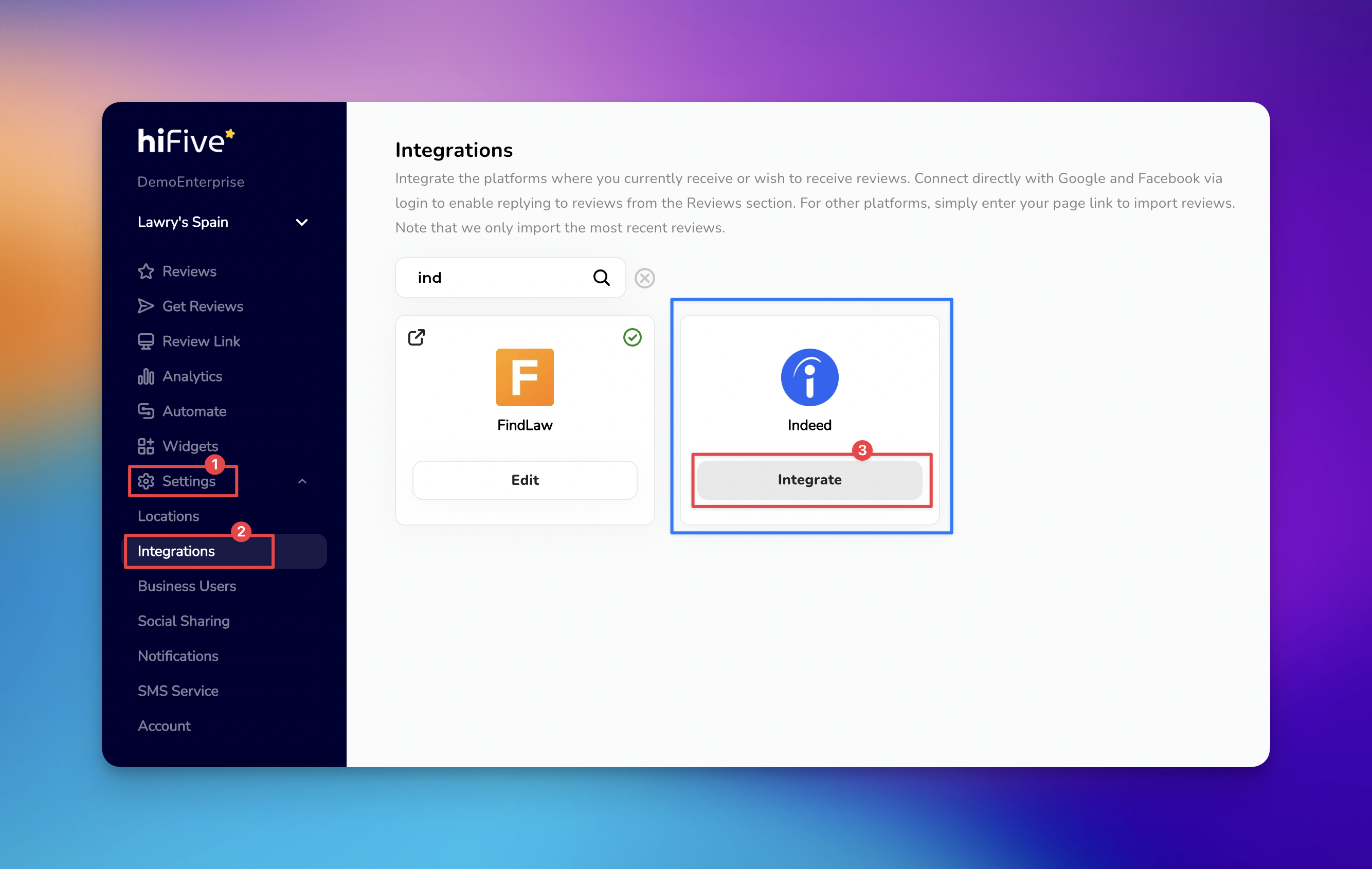
Start by logging in to your HiFiveStar account. Enter your credentials to reach the main overview page where you manage your business locations.
Once you are logged in, look at the sidebar or main navigation menu. Locate and click on the 'Settings' option in your main navigation menu.
Under the Settings menu, you will see several tabs. Click on 'Integrations' to view the list of platforms that can be connected to your account.
You can find the Indeed option in two ways:
Manual Scroll: Browse through the alphabetical list of available platforms.
Search Bar: For a quicker result, type "Indeed" into the search field at the top of the integrations page.
Click the 'Integrate' button to trigger a popup window. In the designated field, paste your copied Indeed profile link.
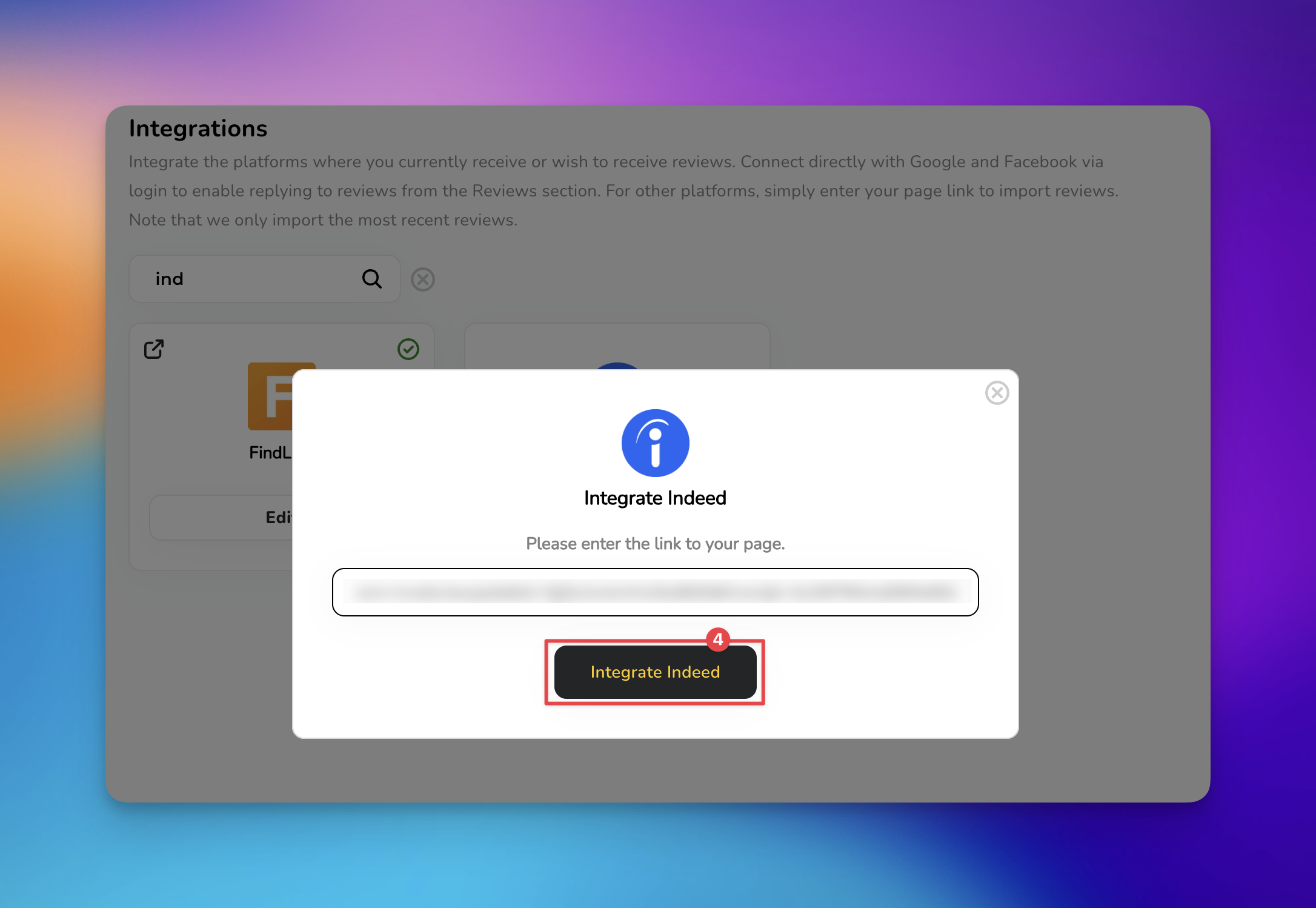
After pasting your link, click the 'Integrate Indeed' button. The system will verify the link and finalize the synchronization between Indeed and HiFiveStar.


1. Verification Failed Error This is usually caused by pasting the wrong type of URL. Ensure you are using the public "Company Reviews" page URL (e.g., indeed.com/cmp/YourCompanyName/reviews) rather than a link to your internal employer dashboard.
2. Reviews Not Appearing Immediately Indeed reviews may have a slight synchronization lag. If you don't see your reviews right away, wait 24–48 hours for the initial pull to complete.
3. Missing Star Ratings If a review appears without a star rating, it may be because the user left a "comment only" feedback. HiFiveStar will still import the text, but there may be no numerical score associated with it.
How often does HiFiveStar sync with Indeed?
HiFiveStar periodically checks your Indeed page for new reviews. Generally, new feedback will appear on your dashboard within 24 to 48 hours of being posted on Indeed.
Can I respond to Indeed reviews directly from HiFiveStar?
Due to Indeed's security protocols, most integrations allow you to monitor and aggregate reviews. To post an official response, you may be redirected to your Indeed Employer account.
What should I do if the integration fails?
Double-check that the URL you pasted is the public-facing "Company Reviews" page. If the error persists, clear your browser cache or try re-pasting the link without any extra spaces at the end.
Integrations Explained
Maximizing Your Online Presence with HiFiveStar's Platform Integrations
