In the hospitality and travel industry, your guest reviews are your most valuable currency. By linking your Expedia profile directly to HiFiveStar, you can automate the process of collecting, monitoring, and showcasing your guest feedback in one centralized location.
This ensures you never miss a review and can leverage your 5-star ratings to attract more bookings.

Sign in to your HiFiveStar account using your administrator credentials to reach your main overview.
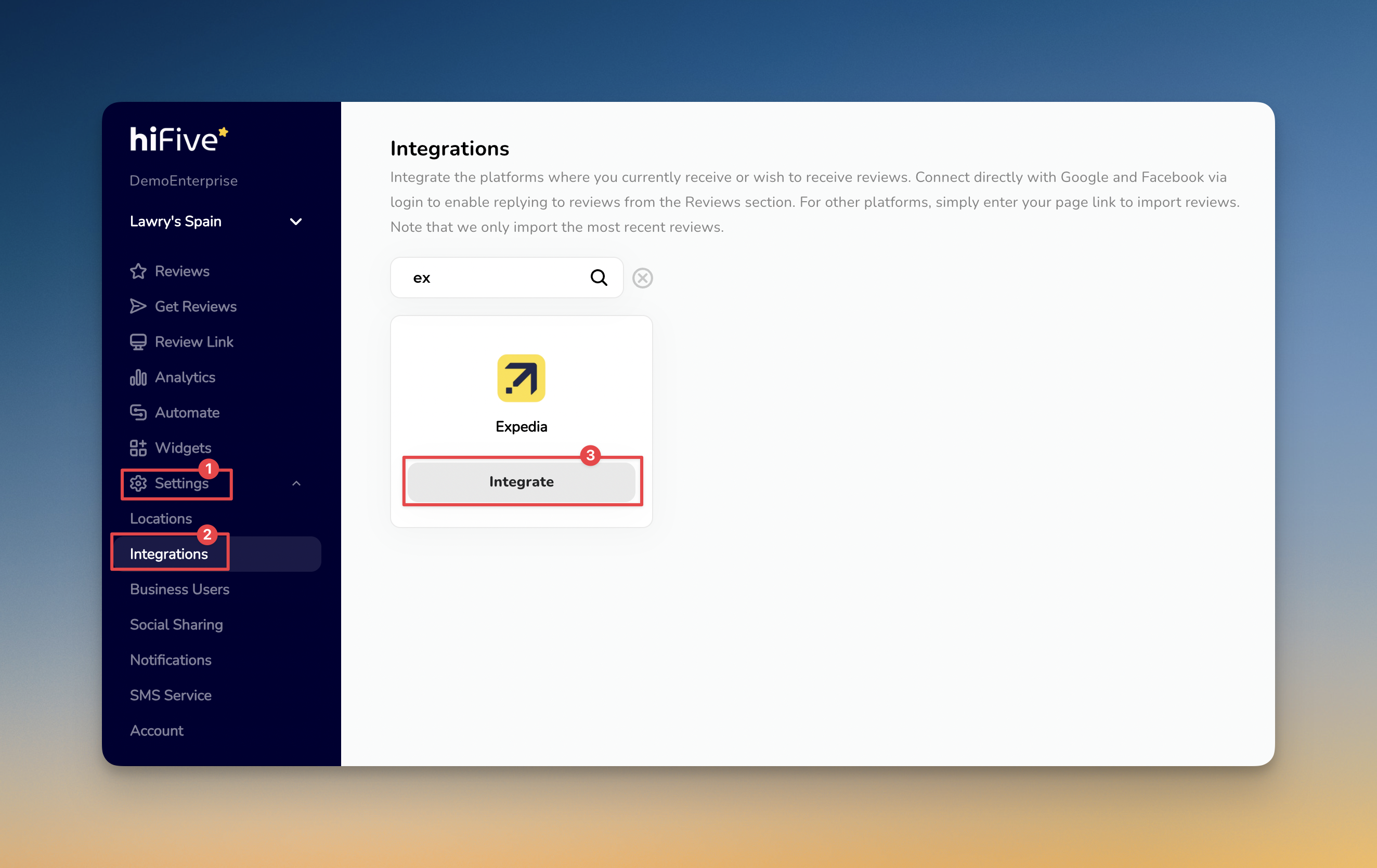
On the main dashboard panel menu, find and click on the 'Settings' option.
Under the Settings area, select the 'Integrations' tab from the sub-menu to view all available review platforms.
Scroll through the list of partners or use the search bar at the top of the Integrations page to locate Expedia.
Click the Integrate button. A field will appear asking for your public business link. Copy your business profile URL directly from Expedia.com and paste it here.
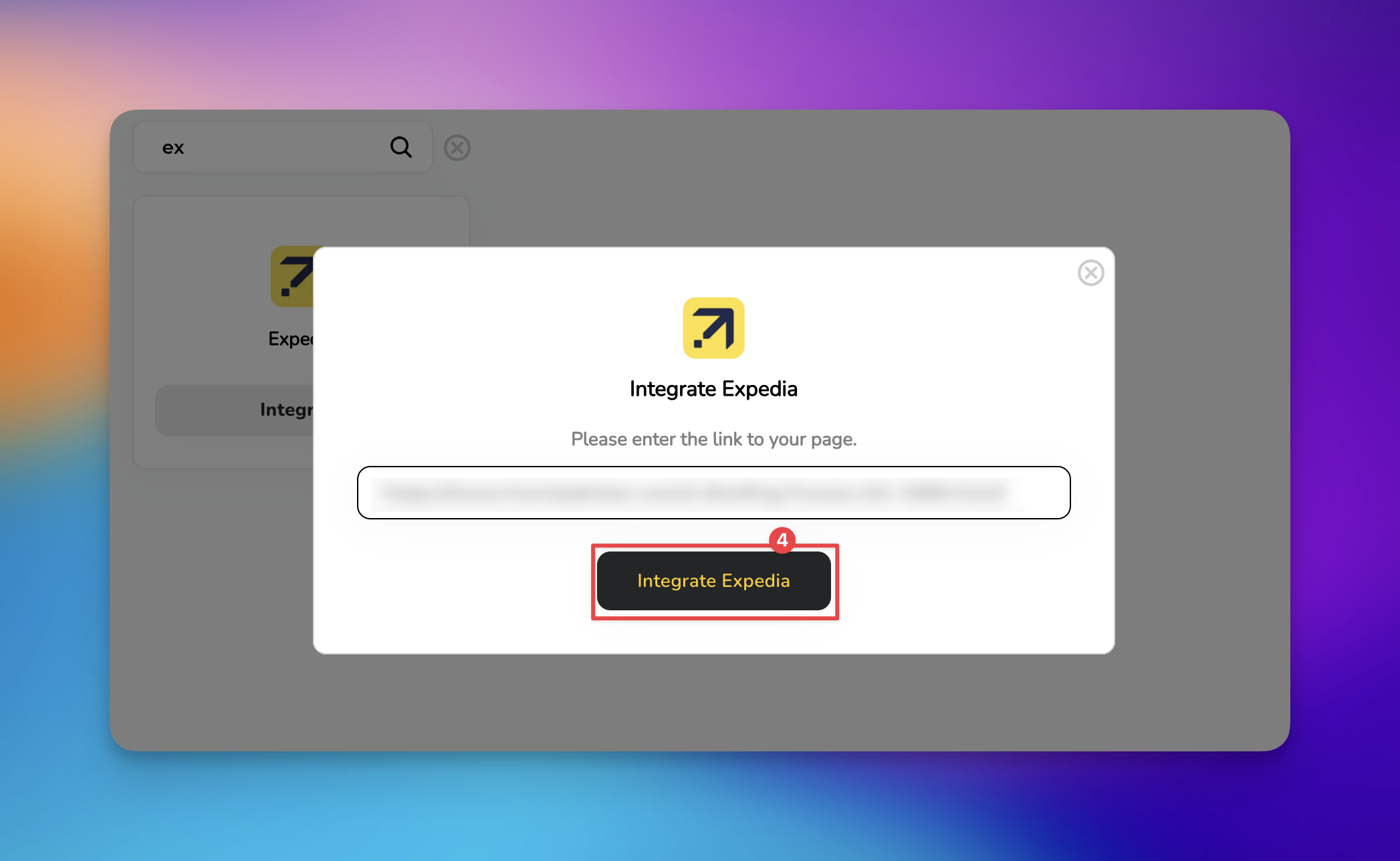
Click 'Integrate Expedia' button to verify the link. HiFiveStar will now begin synchronizing your Expedia reviews with your dashboard.

expedia.com/City-Hotels-Your-Hotel-Name.h12345.Hotel-Information).Centralized Monitoring: View your hospitality ratings alongside Google, Facebook, and other major platforms in one place.
Showcase Success: Use imported reviews to automatically populate your website widgets and social media posts.
Faster Response Times: Stay updated on new feedback to ensure your guests feel heard and valued.
Can I respond to Expedia reviews directly from HiFiveStar?
The Expedia integration is currently a "read-only" sync. This means you can monitor and pull reviews into your website widgets, but you must log in to your Expedia Partner Central account to post a public reply.
Why is my review count different on HiFiveStar vs. Expedia?
Expedia often "syndicates" reviews across its partner network (Hotels.com, Vrbo, etc.). HiFiveStar identifies unique reviews to prevent duplicates. If you want to see reviews originating from Hotels.com specifically, you should integrate that platform separately in the Integrations tab.
Do I need to reconnect if I update my property details on Expedia?
No. Once the connection is established via the URL, the sync remains active even if you change your room photos or descriptions on the Expedia side.
Managing Reviews
Elevating Your Business with Advanced Review Management
Integrations Explained
Maximizing Your Online Presence with HiFiveStar's Platform Integrations
