Connecting your Etsy shop puts Etsy on your HiFiveStar review page, so customers can go there to leave a review. HiFiveStar does not import Etsy reviews yet. Follow these steps to link your shop and start leveraging your customer feedback.
This video shows our previous app. The written steps on this page describe the current one.

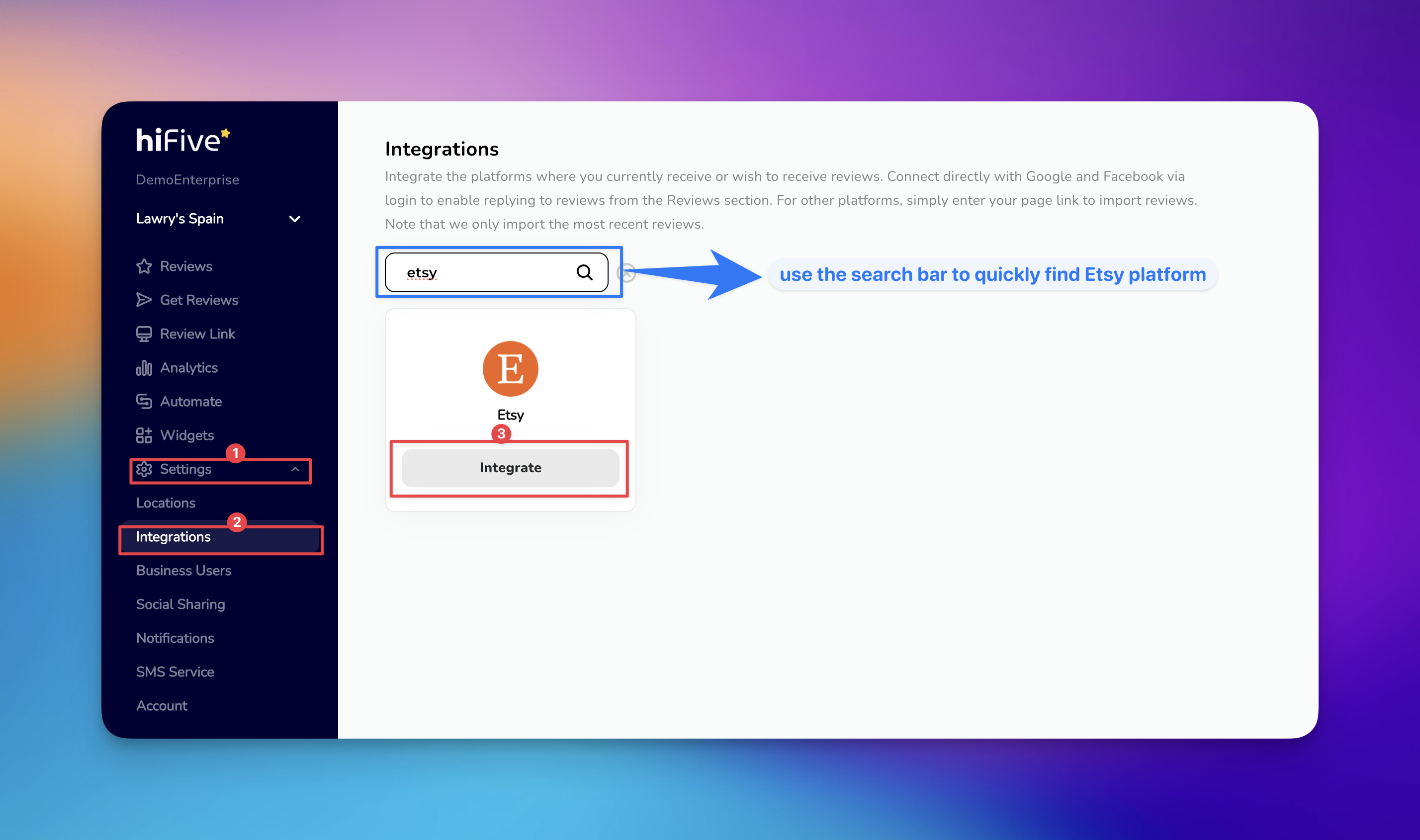
Log in to your HiFiveStar Account - Access your HiFiveStar dashboard by entering your credentials on the login page.
Access the Settings Menu - Locate the 'Settings' option on the main navigation dashboard.
Navigate to the Integrations Tab - Click on the 'Integrations' section within the Settings menu.
Locate Etsy - Use the search bar at the top of the page to find Etsy in the list of available platforms.
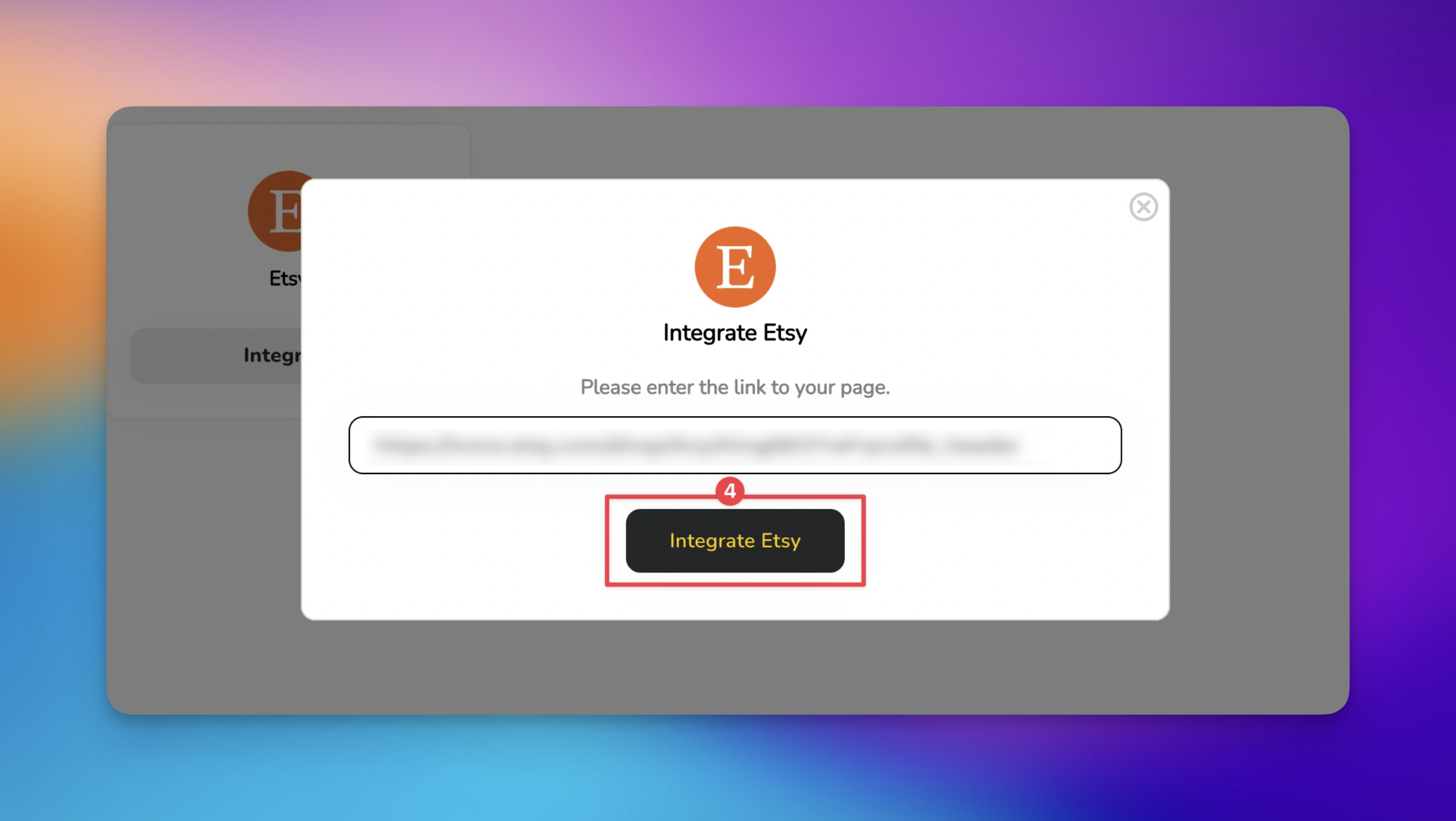
Enter Your Etsy Shop URL - Click the 'Integrate' button and paste your public Etsy shop link into the designated field.
Finalize the Connection - Click the 'Integrate Etsy' button. HiFiveStar saves the link and adds Etsy to your review page.
If you encounter issues during the integration process, check the following:
Invalid URL: Ensure you are pasting the full public URL (e.g., https://www.etsy.com/shop/YourShopName) rather than your internal shop manager link.
Shop Status: Your Etsy shop must be "Active" and public. Customers reach it from your review page.
Browser Cache: If the "Integrate" button does not trigger a pop-up, try clearing your browser cache or disabling ad-blockers for the HiFiveStar dashboard.
Integrating Etsy with HiFiveStar lists your shop on your review page.
More Etsy Reviews: Your review page offers happy customers a button to review you on Etsy.
How often does the data sync?
HiFiveStar does not import Etsy reviews yet. The link sends customers to your Etsy shop from your review page.
Can I respond to Etsy reviews through HiFiveStar?
No. Reply to Etsy reviews in your Etsy Shop Manager.
Is there a limit to how many reviews are imported?
HiFiveStar does not import Etsy reviews yet.
Integrations Explained
Maximizing Your Online Presence with HiFiveStar's Platform Integrations
Frequently Asked Questions
Answers to our most frequently asked questions