Encourage your customers to leave reviews by sending personalized requests via WhatsApp. This proactive approach can significantly increase your review volume and quality.
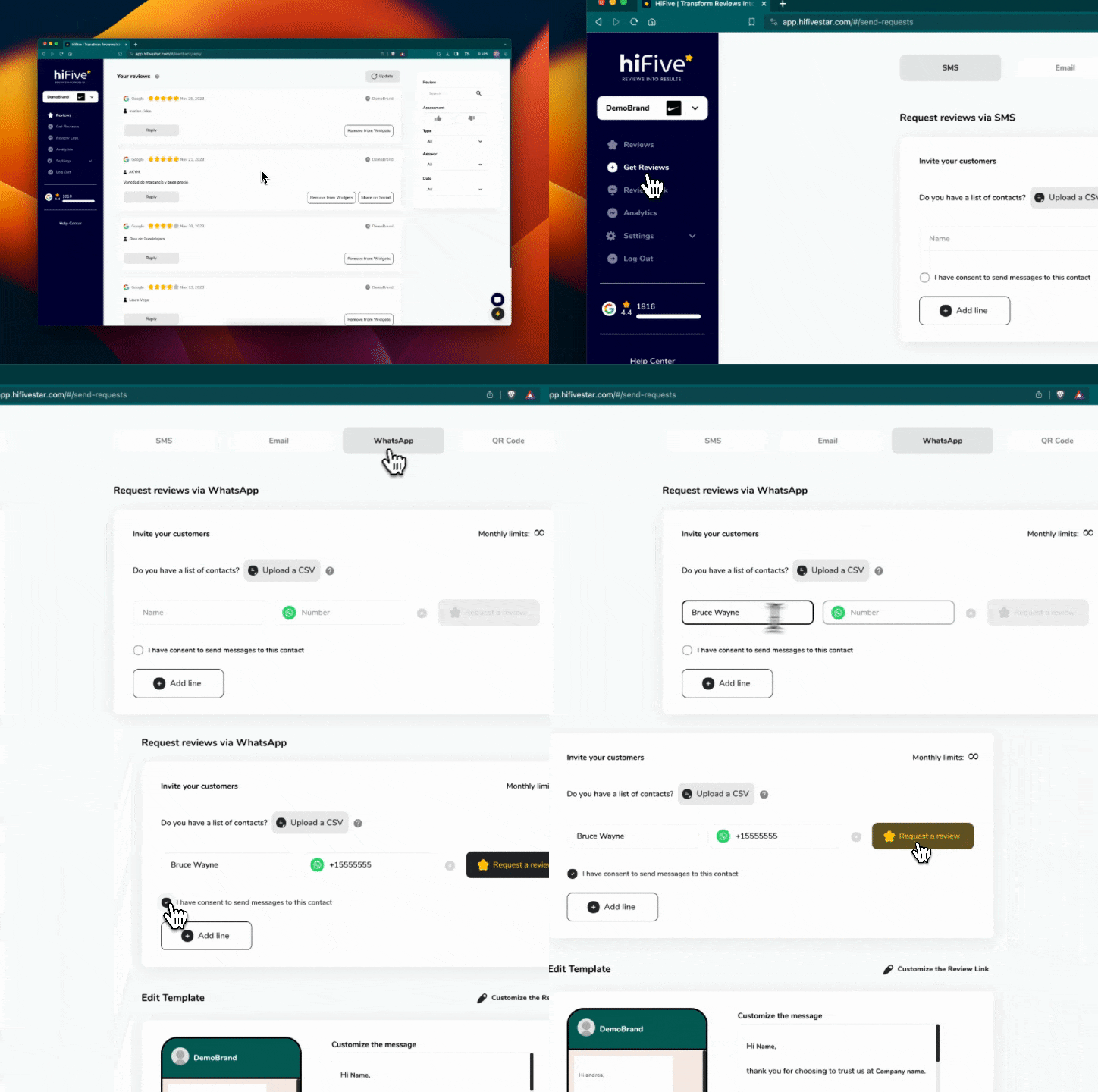
Edit your WhatsApp template to ensure your review requests resonate with your customers and align with your brand's tone and style.
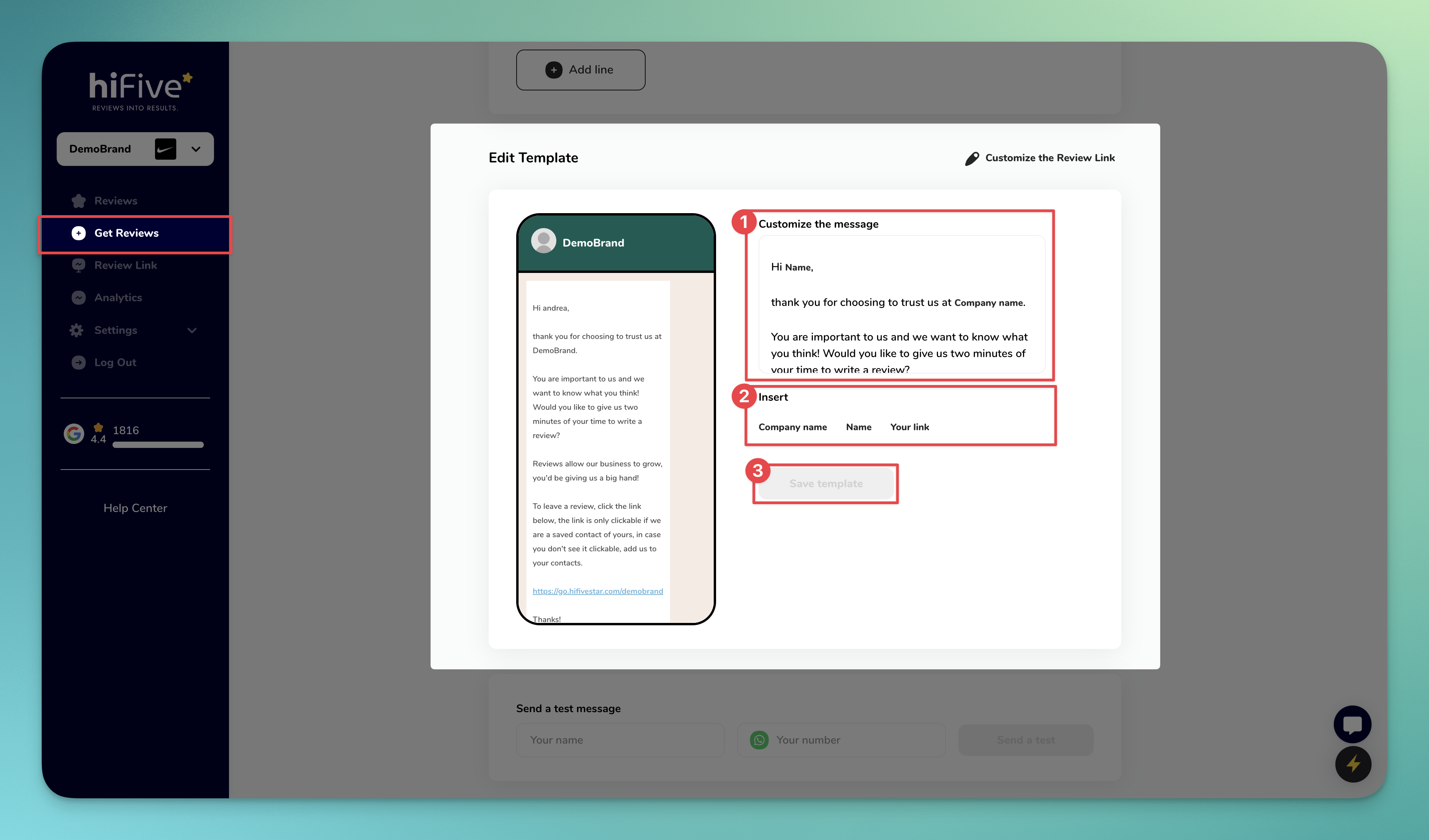
Sign in to your HiFiveStar account. Navigate to Get Reviews >> Edit Template.
Customize the message: Craft your message in a way that reflects your brand's tone.
Insert dynamic fields: Use dynamic fields to personalize messages. Click on any of our placeholders like 'Company name,' 'Name,' and 'Your link' in the message editor. The placeholders will be replaced with real data when sent.
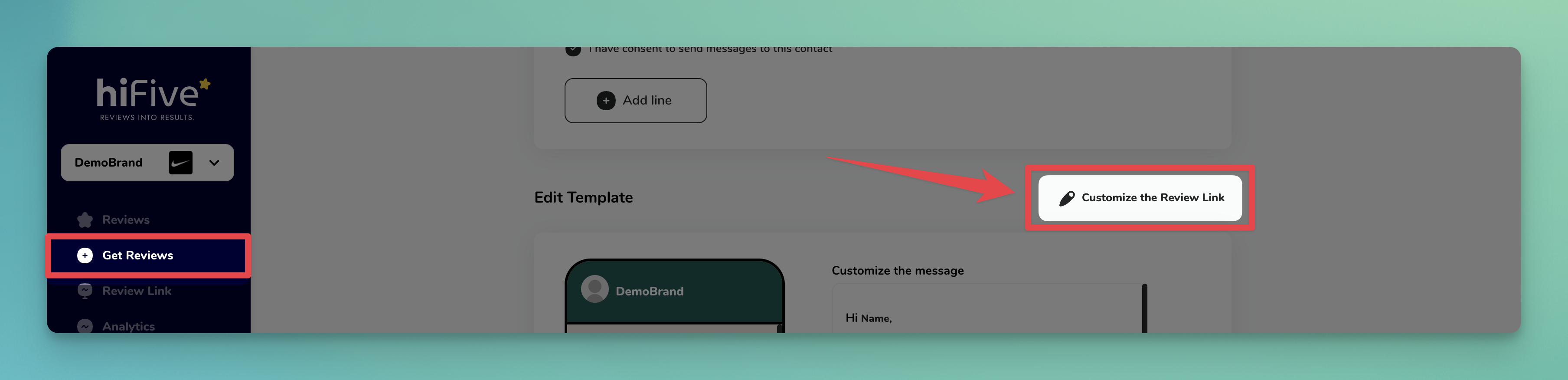
[Optional] Review Link Customization: Ensure your review link mirrors your brand’s style, making it recognizable and trustworthy for customers.
There is no test button. The phone preview beside the editor shows the WhatsApp message a customer gets.
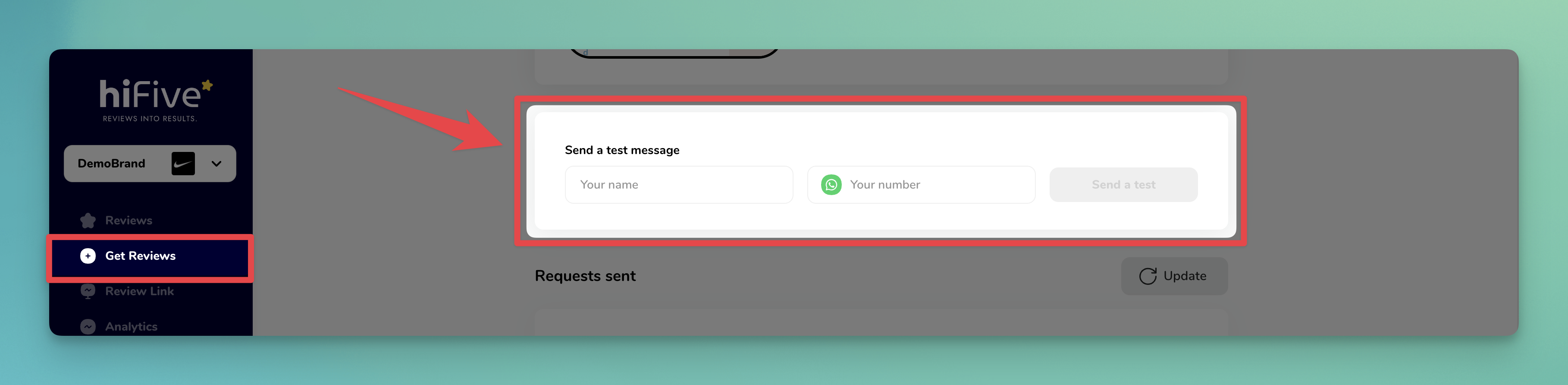
HiFiveStar opens your own WhatsApp with a personalized review request ready, and you send it to your customer from there.
Steps to Request Reviews:
Access the 'Invite your customers' card.
In your HiFiveStar dashboard, go to 'Get Reviews' >> WhatsApp >> 'Invite your customers'.
Upload Contacts or Add Manually:
Bulk Upload: Not available for WhatsApp. A CSV can be sent by SMS or email.
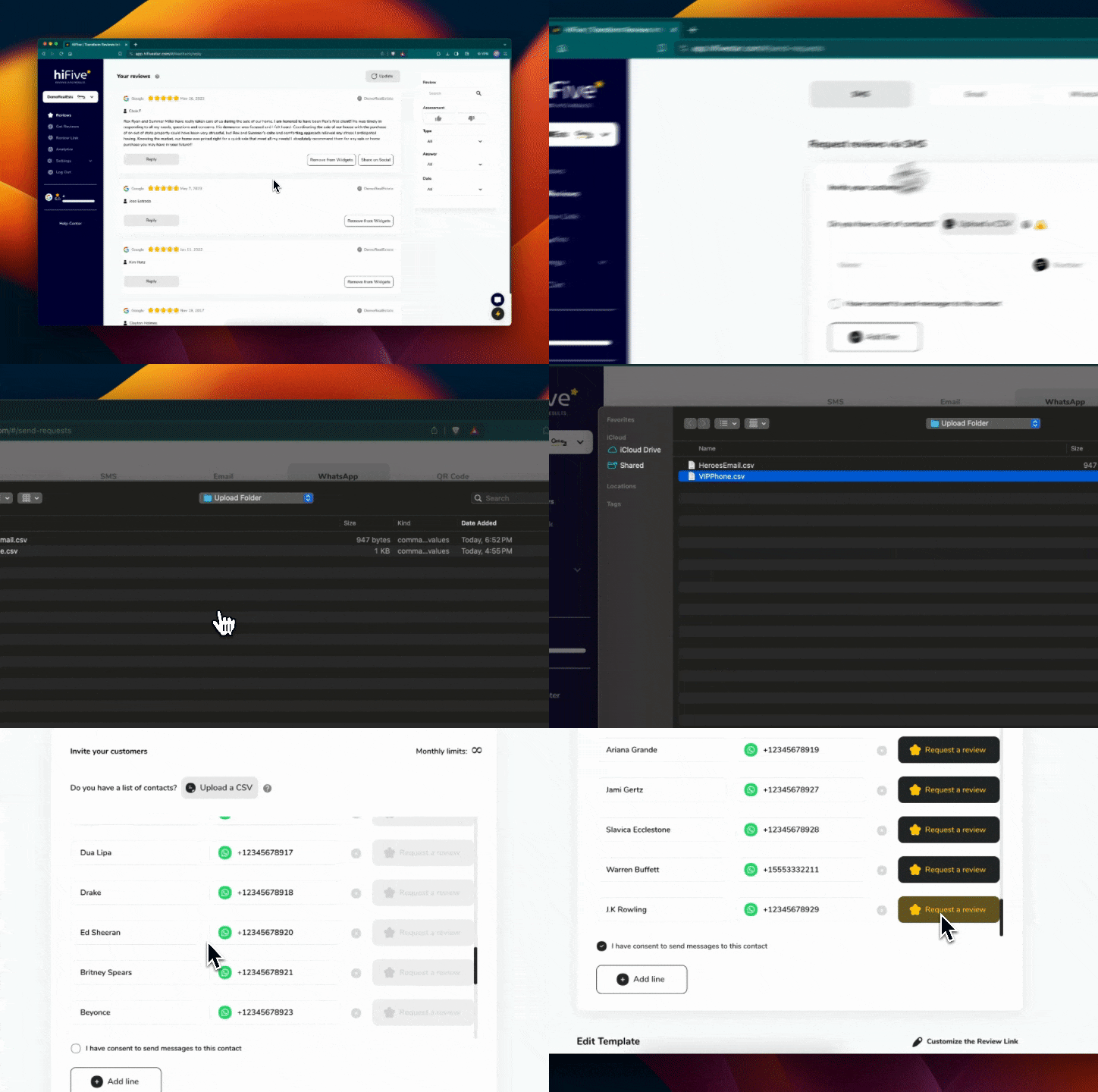
Add Individually: Type the Name and Number. Click 'Add line' to add more customers. Each line has its own Request a review button, because WhatsApp requests go one at a time.
Confirm and Send: Ensure you have permission to contact each customer. Check the consent box and then click 'Request a review'. Your own WhatsApp opens with the message ready; press send there.
Done! 🎉🎉 You've successfully sent your review requests via WhatsApp.
HiFiveStar's WhatsApp feature makes it easy and efficient to collect customer reviews. This direct approach not only streamlines the feedback process but also adds a personal touch to your customer interactions.
Easily view and search the history of your sent WhatsApp review requests. This feature helps you keep track of whom you have contacted and when, streamlining your customer engagement process.
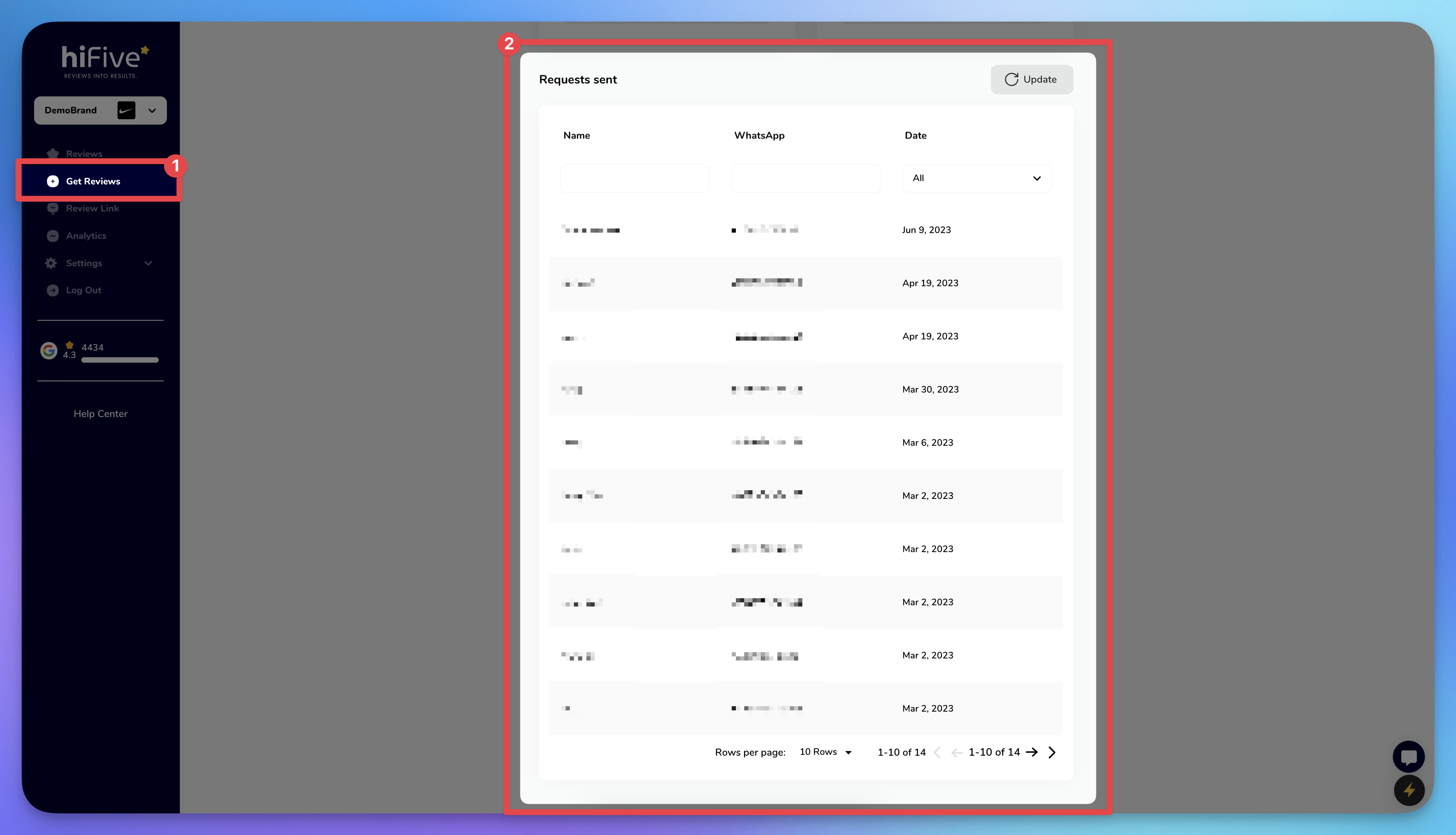
In HiFiveStar, navigate to 'Get Reviews' >> 'WhatsApp' >> 'Requests sent' section.
See all sent requests with details like customer Name, WhatsApp, and Date sent.
Search and Filter: Use search options to find specific requests by Name, WhatsApp, or Date.
Request reviews via QR Code
Print your review QR code so customers can scan it and leave a review.
Request reviews via Email
Invite your Customers for Reviews via Email
