The Settings menu is the central hub for configuring how your business interacts with customers and manages reviews. From this menu, you can control everything from team access to social sharing.
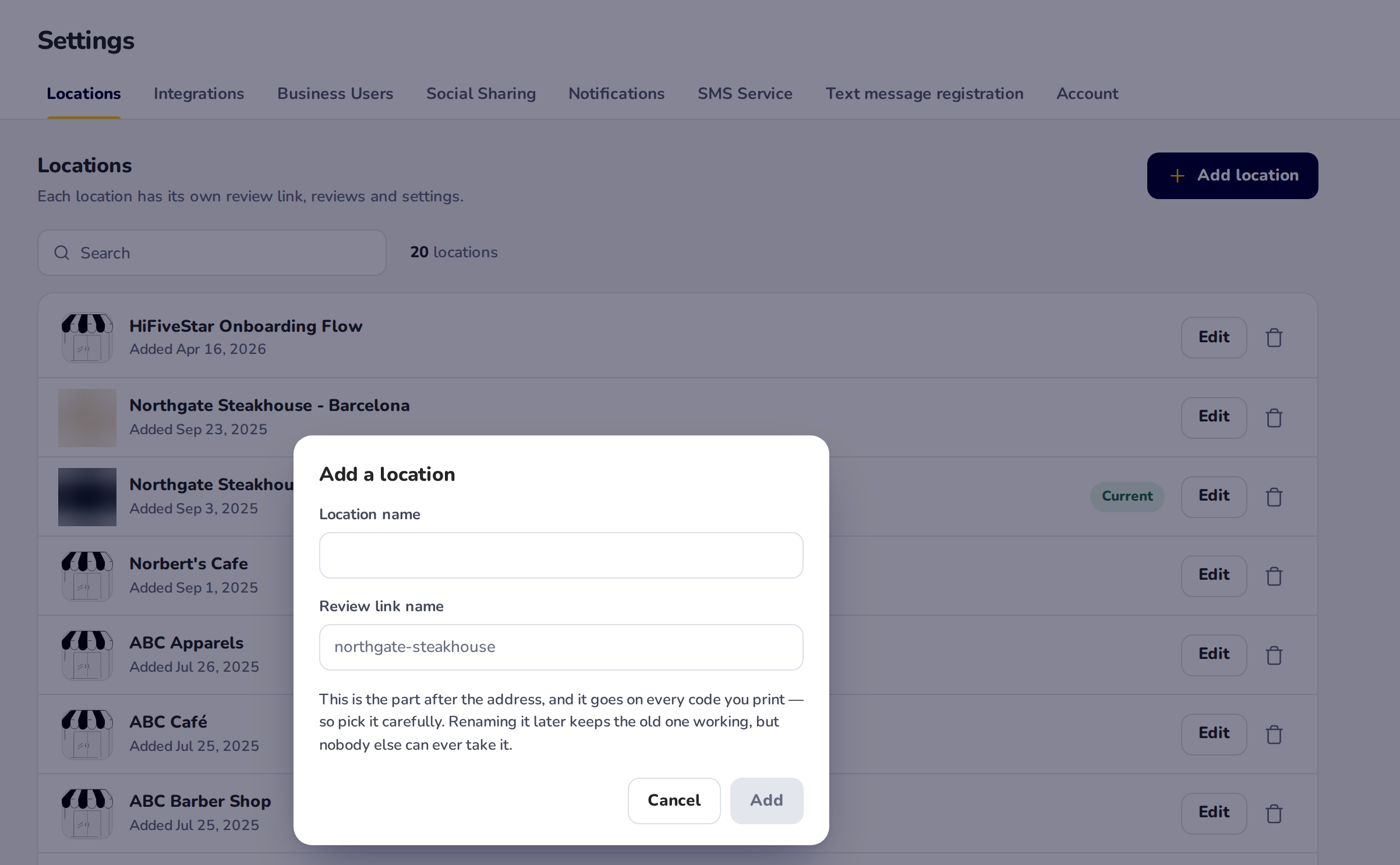
The Locations tab is where you manage the physical or digital storefronts associated with your brand. As seen in the dashboard, this section lists your locations one per row (in the classic look, as a grid), where you can add, edit, or delete specific business branches.
Uses: Adding a new location by giving it a name and a review link name. The logo is uploaded on the Review Link screen, and Location Managers are assigned in Business Users.
Benefits: This allows multi-location businesses to segment their reviews, ensuring that feedback for one branch doesn't get buried by another. Assigning a manager specifically to one location streamlines accountability.

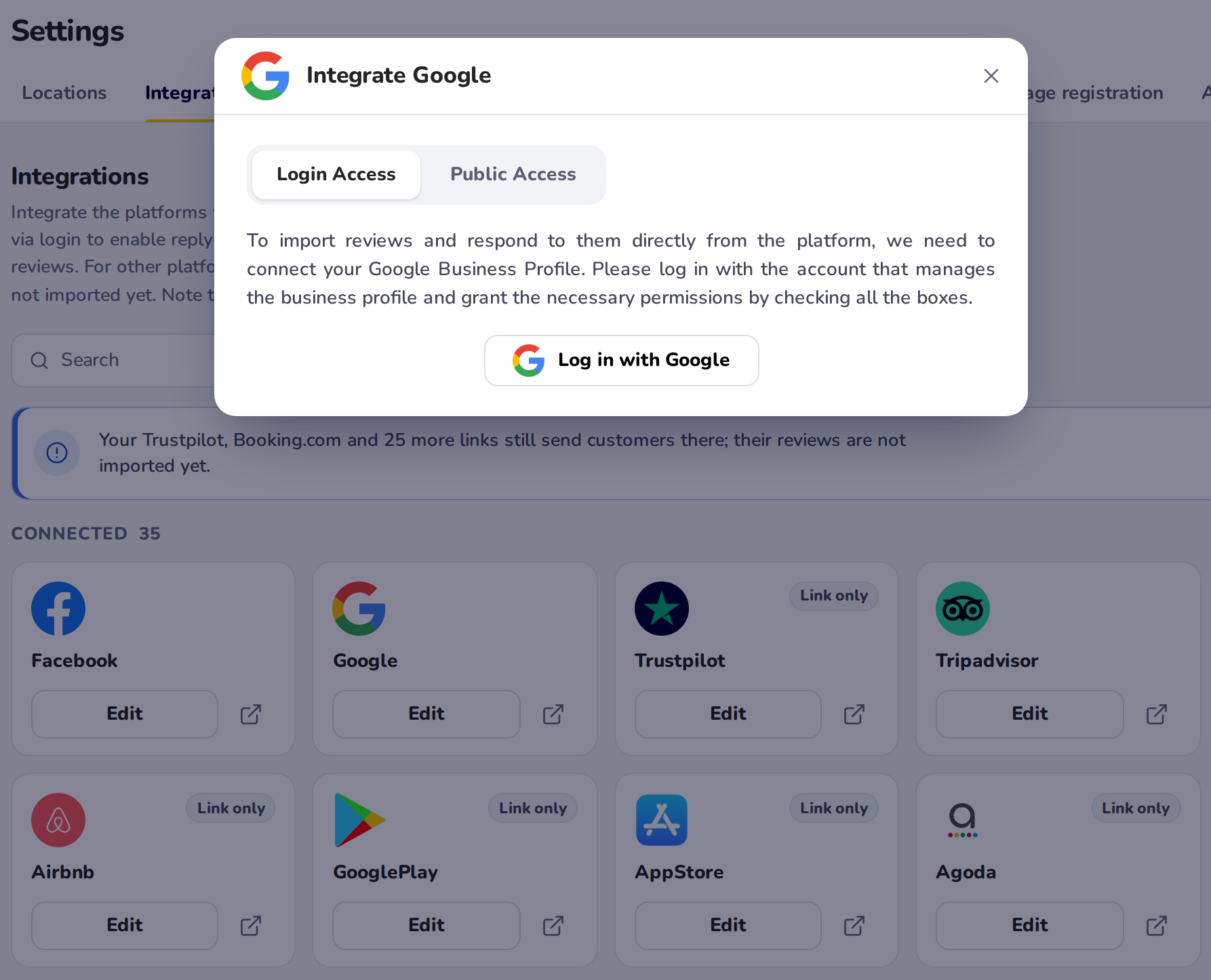
The Integrations page is the bridge between HiFiveStar and the platforms where your customers leave feedback. As shown in the dashboard, you can connect a wide array of sites, including major players like Google and Facebook, as well as industry-specific platforms like Airbnb, Booking.com, Trustpilot, and Google Play.
Uses: Connecting review platforms directly via login or by entering a specific page link. You can also set up "Custom Integrations" for platforms not listed by default.
Benefits: Connecting Google directly via login lets you reply to reviews from the HiFiveStar "Reviews" section. For Google, connect each location on the Google card's "Login Access" tab, using the Google account that manages your Business Profile. A location linked only through "Public Access" still gets its new Google reviews once a day, and its replies are copied onto Google by hand. For Facebook, press Log in with Facebook and pick your Page: new Facebook reviews then arrive every hour, and replies to them are copied onto Facebook by hand. For Tripadvisor, Yelp, Indeed, Glassdoor, Zillow, HomeAdvisor and Thumbtack, entering the page link imports new reviews automatically. For other platforms, the link sends customers there from your review page, but their reviews are not imported yet.

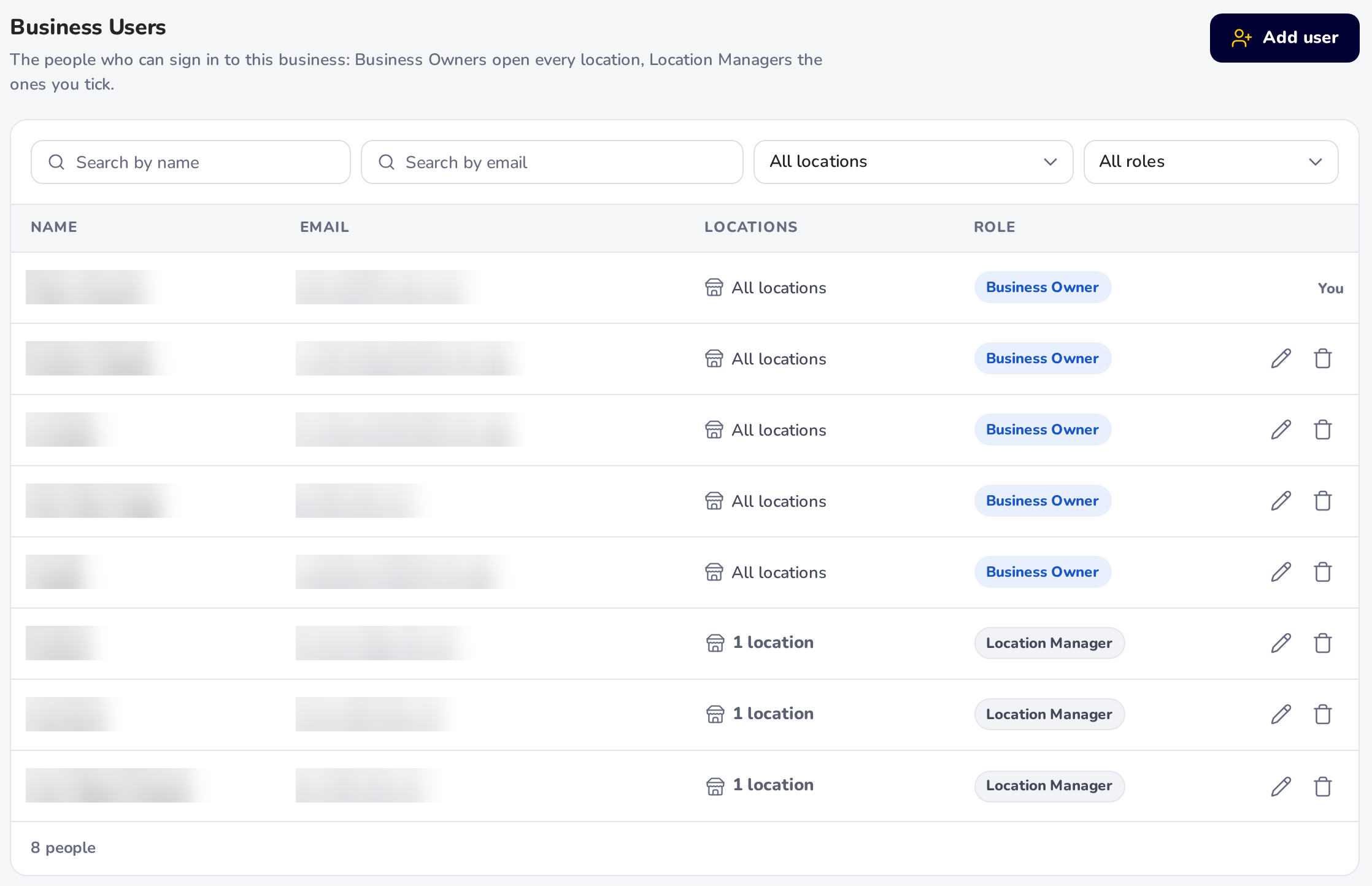
The Business Users section is your team management and security hub. It lists everyone with access to your account and their specific permissions.
Uses: You can invite new team members, set their roles (such as Business Owner or Manager), and restrict their access to specific locations.
Benefits: It provides granular security. You can see at a glance who is a "Business Owner" versus other roles, and whether they have access to "All locations" or just specific branches.

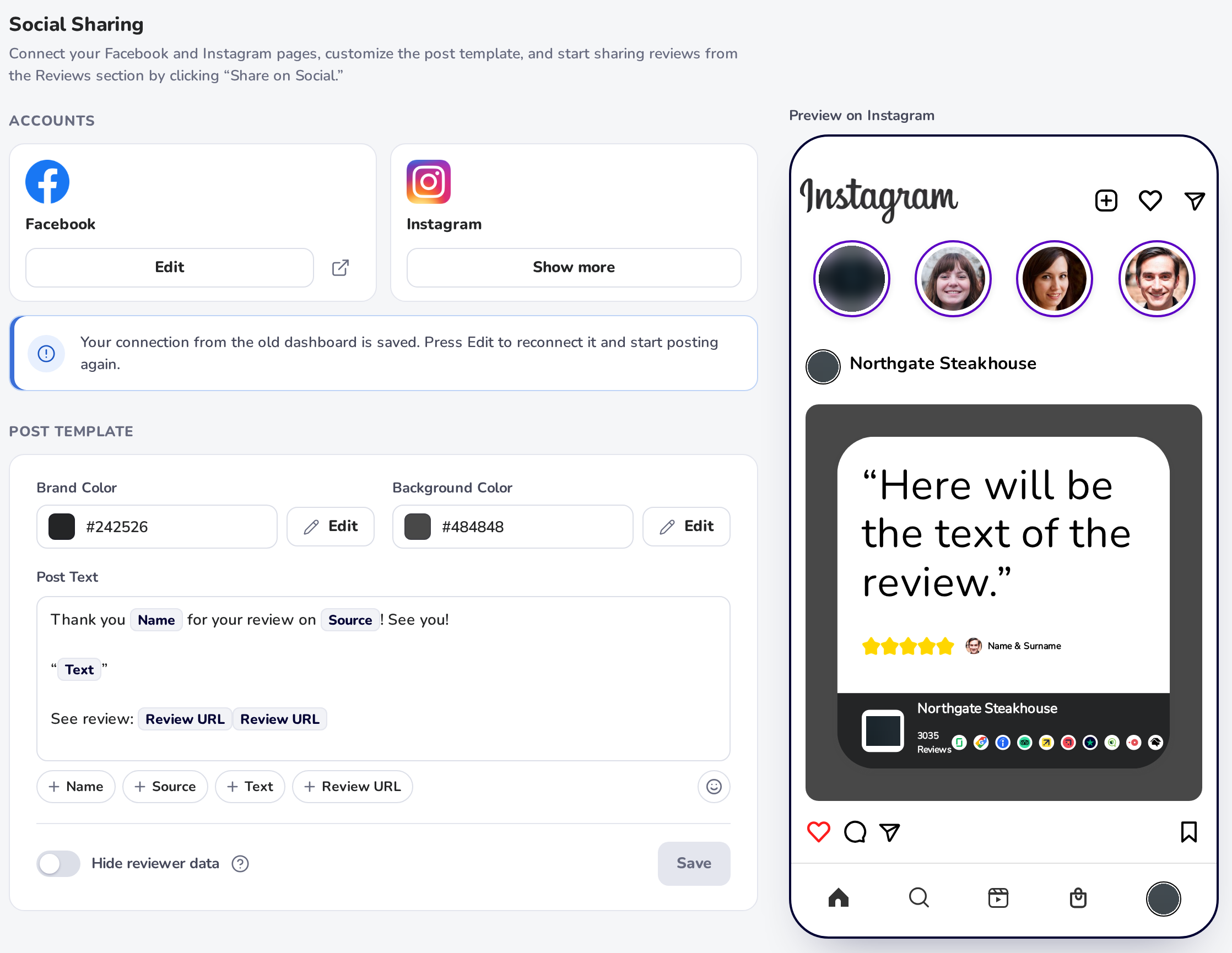
Social Sharing is a marketing tool that transforms your text-based reviews into professional visual posts for Instagram and Facebook.
Uses: Connecting Facebook and Instagram pages, customizing brand and background colors, and creating "Post Text" templates using dynamic tags like [Name], [Source], and [Text]. Posting to a Facebook Page works once it is connected; posting to Instagram is not switched on yet: it is waiting on Meta's approval of HiFiveStar's app.
Benefits: This feature automates your content marketing. By sharing a 5-star review, you are providing "social proof" to your followers. For a business owner, this means less time spent designing graphics and more time leveraging positive feedback to attract new customers.
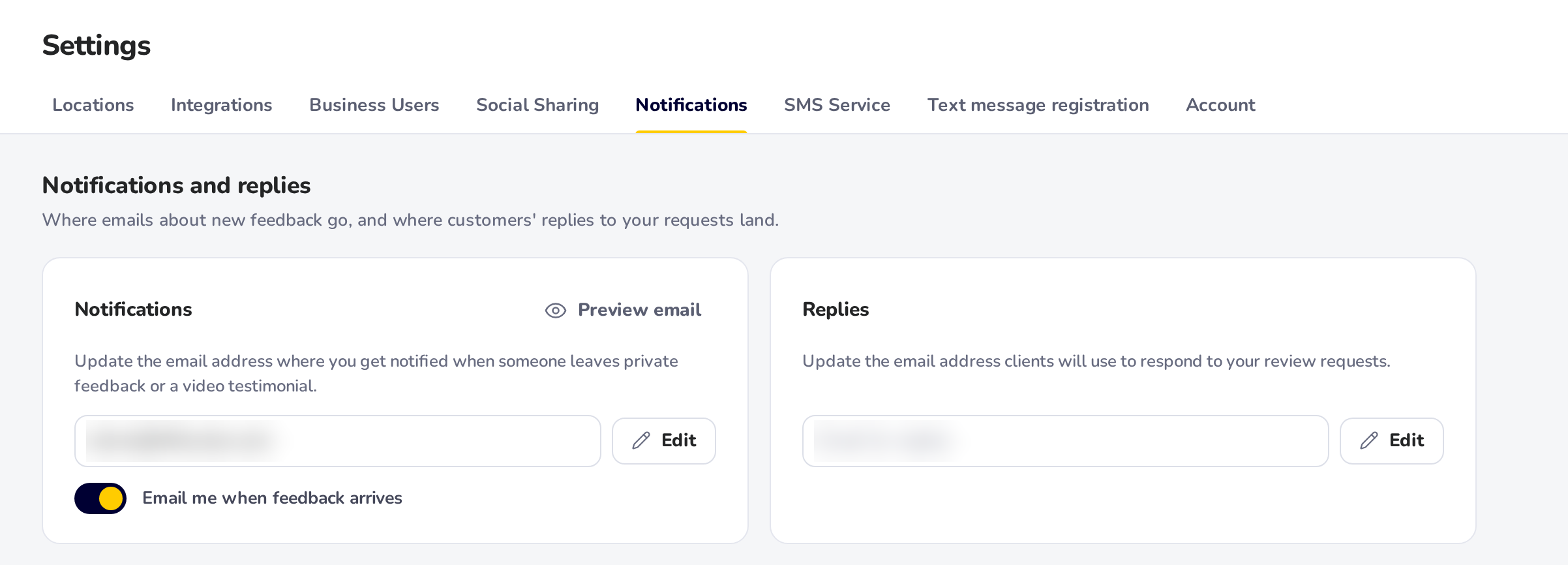
The Notifications and Replies section manages how you stay informed and how you appear to customers when you ask for feedback.
Uses: You can set a primary email that gets an alert whenever a customer leaves private feedback or a video testimonial, and a separate "Reply" email that customers will see when they respond to your review requests.
Benefits for Owners: This keeps your workflow organized. By choosing where you get alerts and where customers send their replies, you make sure no feedback slips through the cracks. It helps you respond faster, which is the best way to turn a frustrated customer into a happy one.
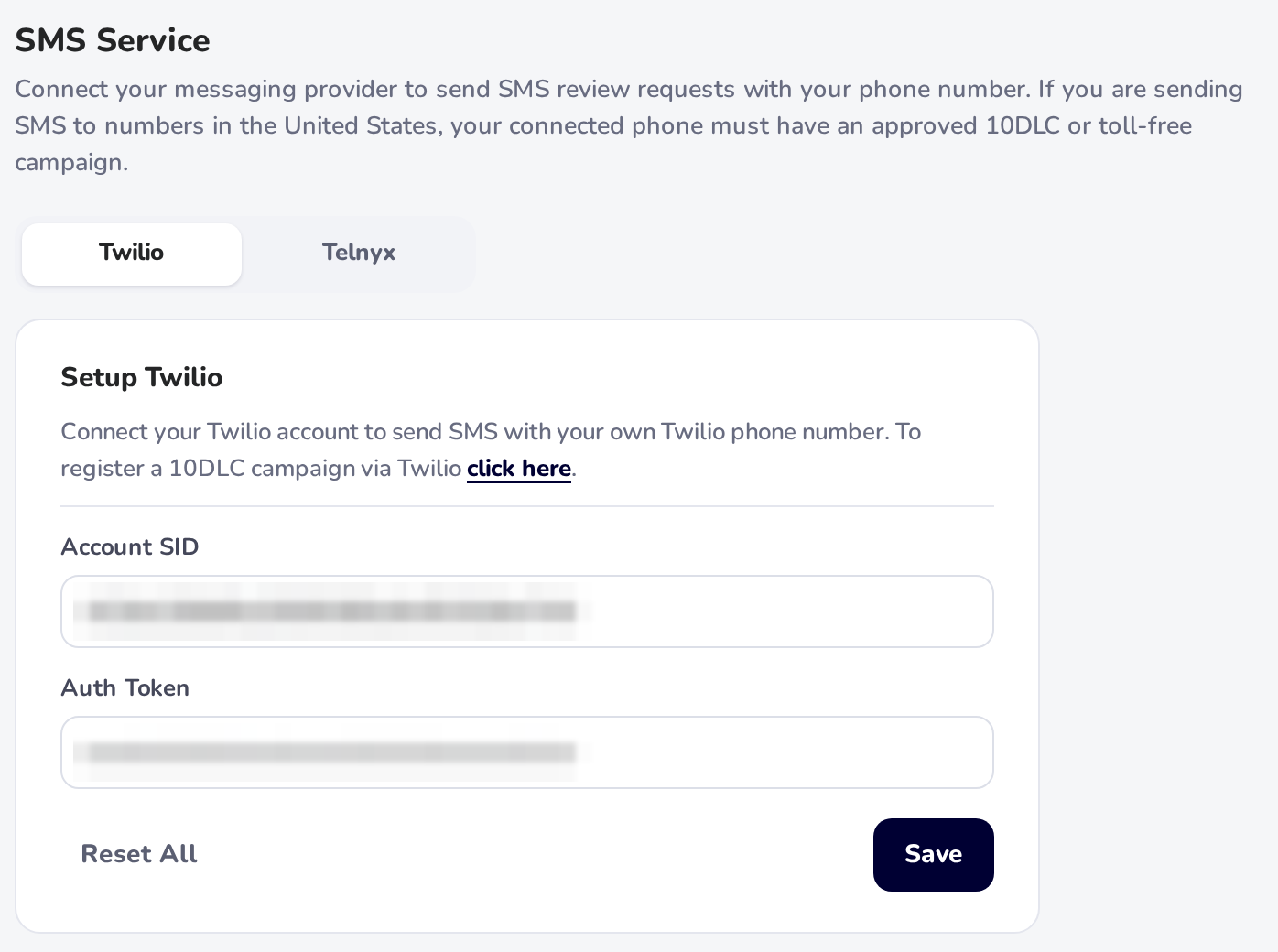
The SMS Service section is where you connect your messaging provider to send review requests directly to your customers' phones. Currently, the platform supports integrations with Twilio and Telnyx to handle your outgoing texts.
Uses: You can link your provider by entering your Twilio Account SID and Auth Token, or your Telnyx API key, and clicking Save. Reset All removes them.
Benefits for Owners: Texting is the fastest way to get a customer’s attention. Since text messages have much higher open rates than emails, this feature is the most effective way to grow your total number of reviews in a short time.

Text message registration: a US business without its own Twilio or Telnyx account can register once in Settings › Text message registration. HiFiveStar sends it to the US carriers and sets up a number of your own, and your texts start once the carriers approve it. The registration screen shows each step, and email review requests keep sending meanwhile. Step by step: Set Up Texting for Review Requests.
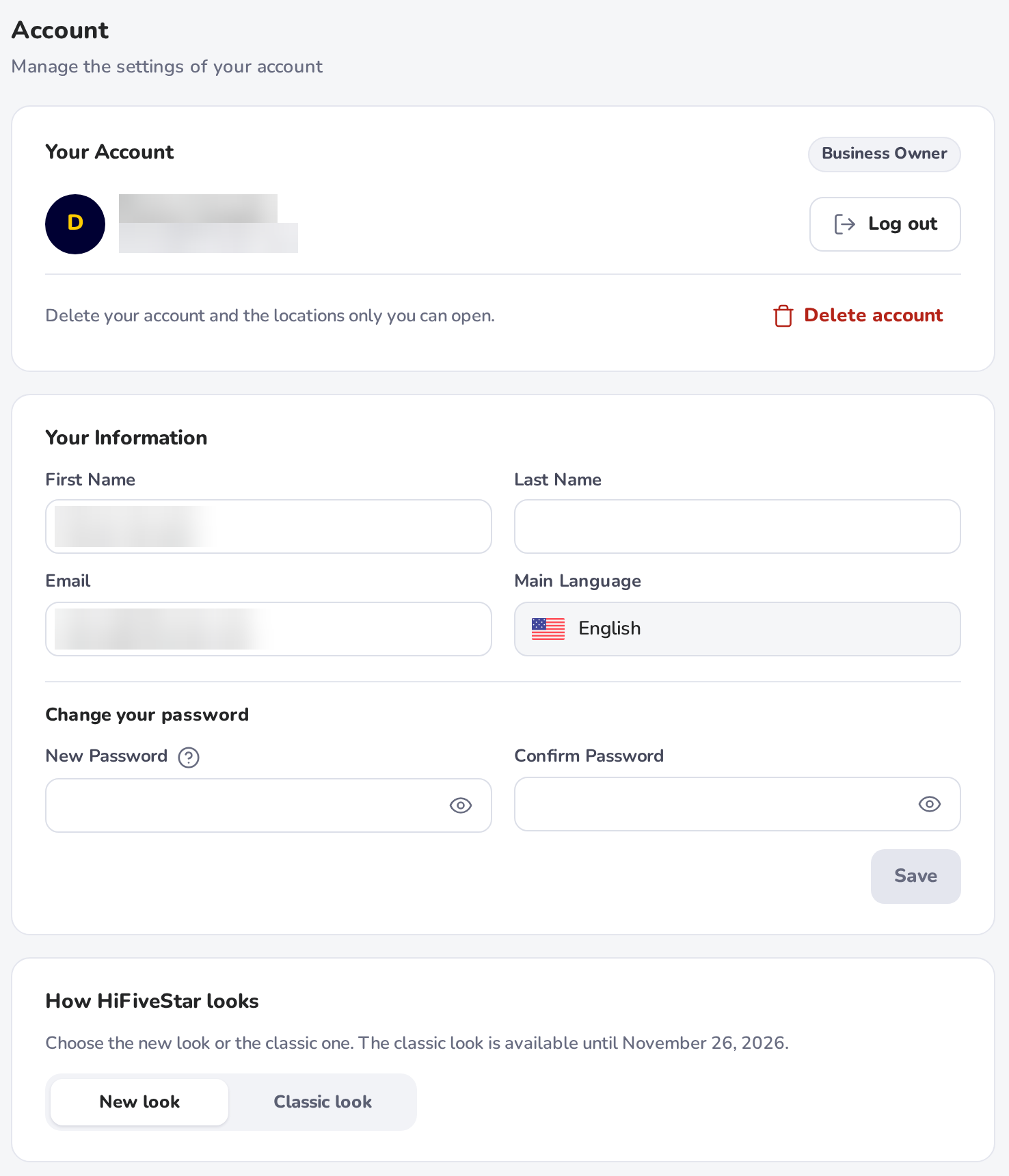
The Account tab is your personal profile and security center. This is where you manage your own identity on the platform.
Uses: You can change your password, log out, or ask for your account to be deleted. If your account can still use the classic look, How HiFiveStar looks here switches between the new look and the classic look. Your name and language are shown here but cannot be changed. You can change the email you sign in with yourself: type the new address in the Email field, click Change Email, then click the confirmation link we send to that address.
Benefits for Owners: Keeping your details current ensures that system communications reach you correctly. It also allows you to maintain high security standards for your business data by letting you refresh your password whenever needed.
Getting your settings right is the most important step in automating your reputation management. By taking a few minutes to configure these seven areas, you shift from being reactive to being proactive with your customer feedback.
Prioritize Integrations: Connecting Google through "Login Access" lets you reply to Google reviews without leaving HiFiveStar. Connecting Facebook brings in your new Facebook reviews; replies to them are copied onto Facebook by hand, because Meta has not approved replying from HiFiveStar.
Leverage SMS: Don't rely on email alone. Use the SMS Service to reach customers where they are most likely to respond.
Delegate Safely: Use the Business Users and Locations sections to give your team the access they need without compromising your account's security.
Your online reputation is an asset that grows over time. With these settings in place, you are now equipped to capture more reviews, respond faster to feedback, and turn your happy customers into your best marketing team.
Getting Started - Quick Start Guide
Check this article to get setup with HiFiveStar in just a few short minutes.
