Adding your GooglePlay Store link puts GooglePlay on your HiFiveStar review page, so users can go there to leave a review. HiFiveStar does not import GooglePlay reviews yet.
This video shows our previous app. The written steps on this page describe the current one.
Adding your GooglePlay Store page to your review page gives happy users an easy way to review your app there.
Follow these simple steps to add your app's public listing link.
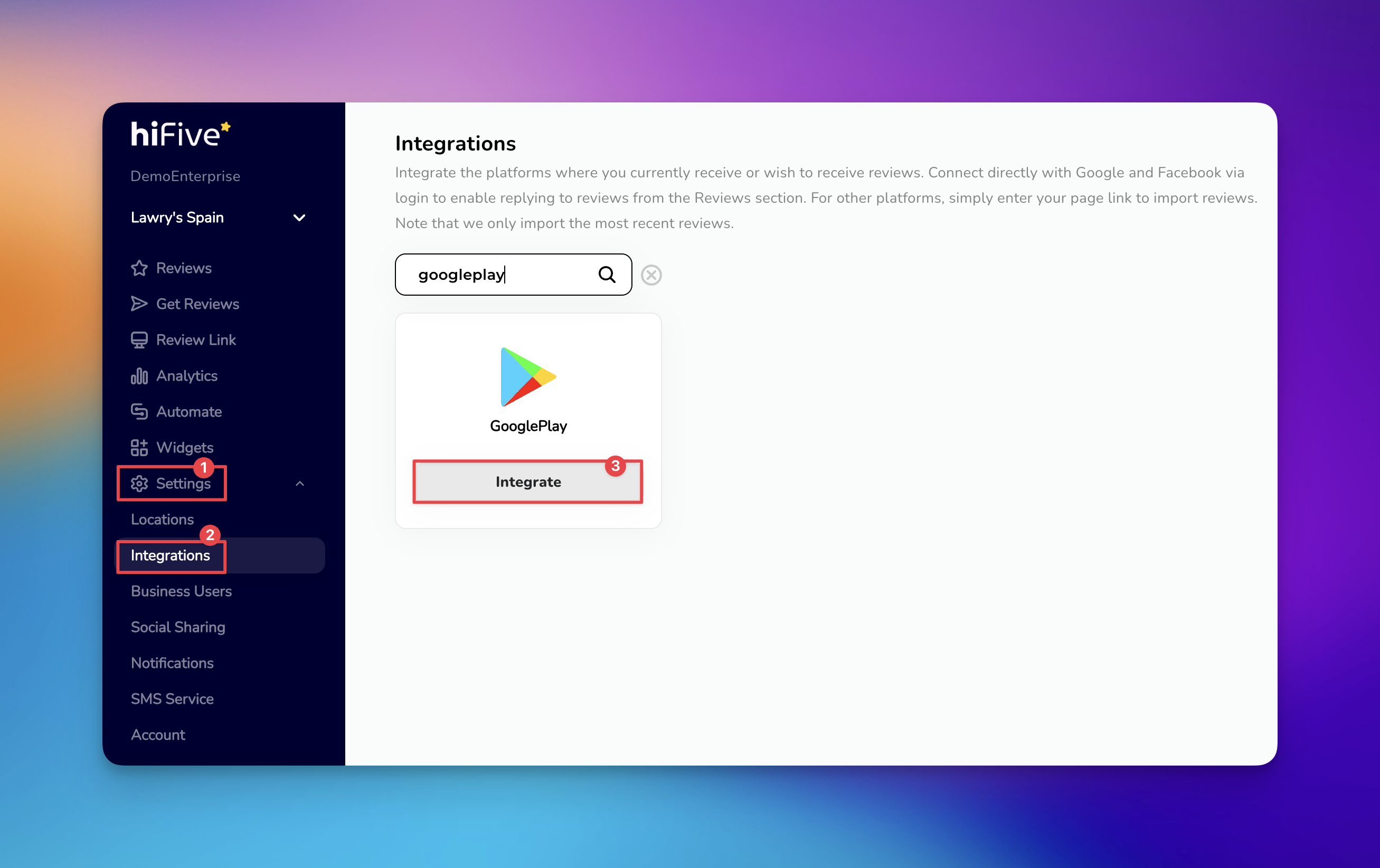
Open the HiFiveStar login page and enter your credentials. This will take you to your main Business Dashboard where you manage your active locations.
Once logged in, select the 'Settings' option. This is your hub for customizing how the platform functions for your specific business needs.
Within the menu, choose the 'Integrations' section. Here, you will see a list of all the platforms you can add.
Scroll through the available services or use the search bar to find GooglePlay. Using the search function is usually the quickest way to bring the correct icon to the top of the list.
Select the 'Integrate' button and you will be prompted to provide your unique GooglePlay Store URL. Make sure you are using the public link to your app's listing, not your developer console link.
After you have pasted the URL into the field, select the 'Integrate GooglePlay' button to finalize the process. HiFiveStar saves the link and adds GooglePlay to your review page.
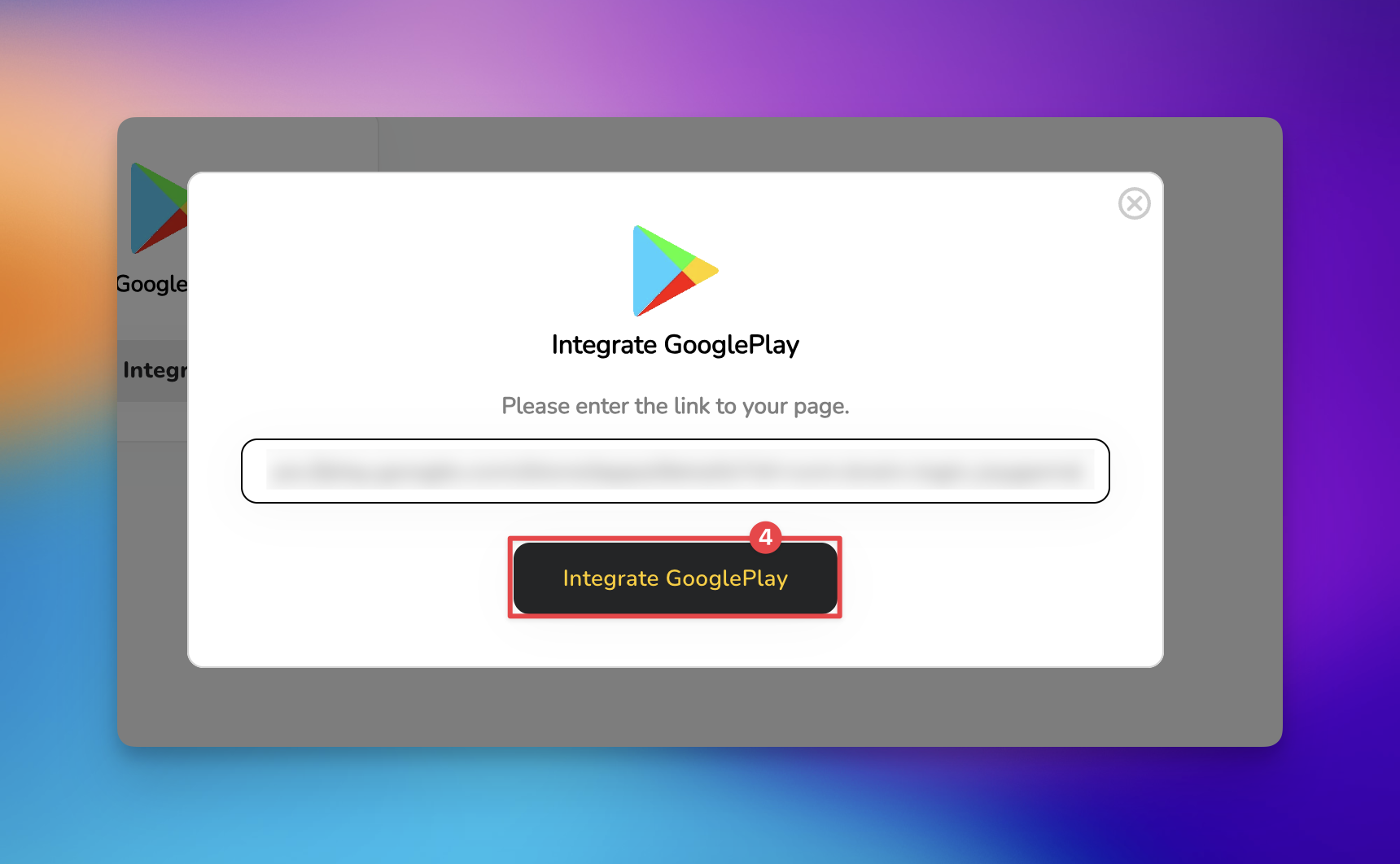
HiFiveStar does not import GooglePlay reviews yet, so new ones do not show up in your dashboard.

Once you select Integrate GooglePlay, GooglePlay appears on your review page. Reply to GooglePlay reviews in your Google Play Console.
Get Reviews Explained
How to Collect Customer Reviews via SMS, Email, and QR Code
Integrations Explained
Maximizing Your Online Presence with HiFiveStar's Platform Integrations
