Adding your App Store link puts the App Store on your HiFiveStar review page, so users can go there to leave a review. HiFiveStar does not import App Store reviews yet.
Use the following guide to add your app's link.
This video shows our previous app. The written steps on this page describe the current one.
Linking your App Store profile is a proactive step toward better customer engagement and brand transparency.
If you encounter any issues during the setup, our support team is ready to assist you in completing the process.
Follow these simple instructions to add your app's review page link.
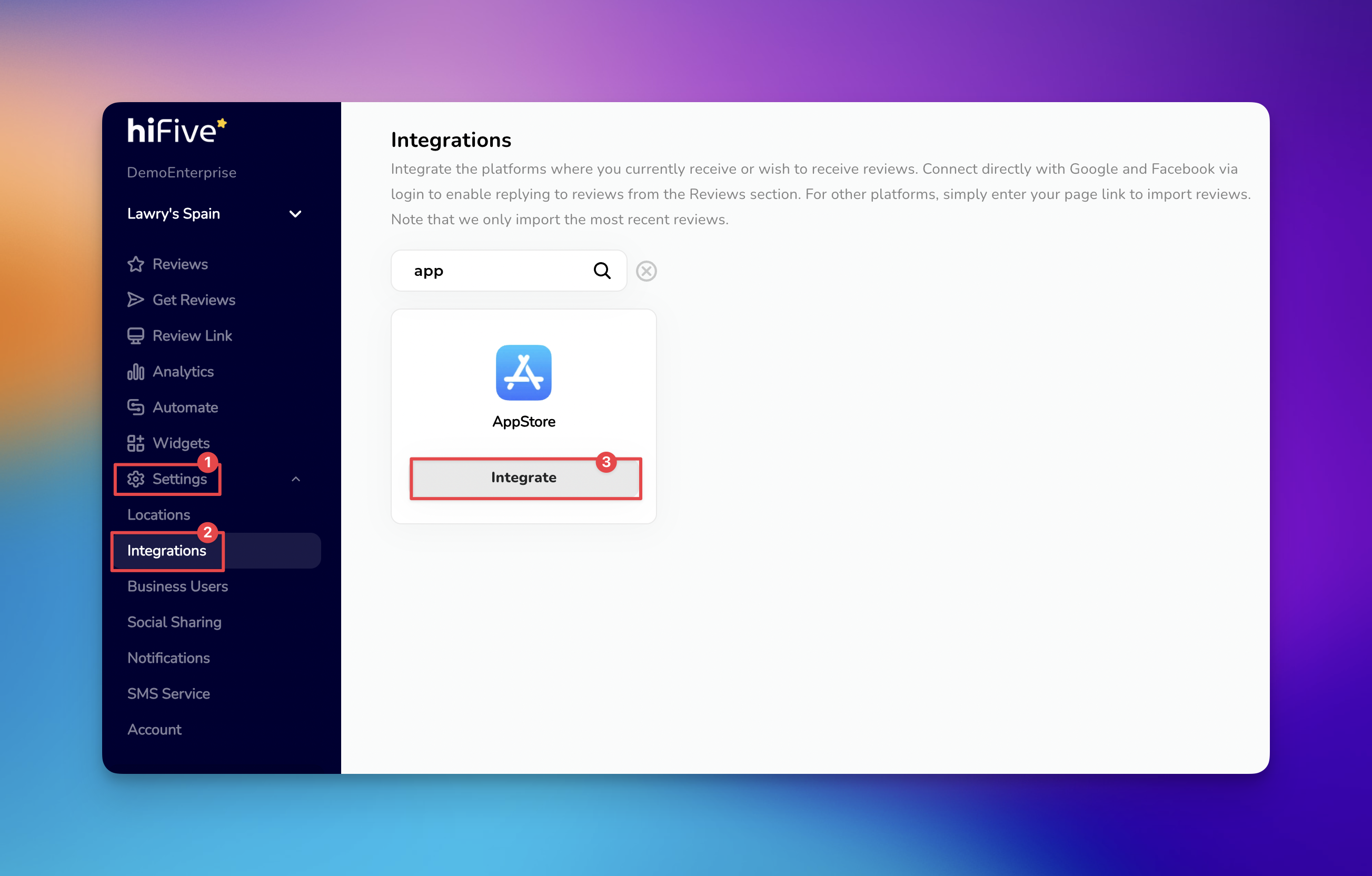
Access your account by entering your email and password on the HiFiveStar login page to open your main dashboard.
Select the 'Settings' option to open your account configuration menu.
Inside the menu, choose 'Integrations' to view the list of platforms compatible with the software.
Browse the list or use the search bar to find AppStore (one word).
Select the 'Integrate' button to open the connection field.
Paste your application's public URL into the designated box.
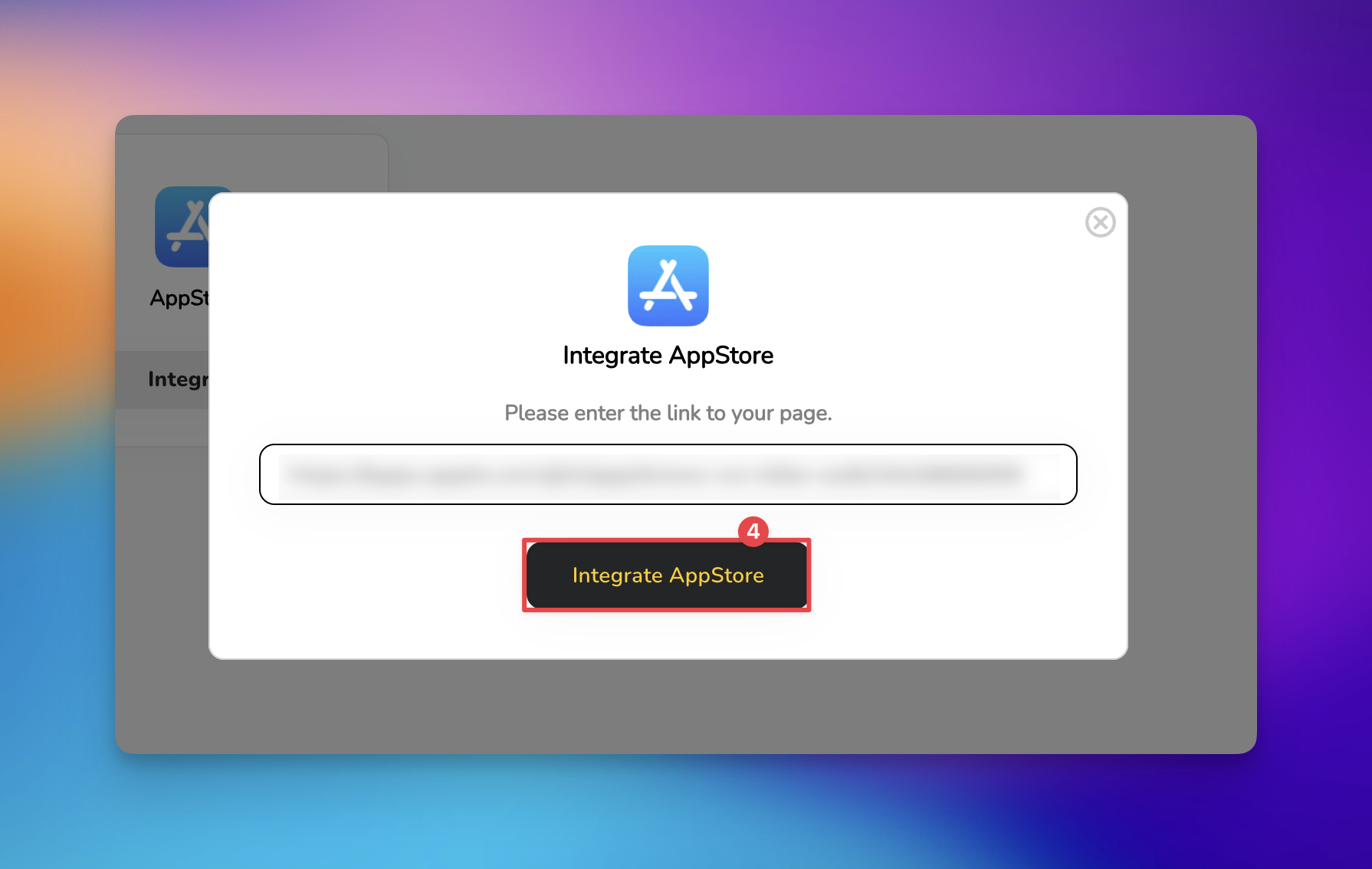

Select the 'Integrate AppStore' button to finalize the link.
Once you've added your App Store page, it appears on your review page. New App Store reviews do not show up in your dashboard, because HiFiveStar does not import them yet.
Integrations Explained
Maximizing Your Online Presence with HiFiveStar's Platform Integrations
