Adding your OpenTable link puts OpenTable on your HiFiveStar review page, so diners can go there to leave a review. HiFiveStar does not import OpenTable reviews or reservations, and it does not send review requests from OpenTable.
Follow the steps below to add your OpenTable link.
This video shows our previous app. The written steps on this page describe the current one.
Adding OpenTable to your review page gives happy diners an easy way to review you there.
More OpenTable Reviews: Your review page offers happy diners a button to review you on OpenTable.
Improved SEO: Consistent fresh reviews from verified diners help boost your restaurant's visibility in local search results.
This guide provides the steps to add your OpenTable link.
Access the Platform - Log in to the HiFiveStar portal using your account credentials. This opens the main overview of your business locations.
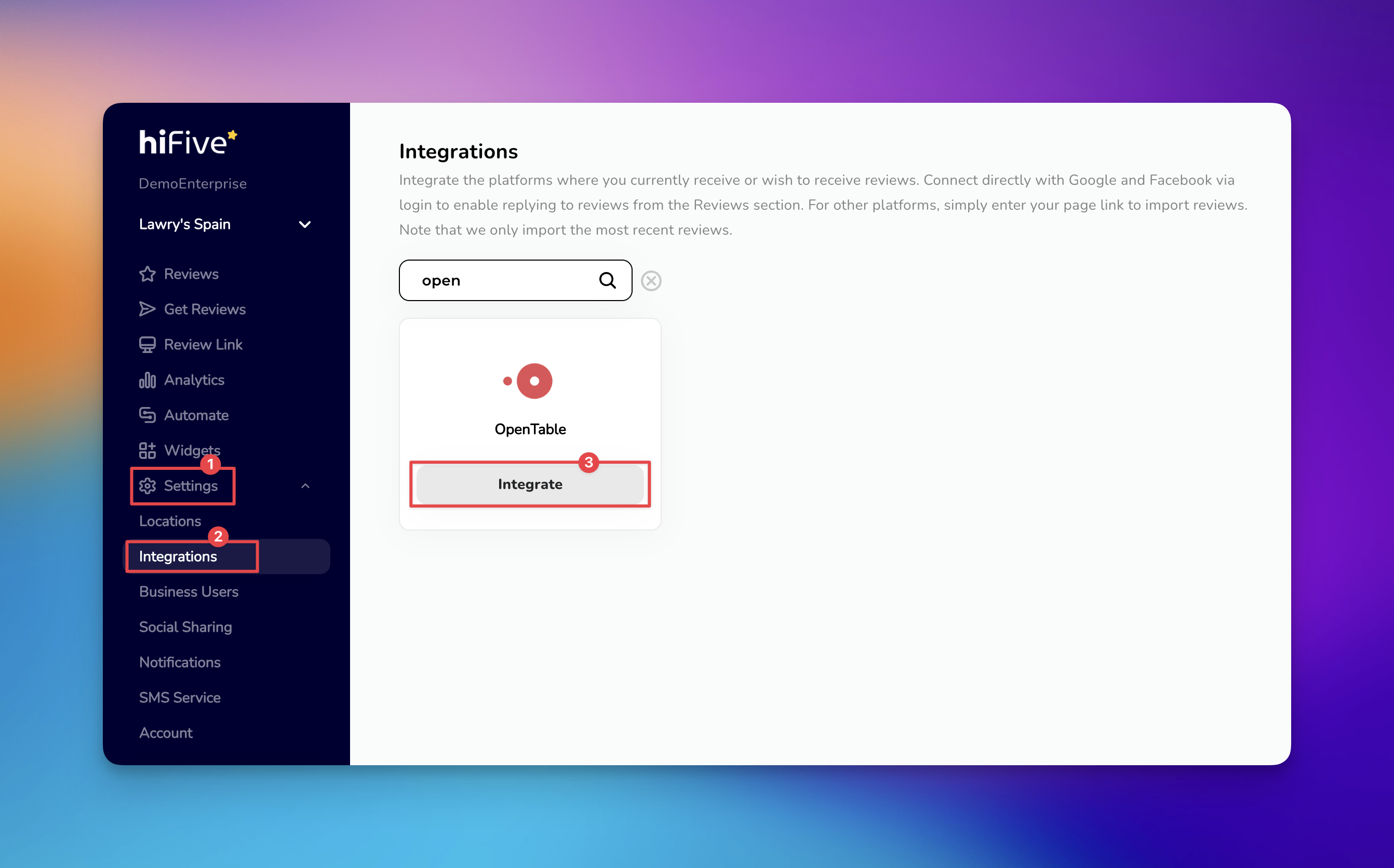
Open the Settings Menu - Look for the 'Settings' tab in the main navigation area. Selecting this option opens the configuration tools for your account.
Locate Integrations - Select the 'Integrations' category. This section displays all third-party services that can connect with your dashboard.
Find OpenTable - Use the search feature or scroll through the list to find OpenTable. Entering the name in the search bar is the fastest way to highlight the correct option.
Initiate the Connection - Select the 'Integrate' button and a prompt will appear asking for your unique OpenTable business URL.
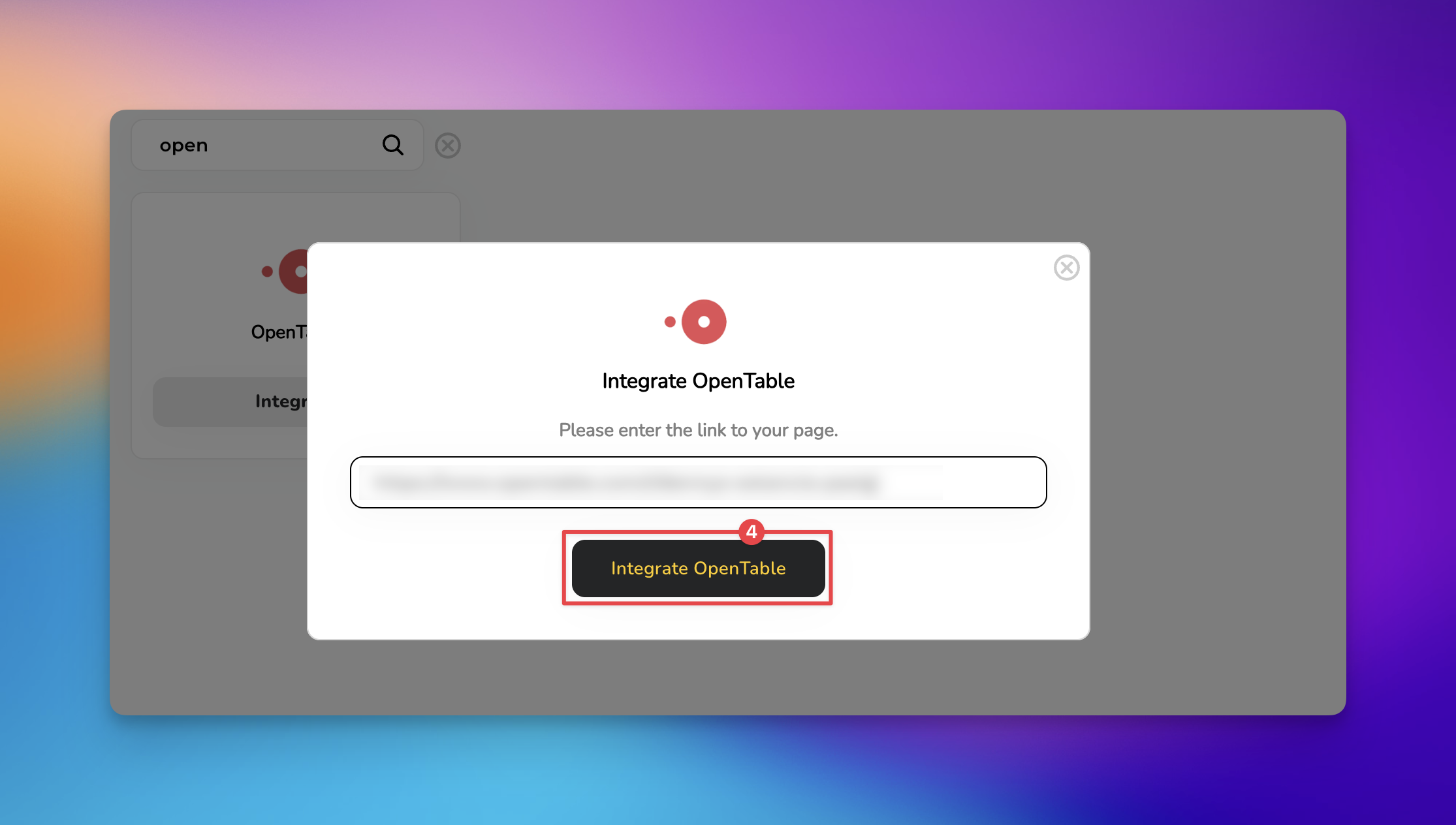
Finalize the Link - Paste your restaurant's profile link into the designated slot. Confirm the connection by selecting the 'Integrate OpenTable' button to complete the process.
By completing these steps, OpenTable appears on your review page. To ask diners for reviews, send review requests from Get Reviews.

If the integration does not appear active immediately, check these common areas.
URL Validation: Ensure the link starts with https:// and points to your public OpenTable page rather than a private owner portal.
Managing Reviews
Elevating Your Business with Advanced Review Management
