Adding your Amazon product page puts Amazon on your HiFiveStar review page, so customers can go there to leave a review. This guide shows how to add it.
This video shows our previous app. The written steps on this page describe the current one.
Follow these steps to add the link to your Amazon product page.
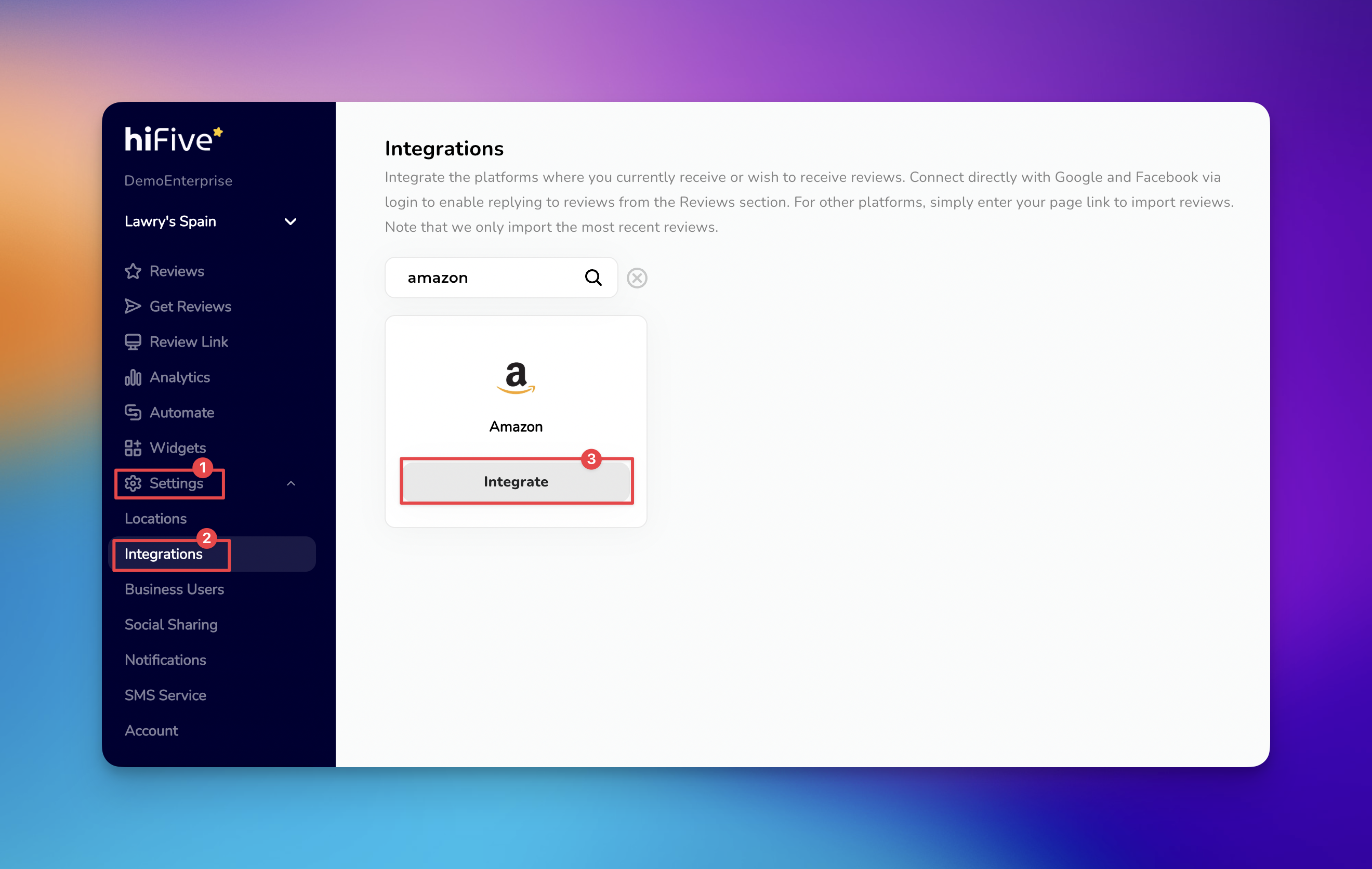
Access the Dashboard - Open the HiFiveStar login page and provide your credentials. This opens your main business overview where you manage all active locations and services.
Open the Settings Menu - Select the 'Settings' option from the main menu. This area houses the configuration tools for your specific business profile.
Navigate to Integrations - Look for the section labeled 'Integrations'. This tab lists every third-party platform that is compatible with the software.
Search for Amazon - Find Amazon by looking through the list or using the search tool. Typing the name into the search bar is the quickest way to bring the option into view.
Input the Product URL - Choose the 'Integrate' button next to the Amazon logo. An input field will appear asking for the specific web address of your Amazon product page.
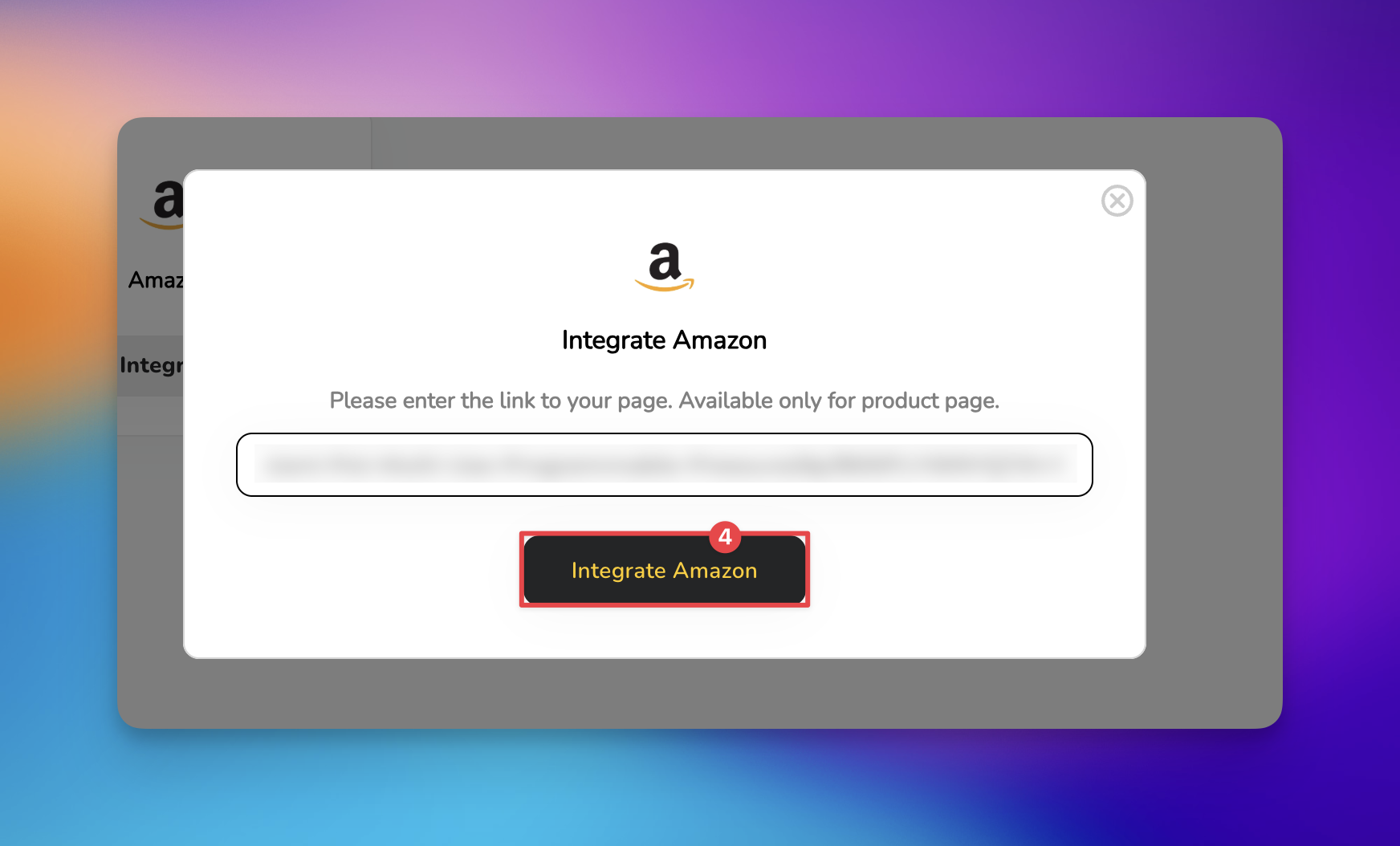
Finalize the Connection - Paste the product link into the text box and select the button to 'Integrate Amazon'.
Once it is saved, Amazon appears on your review page and sends customers to your product page. HiFiveStar does not import Amazon reviews yet, so new Amazon reviews do not show up in your dashboard. HiFiveStar has no connection to Amazon orders, so it cannot send review requests to your Amazon buyers.

Link Not Accepted: Paste the full web address, starting with https://.
Regional Restrictions: Verify that the product is currently active and available for purchase in the specific region's marketplace.
Display Your Reviews: Use the Widget to show the reviews in your HiFiveStar dashboard on your own website.
Managing Reviews
Elevating Your Business with Advanced Review Management
