
Adding Agoda to HiFiveStar
Adding your Agoda link puts Agoda on your HiFiveStar review page, so guests can go there to leave a review. HiFiveStar does not import Agoda reviews yet.
This video shows our previous app. The written steps on this page describe the current one.
Connecting Your Platforms
Follow these steps to add your Agoda link.
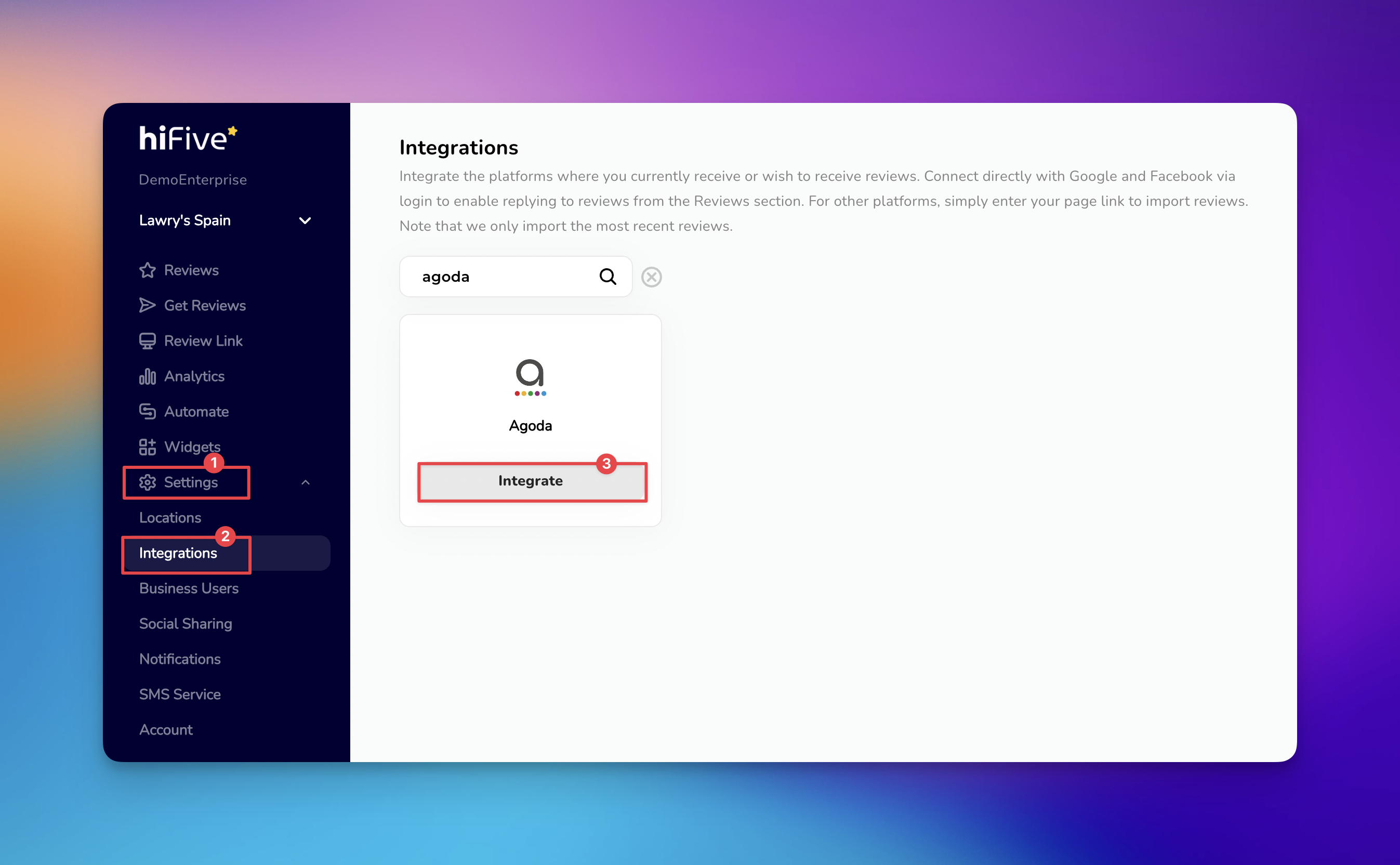
Log in to your HiFiveStar account using your registered credentials to open your main overview page.
Select the 'Settings' icon to view your account configuration options.
Identify the 'Integrations' category, which lists all the platforms you can add.
Use the search functionality or scroll through the list to find Agoda.
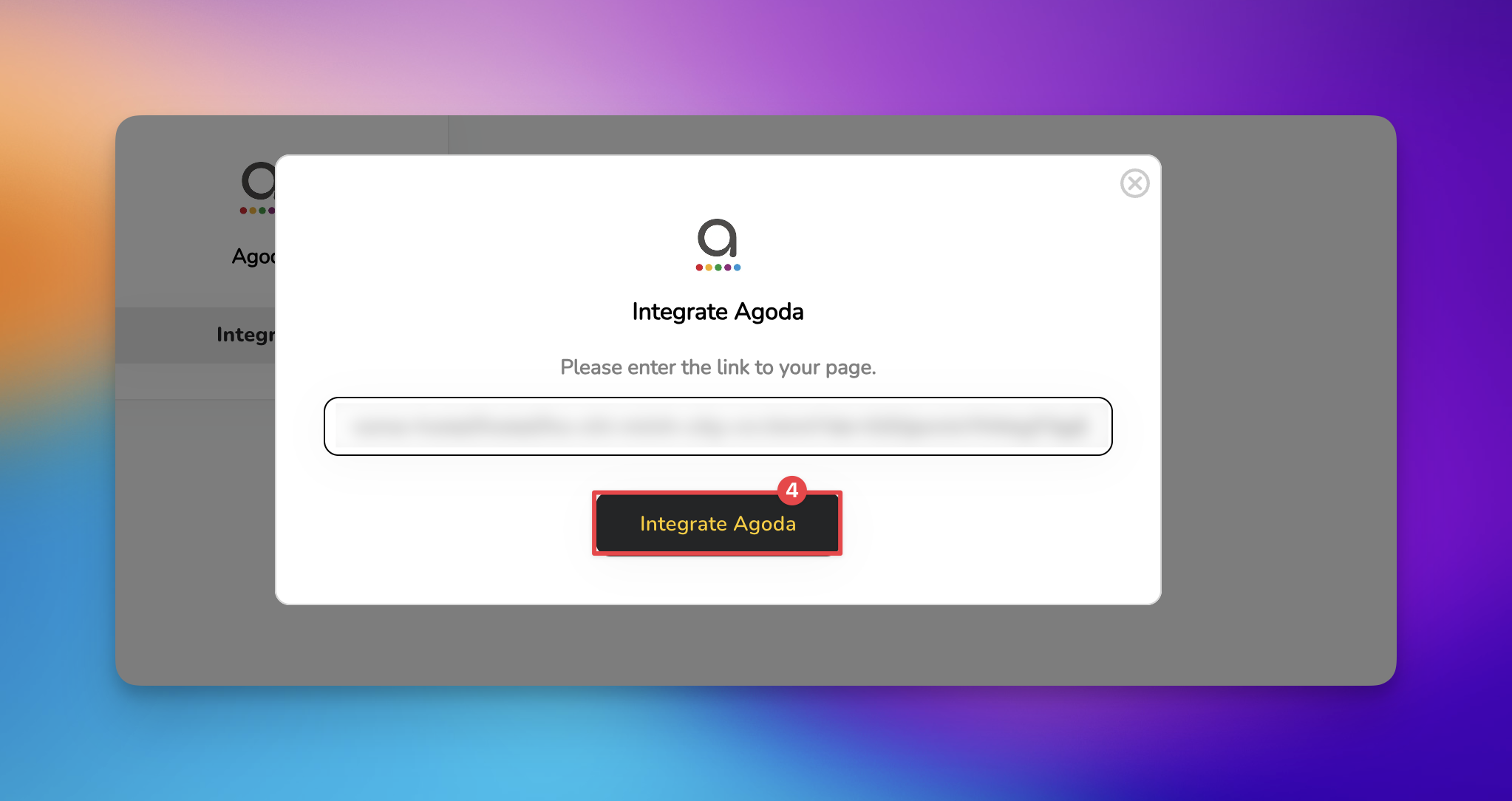
Choose the 'Integrate' button. When the prompt appears, enter your specific Agoda profile URL into the designated text box.
Select the 'Integrate Agoda' button. HiFiveStar saves the link and adds Agoda to your review page.

Agoda now appears on your review page. New Agoda reviews do not show up in your dashboard, because HiFiveStar does not import them yet.
Why Connect Agoda?
Adding Agoda to your review page gives happy guests an easy way to review you there, which strengthens your online presence and helps build trust with new guests.
Your Agoda Reviews
HiFiveStar does not import Agoda reviews yet. Reply to Agoda reviews on Agoda itself.
Related Articles
Get Reviews Explained
How to Collect Customer Reviews via SMS, Email, and QR Code