Connecting your hosting profile to HiFiveStar is one of the most effective ways to streamline your reputation management. Instead of manually tracking feedback across different bookings, this integration pulls your guest reviews into a single dashboard, making it much easier to highlight your property's strengths and maintain your status as a top-rated host.
This guide covers the quick steps needed to bridge the two platforms so you can start showcasing your hospitality right away.
Follow these simple actions to link your property listing and start managing your guest feedback automatically.
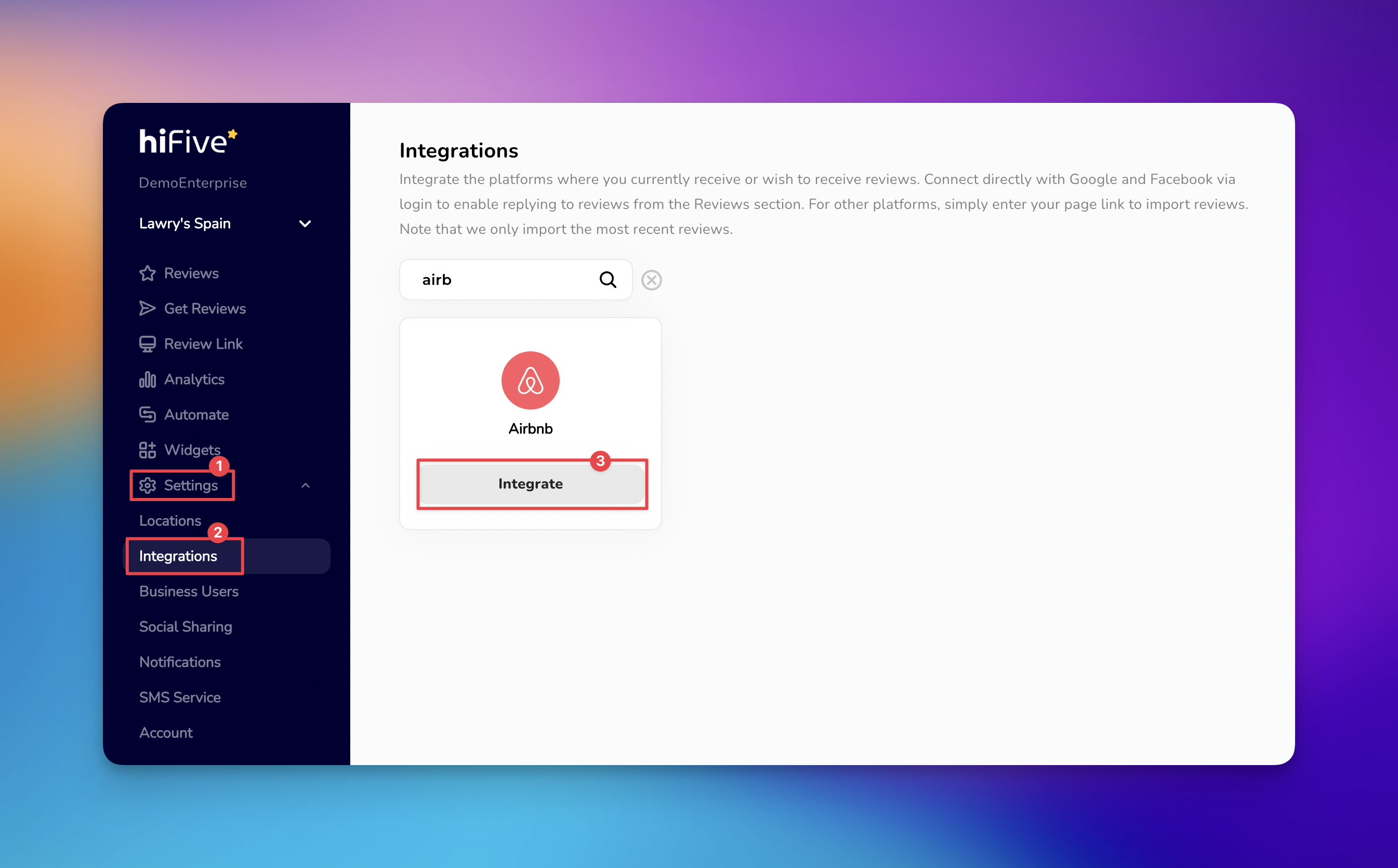
Open the HiFiveStar login page and provide your account credentials. This opens the main business overview where you manage your locations.
Look for the 'Settings' option in the main navigation area. Selecting this opens the configuration tools for your specific business profile.
Inside the settings area, locate the 'Integrations' section. This tab displays all available third-party platforms compatible with the software.
Scroll through the list of service providers or use the search tool to find Airbnb. Typing the name into the search bar is the fastest way to highlight the correct option.
Choose the 'Integrate' button next to the Airbnb icon. A text box will appear asking for the web address of your specific Airbnb listing.
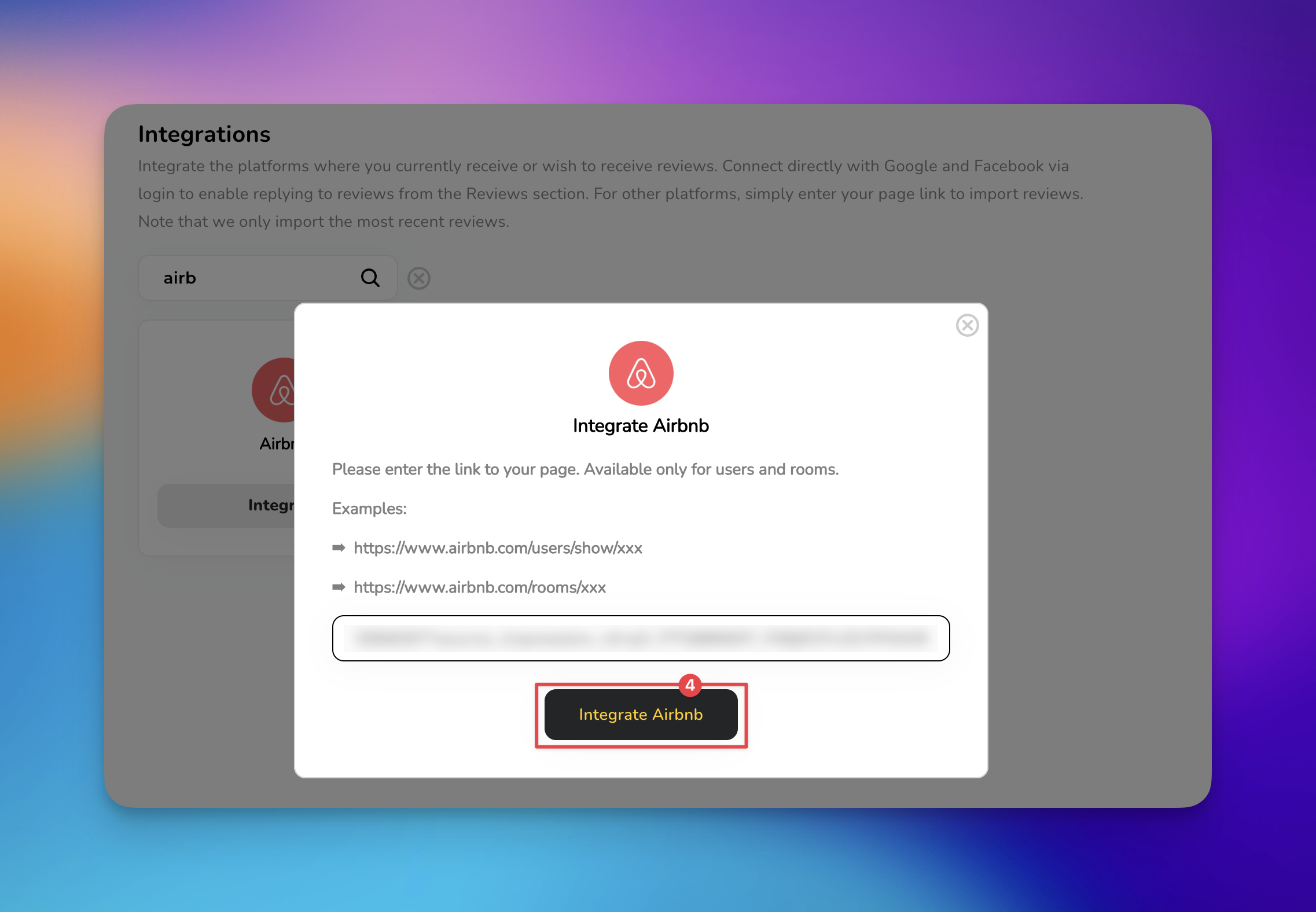
Paste your public Airbnb listing link into the designated field. To complete the process, select the button labeled 'Integrate Airbnb'.
Once the setup is finished, your dashboard will begin pulling in the latest ratings to provide a comprehensive view of your hosting performance. If your data doesn't refresh instantly, please allow a short period for the two platforms to communicate and finalize the sync.

Set Up Automation: Head to the Automate tab to schedule automatic review requests to be sent to your guests after they check out.
Create Review Widgets: Use the Social Sharing tools to display your best Airbnb reviews directly on your website to build trust with future guests.
Invalid URL Error: Double-check that the URL starts with https://www.airbnb.com/rooms/ followed by your unique listing ID number.
Sync Delays: Ensure your Airbnb listing is set to "Public" and is not currently snoozed or unlisted, as this prevents the integration from accessing data.
Missing Reviews: The software primarily syncs verified guest reviews; ensure the feedback you are looking for has been officially published on your Airbnb profile.
Get Reviews Explained
How to Collect Customer Reviews via SMS, Email, and QR Code
