Adding your Trustpilot link puts Trustpilot on your HiFiveStar review page, so customers can go there to leave a review. HiFiveStar does not import Trustpilot reviews yet. Follow this guide to establish the connection between these two platforms.
Before starting, ensure you have your public Trustpilot profile link ready. This is the URL customers visit to read your reviews on the Trustpilot website.
This video shows our previous app. The written steps on this page describe the current one.
Follow these simple instructions to add your Trustpilot profile link.
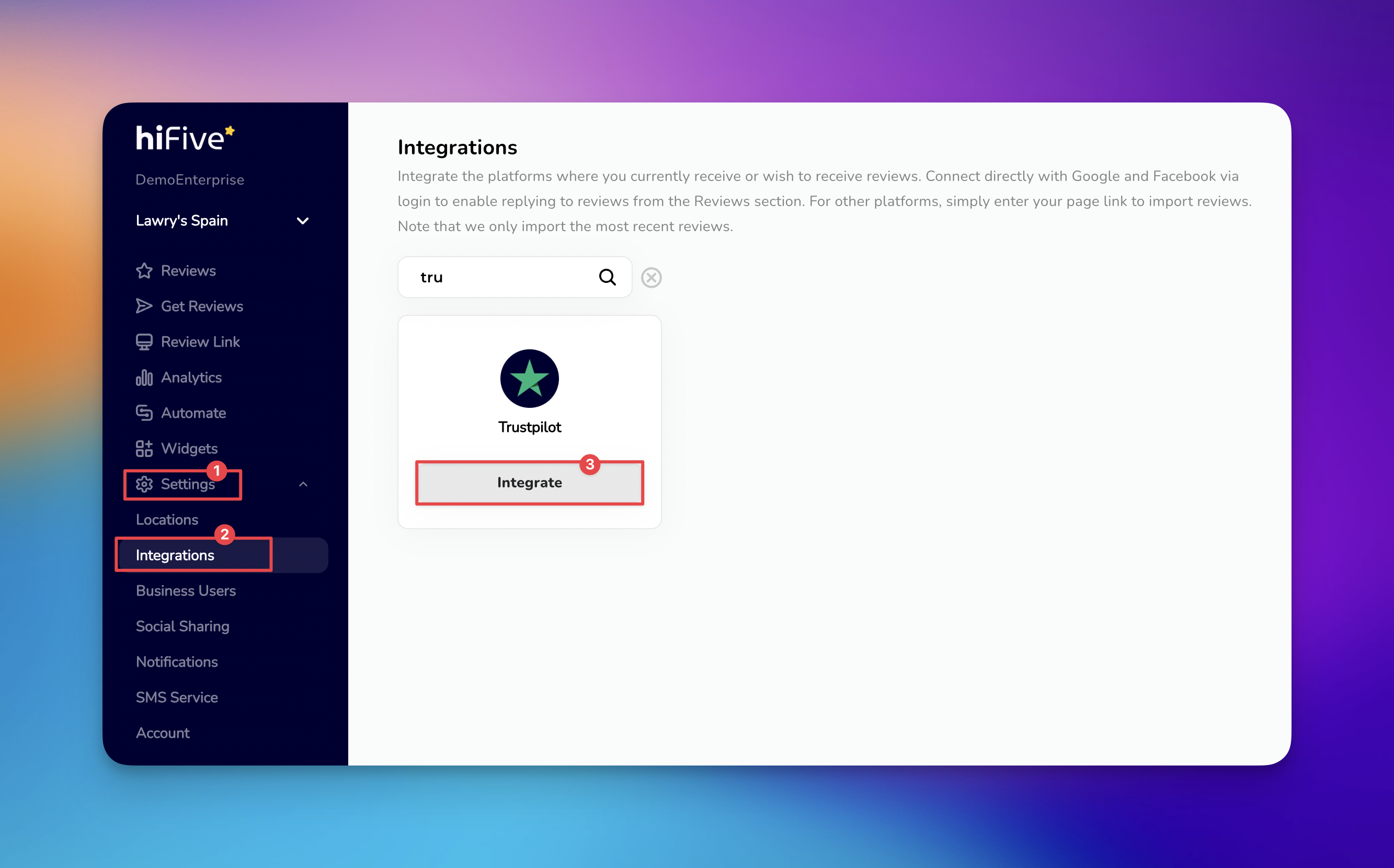
Open the HiFiveStar login page and provide your credentials. This opens your main business overview.
Look for the 'Settings' button in the main navigation menu. This section houses your account configurations and platform preferences.
Inside the settings menu, choose the 'Integrations' tab. This page displays a variety of third-party platforms that work with your account.
Use the search bar at the top of the list and type Trustpilot to highlight the correct card. Alternatively, scroll through the available services until the Trustpilot logo appears.
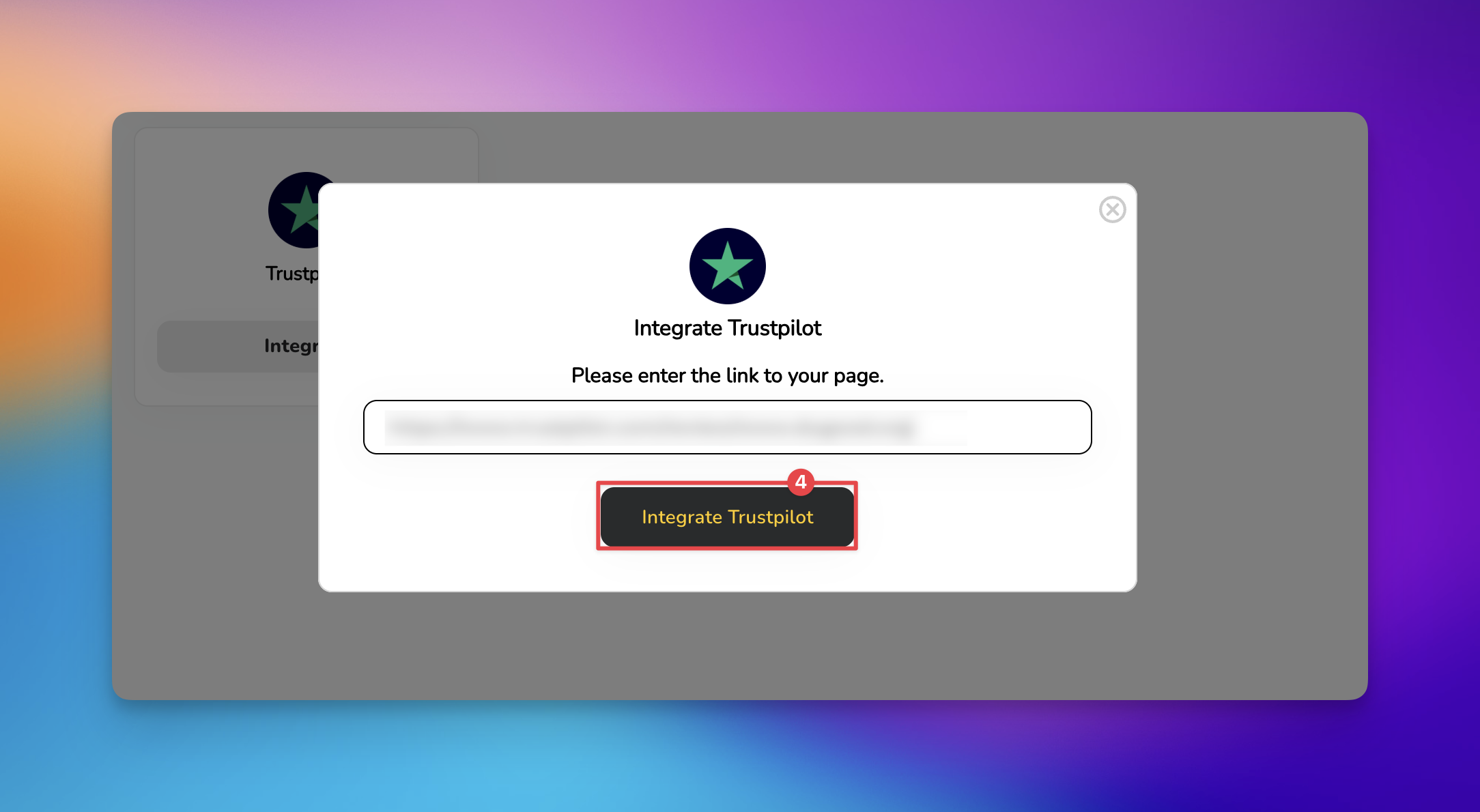
Click the 'Integrate' button next to Trustpilot. A text box will appear asking for your Trustpilot Business URL. Paste your profile link into this space.
Click the 'Integrate Trustpilot' button. HiFiveStar saves the link and adds Trustpilot to your review page.
Trustpilot now appears on your review page. New Trustpilot reviews do not show up in your dashboard, because HiFiveStar does not import them yet.
How often does the data update?
HiFiveStar does not import Trustpilot reviews yet, so there is nothing to update. The link sends customers to your Trustpilot page from your review page.
Can I connect multiple Trustpilot pages?
Each business location in HiFiveStar can be linked to one specific Trustpilot profile URL. If you have multiple branches, ensure you are logged into the correct business profile before performing the integration.
What happens if I change my Trustpilot URL?
If your public profile link changes on Trustpilot, you will need to return to the Integrations tab, remove the current link, and repeat the setup process with the new URL to maintain the connection.
Managing Reviews
Elevating Your Business with Advanced Review Management
