Boost your professional credibility by centralizing your Thumbtack customer feedback directly within your management dashboard. By linking these platforms, you can monitor new ratings without toggling between different browser tabs. HiFiveStar checks Thumbtack once a day.
This video shows our previous app. The written steps on this page describe the current one.
Open the HiFiveStar login portal and enter your account credentials and click the Login button to reach the main business overview screen.
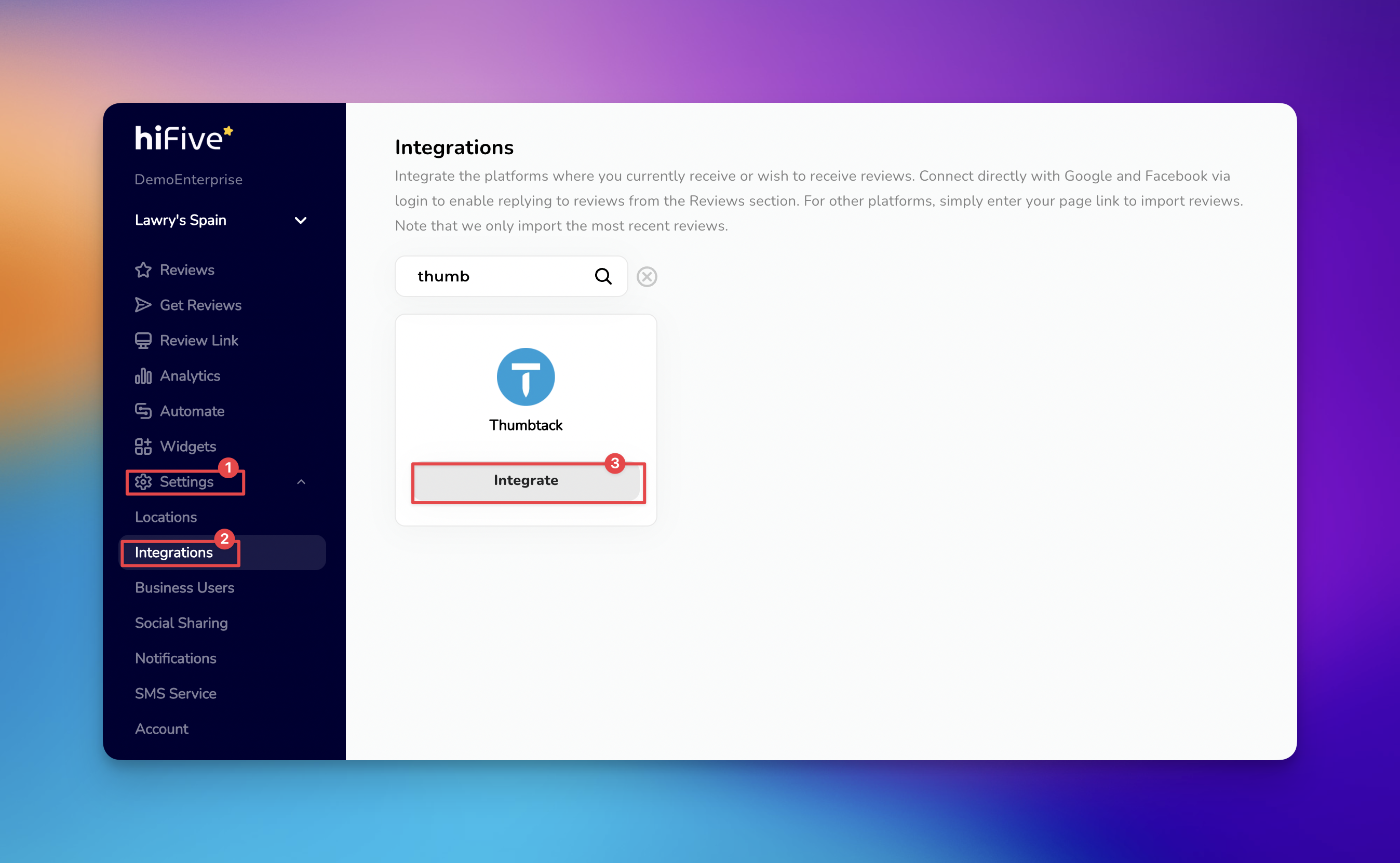
Select the 'Settings' option located in the navigation menu. This is the central hub for all account customizations.
Within the menu, choose the 'Integrations' category to display the various third-party platforms available for syncing.
Scroll through the list of partners or use the search bar to find Thumbtack. This highlights the specific connection tool required for your profile.
Select the 'Integrate' button next to the Thumbtack icon. A prompt will appear asking for your public Thumbtack business profile link.
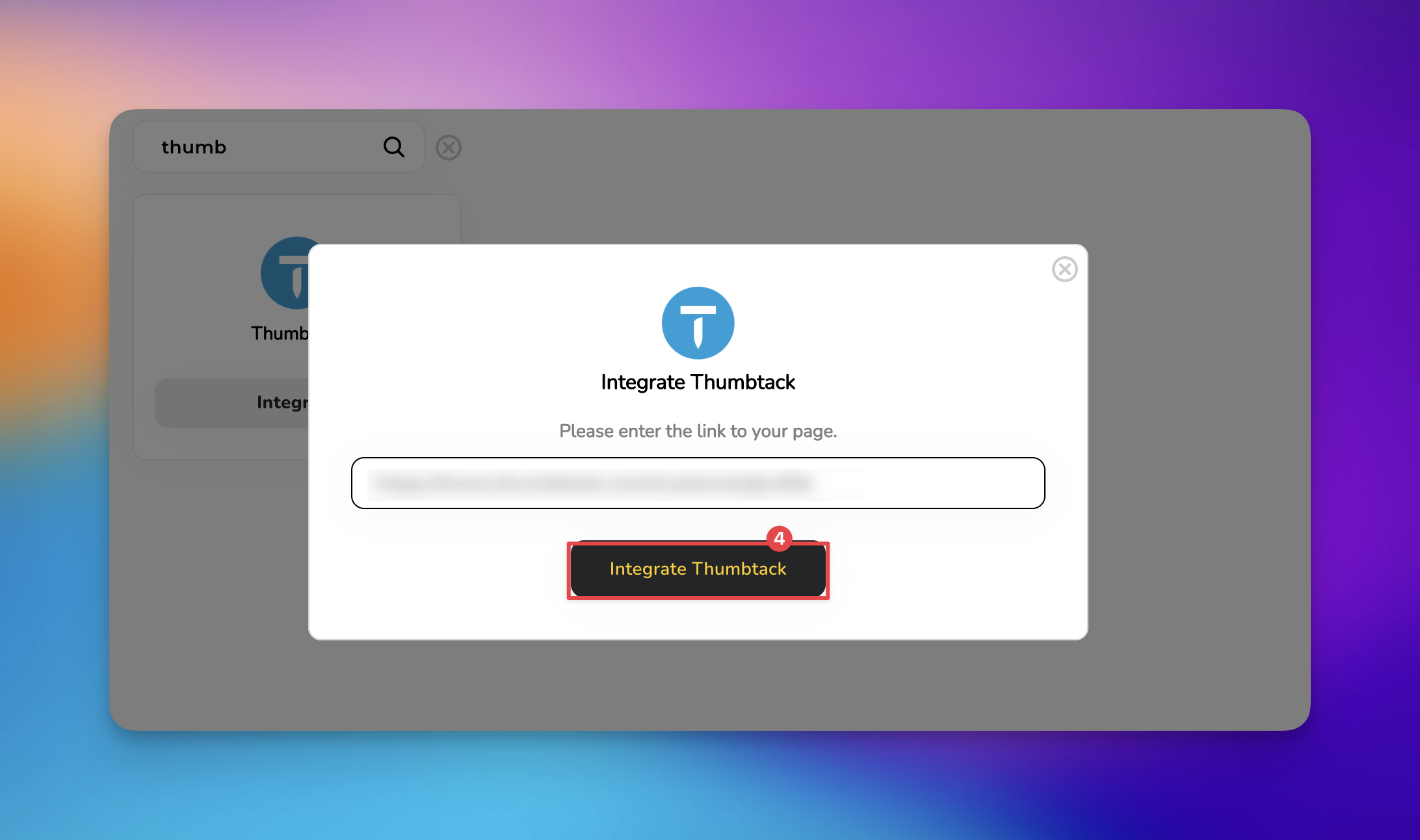
Paste your URL into the designated box. Click the 'Integrate Thumbtack' button to establish a live connection between the two platforms.
This integration brings your Thumbtack customer reviews onto your dashboard. Having these platforms work together saves you time and keeps your focus on completing jobs for your clients.
If you run into any issues during the linking process, our support team is ready to assist with the technical details.


Timely Invitations: Send review requests within 24 hours of completing a job while the positive experience is fresh in the client's mind.
Consistency is Key: Ask every customer for a review. On the Pro plan, automations and 3- and 7-day reminders can send requests and follow-ups for you.
Showcase Your Work: Regularly update your Thumbtack profile with project photos, as customers are more likely to leave detailed reviews when they see a professional portfolio.
Respond to Everyone: Make it a habit to reply to both positive and negative reviews. A thoughtful response shows future leads that you are attentive and professional.
Analyze Feedback: Use the reporting tools in the dashboard to identify common praise or complaints. This helps you adjust your service to better meet client expectations.
Promote Your Best Ratings: Once your Thumbtack reviews are synced, you can show your five-star ratings on your website with Widgets. Posting them to Facebook and Instagram is waiting on Meta's approval of HiFiveStar's app.
Managing Reviews
Elevating Your Business with Advanced Review Management
