Adding your Houzz profile link puts Houzz on your HiFiveStar review page, so clients can go there to leave a review. HiFiveStar does not import Houzz reviews yet.
Follow the guide below to add your Houzz profile.
This video shows our previous app. The written steps on this page describe the current one.
Start by navigating to the HiFiveStar login page. Enter your email and password to access the Main Dashboard.
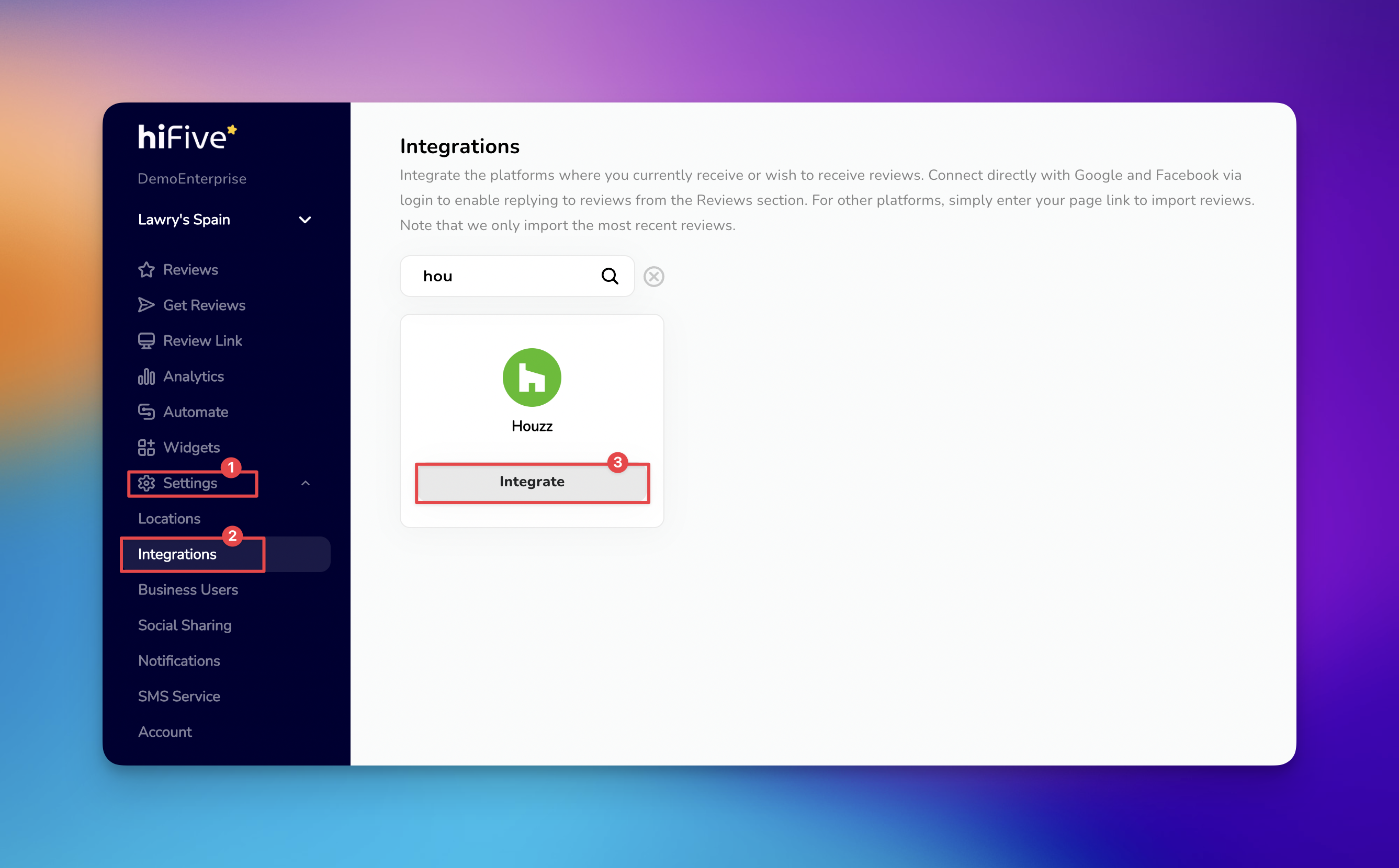
Once the dashboard loads, locate and select the 'Settings' option within the navigation menu.
Within the Settings menu, look for the section labeled 'Integrations'. This area lists all the platforms you can add.
Find Houzz by browsing the list of available services or by using the Search bar. Simply type "Houzz" to filter the results and bring the platform to the front of the list.
Select the 'Integrate' button associated with Houzz. A field will appear requesting your specific Houzz Professional Profile URL.
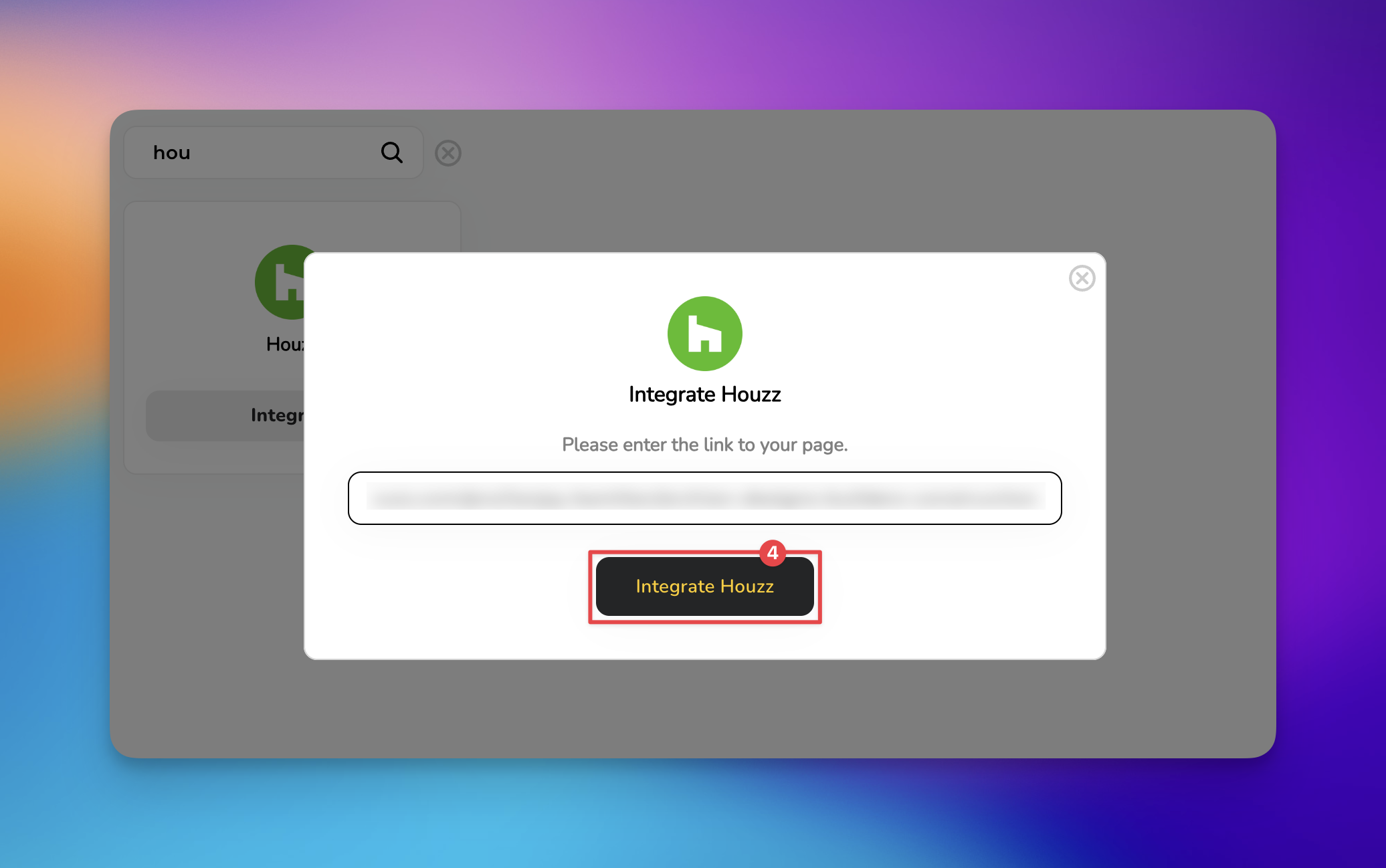
Paste the link into the provided field then click the button to Integrate 'Houzz'. HiFiveStar saves the link and adds Houzz to your review page.
Houzz now appears on your review page. New Houzz reviews do not show up in your dashboard, because HiFiveStar does not import them yet.
If you need further assistance with your account setup, please contact our support team or visit our comprehensive help library.

Invalid URL: Ensure the URL includes the full address starting with "https://".
Private Profile: If your Houzz profile is set to private, customers cannot open it from your review page. Check your Houzz privacy settings to ensure it is visible to the public.
To get the most out of this integration, consider these strategies:
Display Your Best Work: Ensure your Houzz portfolio is updated with high-resolution images, as clients often leave reviews based on specific project visuals.
Encourage Specific Feedback: When asking for Houzz reviews, prompt clients to mention specific materials or design choices.
Does this integration affect my Houzz ranking?
While the integration itself doesn't change your Houzz algorithm ranking, using HiFiveStar to proactively manage and showcase your reviews can lead to higher conversion rates and more client engagement.
How often does HiFiveStar sync with Houzz?
It does not. HiFiveStar does not import Houzz reviews yet.
Search and Filtering Reviews in HiFive
How to search and filter your reviews
Managing Reviews
Elevating Your Business with Advanced Review Management
