HiFiveStar offers a "Forever Free" plan designed for small businesses and individuals who want to start managing their online reputation without any upfront costs. This guide will walk you through the steps to get your account started.
The Forever Free plan is a $0/month tier that allows you to experience the core features of HiFiveStar. It is an ideal way to collect reviews and manage your business reputation at your own pace.
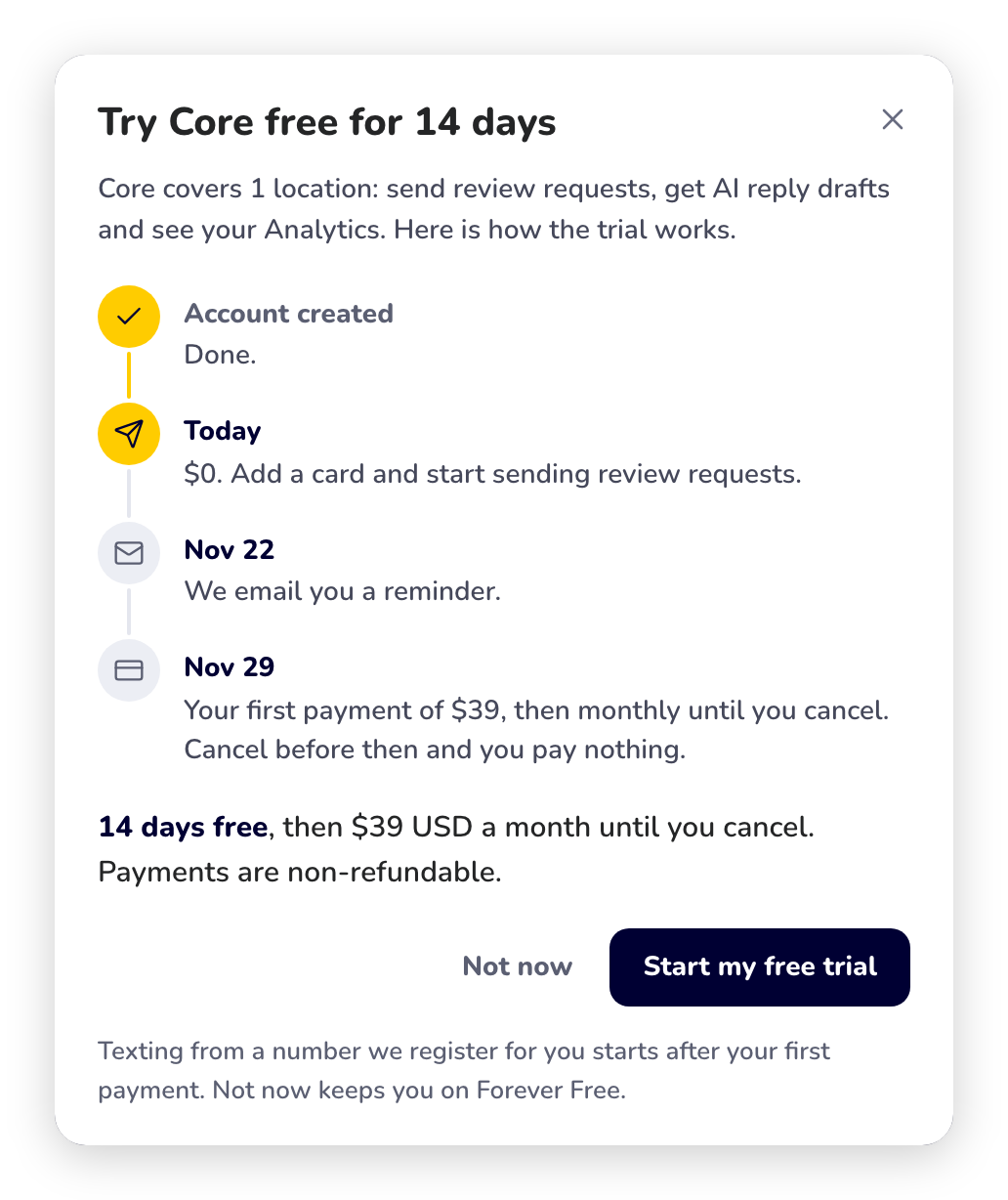
Signing up is free and needs no card, and a new account starts on the Forever Free plan. When you want to send review requests, start a monthly plan in Billing: your first one comes with 14 days free. You add a card on the checkout page and nothing is charged that day. We email you a reminder before the trial ends, and the plan's price is charged when it ends, then every month until you cancel. Cancel in Billing before the trial ends and you pay nothing; the plan stays on until the trial's last day. Yearly plans have no trial, and each business gets one free trial. Texting from a number we register for you starts after your first payment.
Setting up a Forever Free account on HiFiveStar is a quick process. Follow these steps to complete your registration and start managing your reviews.
Visit the Pricing Page - Go to the HiFiveStar Pricing Page. Here you will see a comparison of all available plans, from Forever Free to Unlimited.
Select the Forever Free Plan: Click Start free. This opens the sign-up page at app.hifivestar.com/signup.
Enter Your Information: Type your business name, your name, your email address and a password of at least 8 characters.
Create Your Account: Click Create free account. No credit card is needed, and you are signed in straight away.
If you're ready to scale your reputation management, you can upgrade to a paid plan at any time to unlock advanced tools and higher limits.
Do I need a credit card to sign up for the Free plan?
No. The Forever Free plan does not require any credit card information at sign-up.
Can I upgrade to a paid plan later?
Yes, you can upgrade to Core, Pro, Growth, Business, Enterprise or Unlimited at any time from Billing in the app (in the classic look, 💳 Billing) if you need more features, locations or team members.
What happens if I hit the limits of the Free plan?
The Forever Free plan has room for one location and one user, and it does not send review requests. A feature that is not on your plan names the plan that includes it, with a See plans button. You can continue using the Free plan or choose to upgrade to a higher tier to expand your capabilities.
HiFiveStar Plans Explained
Get an overview of how HiFiveStar's plans work and what's included.
