Negative reviews are inevitable for any growing business. While they can be frustrating, they also provide a direct line of communication with your customers and a chance to show your commitment to service. This guide outlines how to use HiFiveStar to manage negative feedback and turn critics into loyal supporters.
A professional response can often neutralize the impact of a low-star rating. Use these steps to maintain a positive public image:
Respond quickly: Aim to reply within 24 to 48 hours. A fast response shows that you are attentive and value customer feedback.
Keep it professional: Avoid getting defensive or emotional. Start by thanking the reviewer for their feedback and offer a sincere apology for their experience.
Move the conversation offline: Provide a direct email address or phone number in your public response. This prevents a lengthy back-and-forth from playing out in public and allows for a more personal resolution.
Offer a solution: Whether it is a refund, a replacement, or a discount on a future visit, providing a clear path to fix the problem demonstrates accountability.

Different business models require specific approaches to reputation management. Here is how to tailor your strategy:
Examples: Law firms, dental clinics, or HVAC contractors.
Context: For these businesses, trust and expertise are everything.
Best Practice: Focus on professionalism. If a client is unhappy with a service, acknowledge the specific concern without violating privacy or confidentiality.

Examples: Online boutiques or electronics stores.
Context: High volume and shipping-related issues often lead to negative remarks.
Best Practice: Address logistics directly. If a review mentions a late delivery or a broken item, clearly state how you are fixing the shipping process.

Examples: Cafes, hotels, or bistros.
Context: Feedback is often highly subjective and based on a single visit.
Best Practice: Personalize the response. Mention specific details from the review to show it was read by a human.
The platform provides built-in tools to help you navigate negative feedback more efficiently:
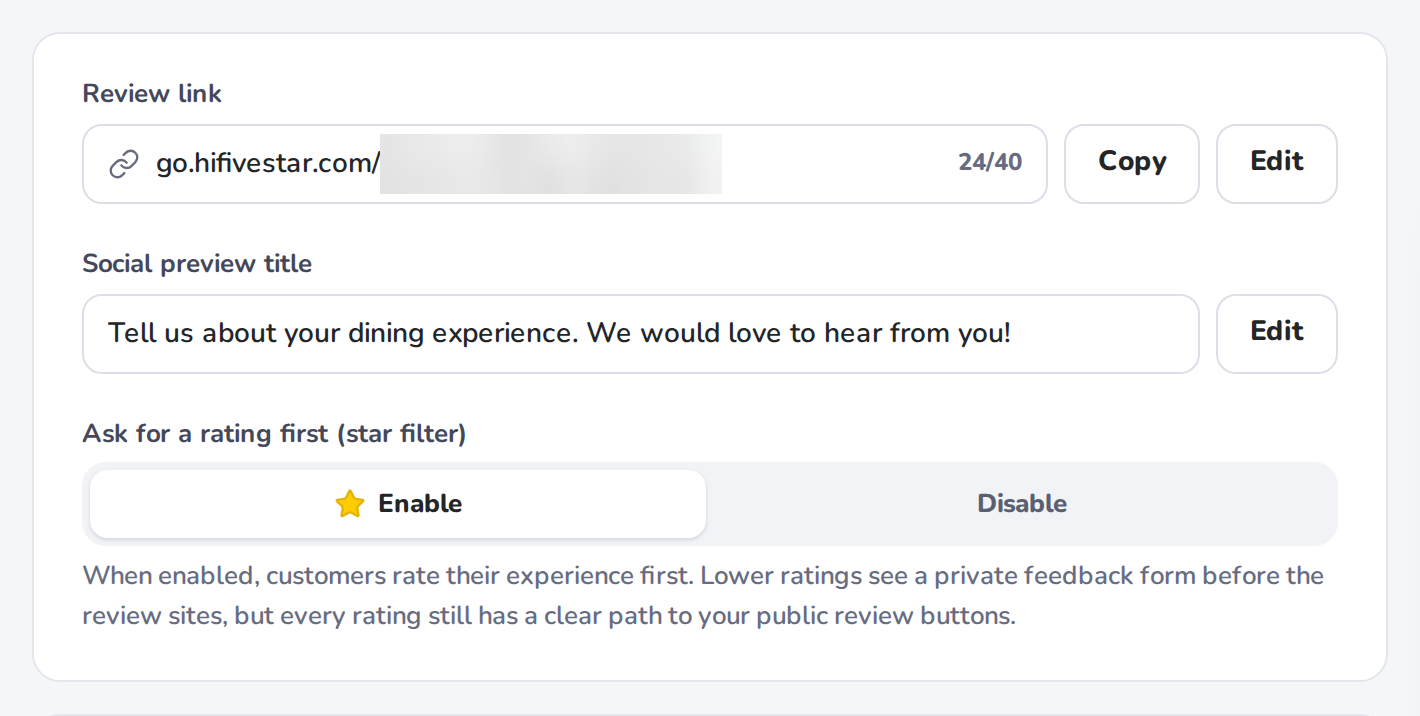
Your review page can show a Private Feedback button after the review-site buttons (switch it on or off in the review page preview on Review Link). A customer who would rather tell you about a problem directly can use it. You hear about it, and you can reply privately when they leave an email address. With Ask for a rating first (star filter) off on Review Link, every customer still sees your review sites. Google does not allow a business to ask only happy customers for reviews or to discourage negative ones.
On Core and higher plans, AI Reply writes a draft reply to a review for you. Edit the draft to keep a human tone before you use it.
Bring new reviews from Google, Tripadvisor, Yelp and six other sites into one dashboard. Google reviews arrive once a day, so you can spot a negative review and act before it affects your overall rating.
Managing negative feedback is not about eliminating every low-star rating. It is about demonstrating that your business is accountable and dedicated to customer satisfaction. By using HiFiveStar to monitor and address these reviews, you turn potential setbacks into opportunities for growth and trust-building.
Monitor consistently: Check your Reviews page often so no review goes unnoticed. Email alerts cover private feedback and video testimonials as they arrive, and a daily recap email lists your new reviews.
Stay objective: Approach every critique as a chance to improve internal processes.
Be human: Avoid overly formal or robotic language to show there is a real person behind the brand.
Close the loop: Once a resolution is reached privately, ask the customer if they would consider updating their public review to reflect the positive outcome.
Managing Reviews
Elevating Your Business with Advanced Review Management
