Monitoring feedback from various sources is essential for maintaining a strong online reputation. HiFiveStar provides a centralized dashboard where you can manage reviews from over 20 integrations in one place. Using the filtering system allows you to isolate specific data sets and focus on the platforms that matter most to your business.
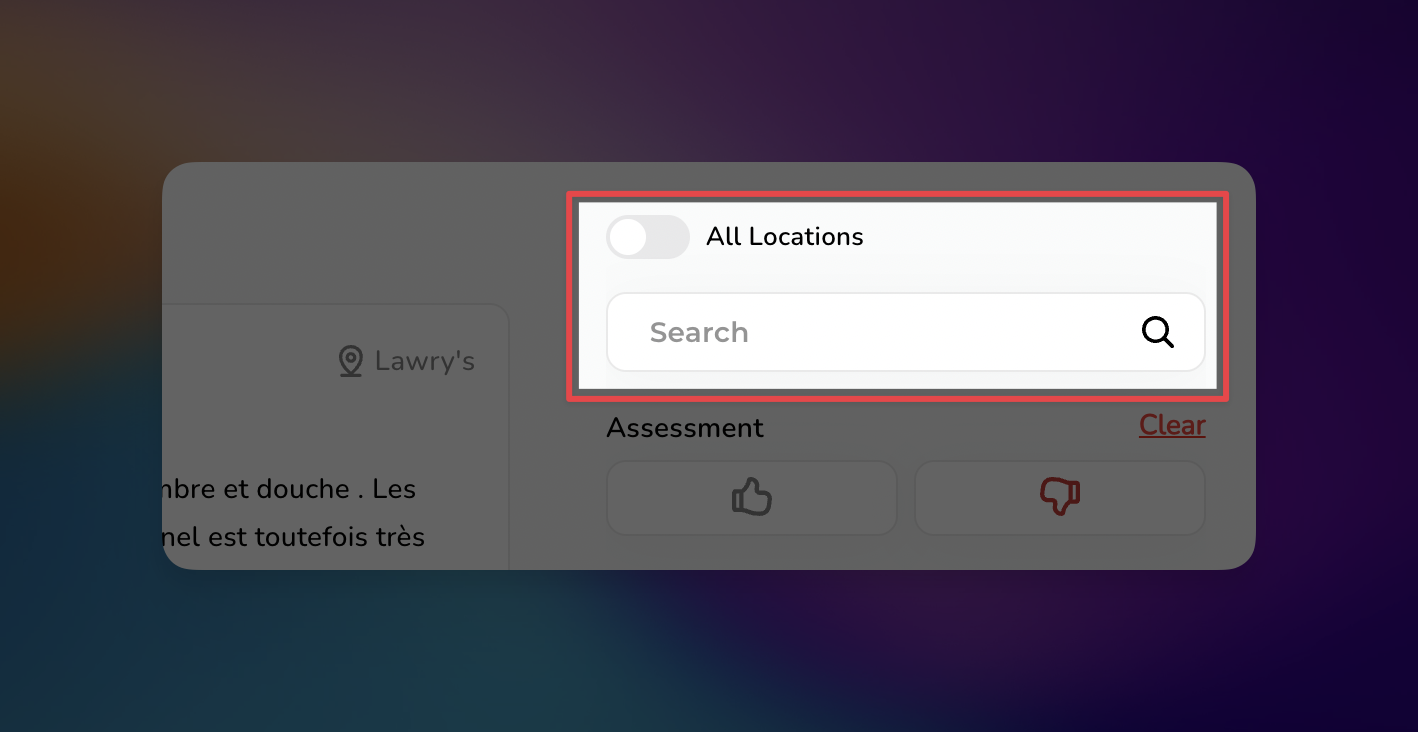
If you manage multiple branches, you can choose between a broad overview or a site-specific deep dive:
All Locations Toggle: Switch this on to view a combined feed of reviews from every business location associated with your account.
Search Bar: When the "All Locations" toggle is off, use the search field to find and select a specific location by name or address. This allows you to address feedback for a single storefront at a time.
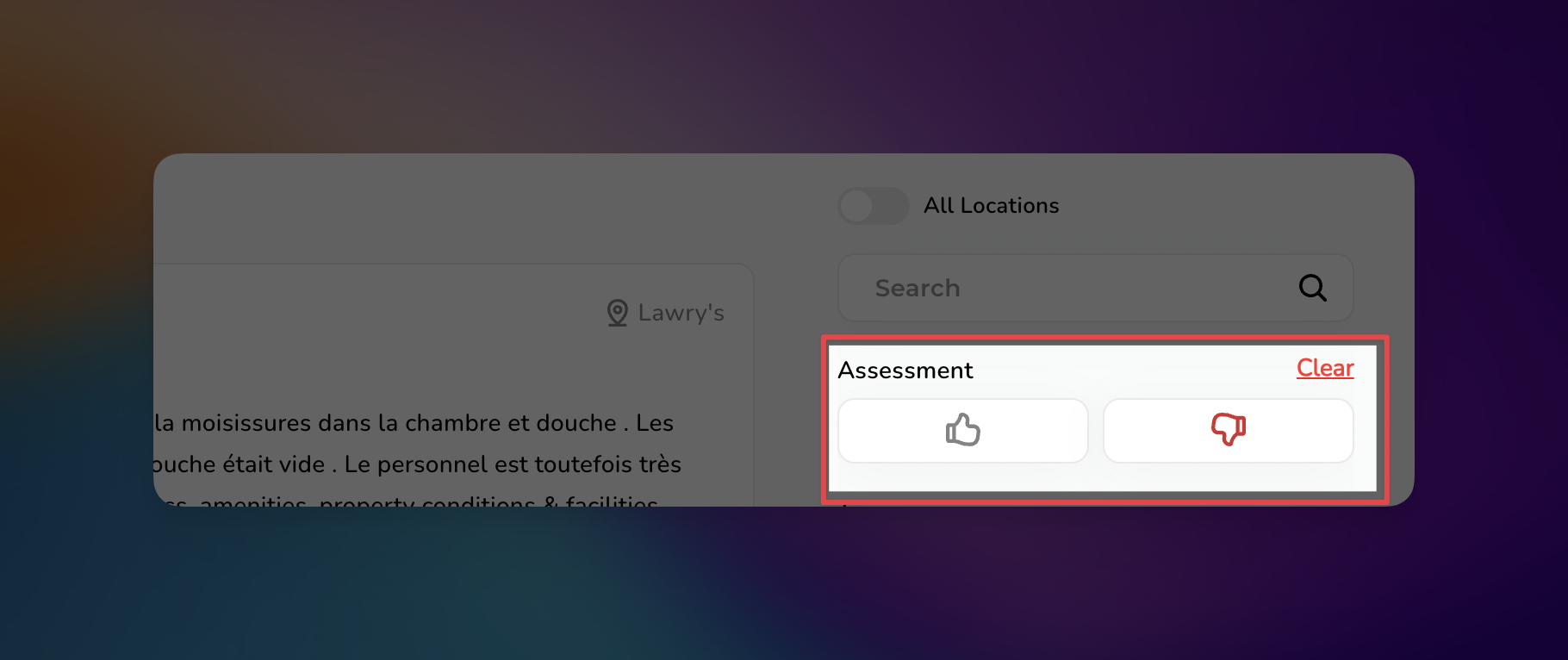
Under the Assessment section, you can filter reviews based on customer sentiment. This helps you quickly identify areas for improvement or gather testimonials:
Positive Assessment: Click the Thumbs Up icon to display only reviews where customers expressed satisfaction with your services or products.
Negative Assessment: Click the Thumbs Down icon to isolate critical feedback, making it easier to prioritize and resolve customer issues.
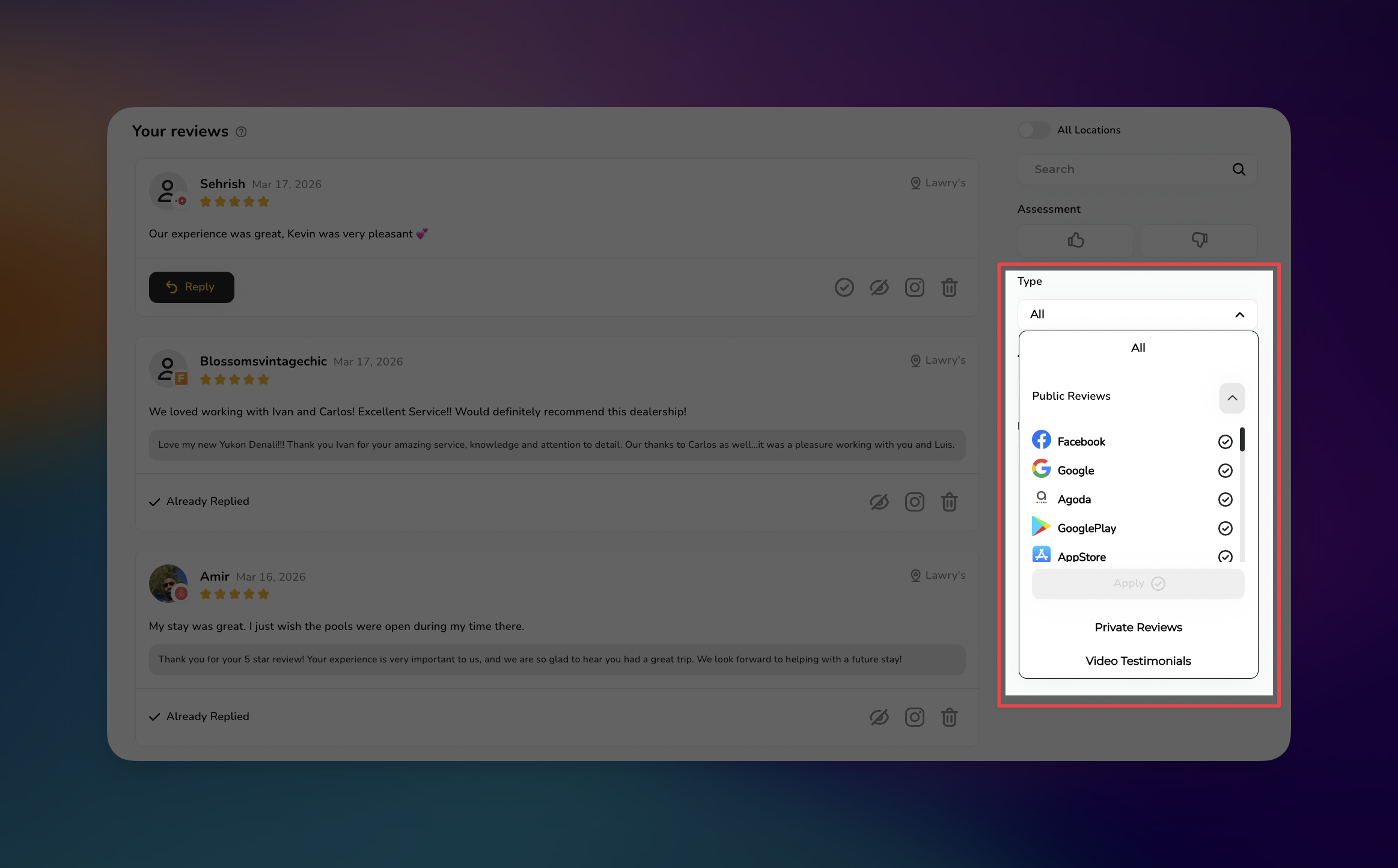
To view reviews from a specific platform or category, use the Type dropdown menu. This helps in organizing feedback based on where it originated or the format of the content.
Public Reviews: Filter for specific reviews from a particular external platform (Facebook, Google, FindLaw, etc).
Private Reviews: View internal feedback that has not been posted to public sites.
Video Testimonials: Isolate video-based feedback submitted by customers.
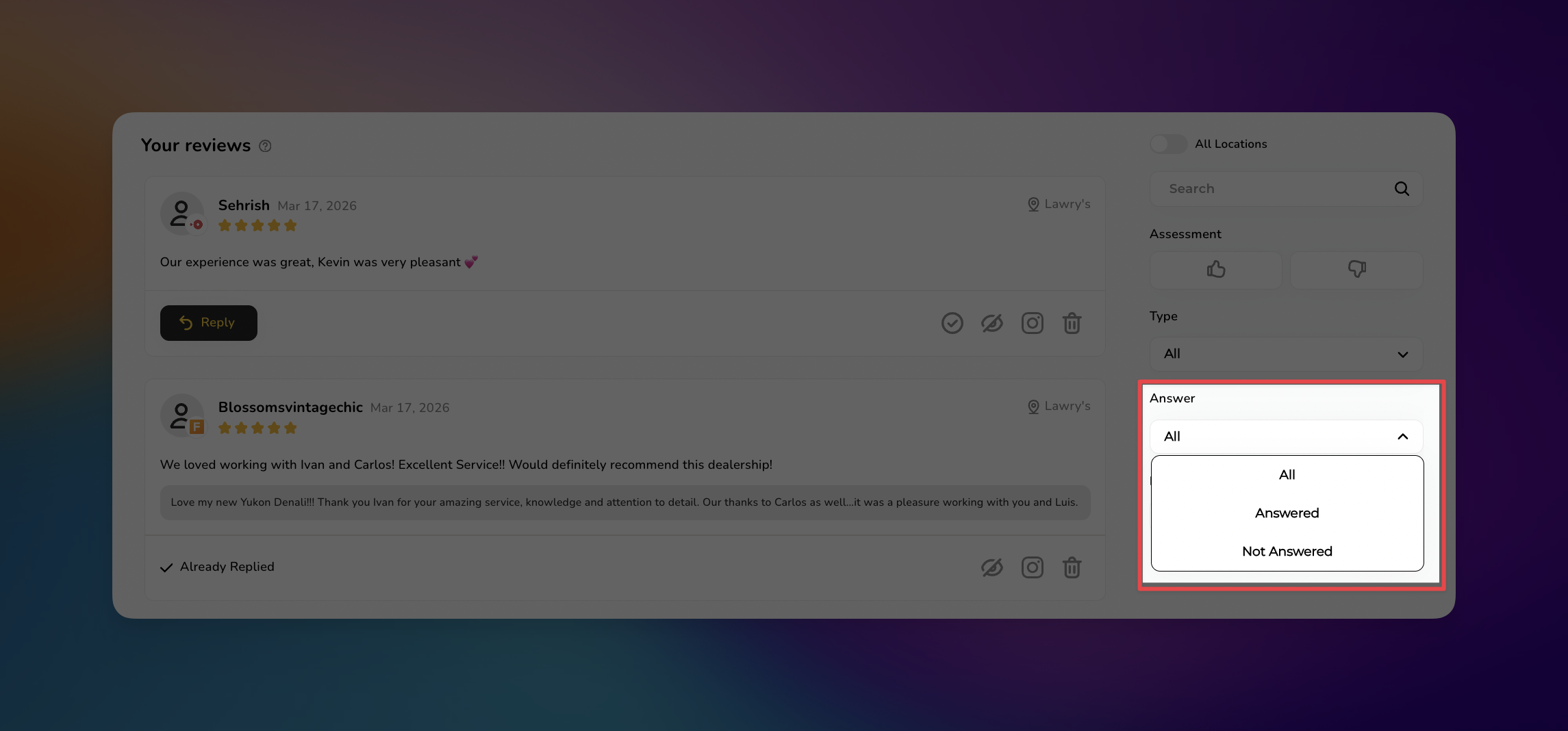
The Answer filter helps you manage your workflow and ensure no customer feedback goes ignored. By selecting a specific status, you can prioritize your engagement:
All: Displays every review regardless of response status.
Answered: Shows only the reviews that have already received a reply.
Unanswered: Filters for reviews that still require a response.

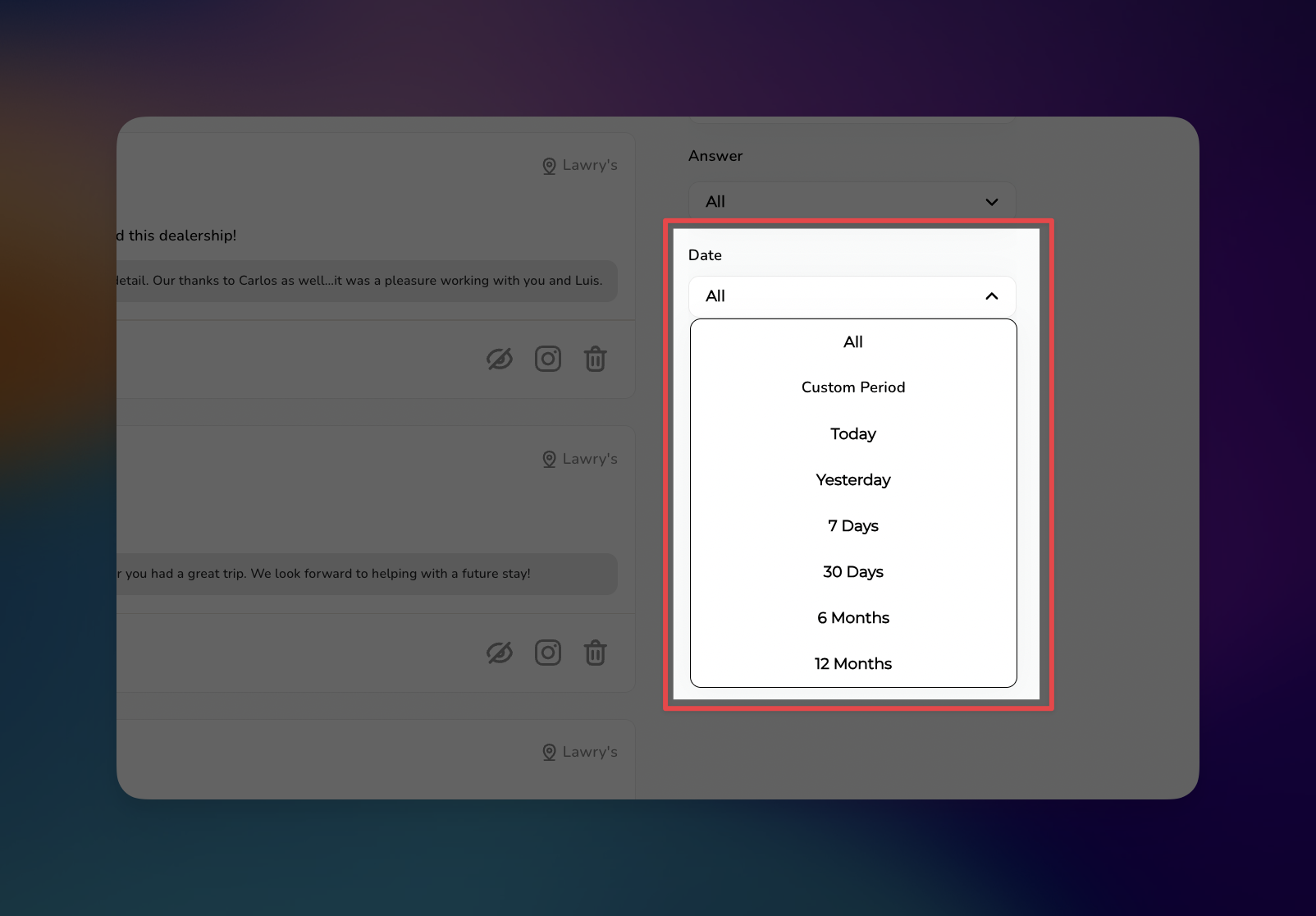
The Date filter allows for precise chronological tracking of your reputation. You can view feedback from specific timeframes to measure the impact of recent marketing campaigns or service changes.
The available options include:
All
Custom Period (Select a specific start and end date)
Today
Yesterday
7 Days
30 Days
6 Months
12 Months
Prioritize by Sentiment: Use the Type filter to view Private Reviews first. Addressing dissatisfied customers privately through the platform allows you to resolve issues before they escalate to public sites.
Batch Your Responses: Instead of checking for reviews every hour, use the Date filter to review "Today" or "Yesterday" during a dedicated 30-minute block each morning.
Audit Your Unanswered Queue: Regularly set the Answer filter to Unanswered. Aim for a 100% response rate, as customers are 88% more likely to trust businesses that respond to all feedback.
Monitor Trends over Time: Use the 6 Months or 12 Months filters to identify recurring themes in customer feedback. This historical data is vital for making long-term service improvements.
Managing Reviews
Elevating Your Business with Advanced Review Management
