Managing your HiFiveStar account involves knowing how to navigate the billing portal effectively. This guide provides clear instructions to help you end your current plan or explore other options. You can easily access your secure Stripe dashboard through the email link provided by the system.
Taking these steps ensures your billing preferences are updated and your account status remains accurate. Follow the detailed points below to complete your request without any confusion.
Follow these steps to cancel your HiFiveStar subscription and manage your billing preferences through the secure portal.
Log in to your HiFiveStar account.
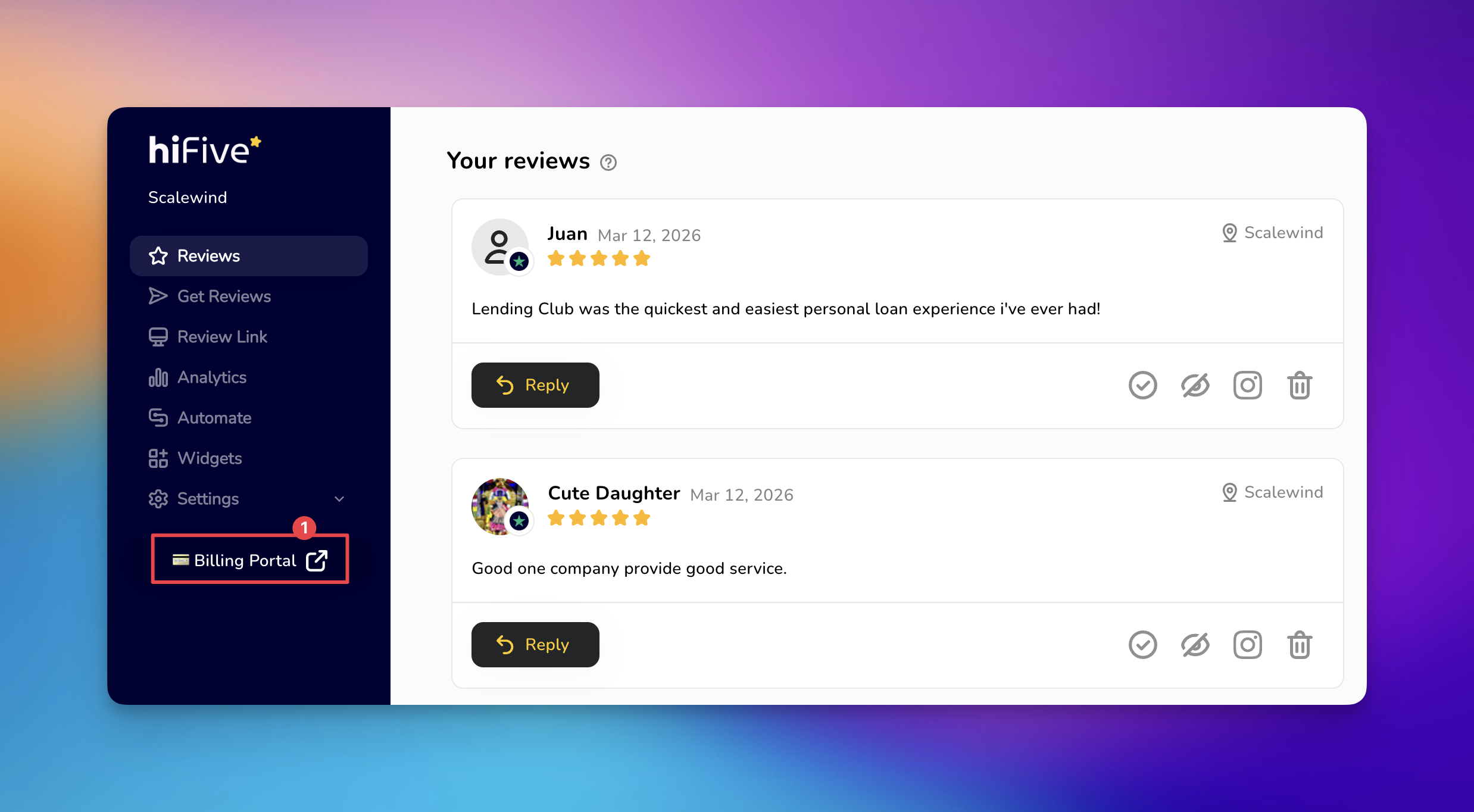
Select 'Billing Portal' the main dashboard. This opens the Stripe billing interface in a new window.
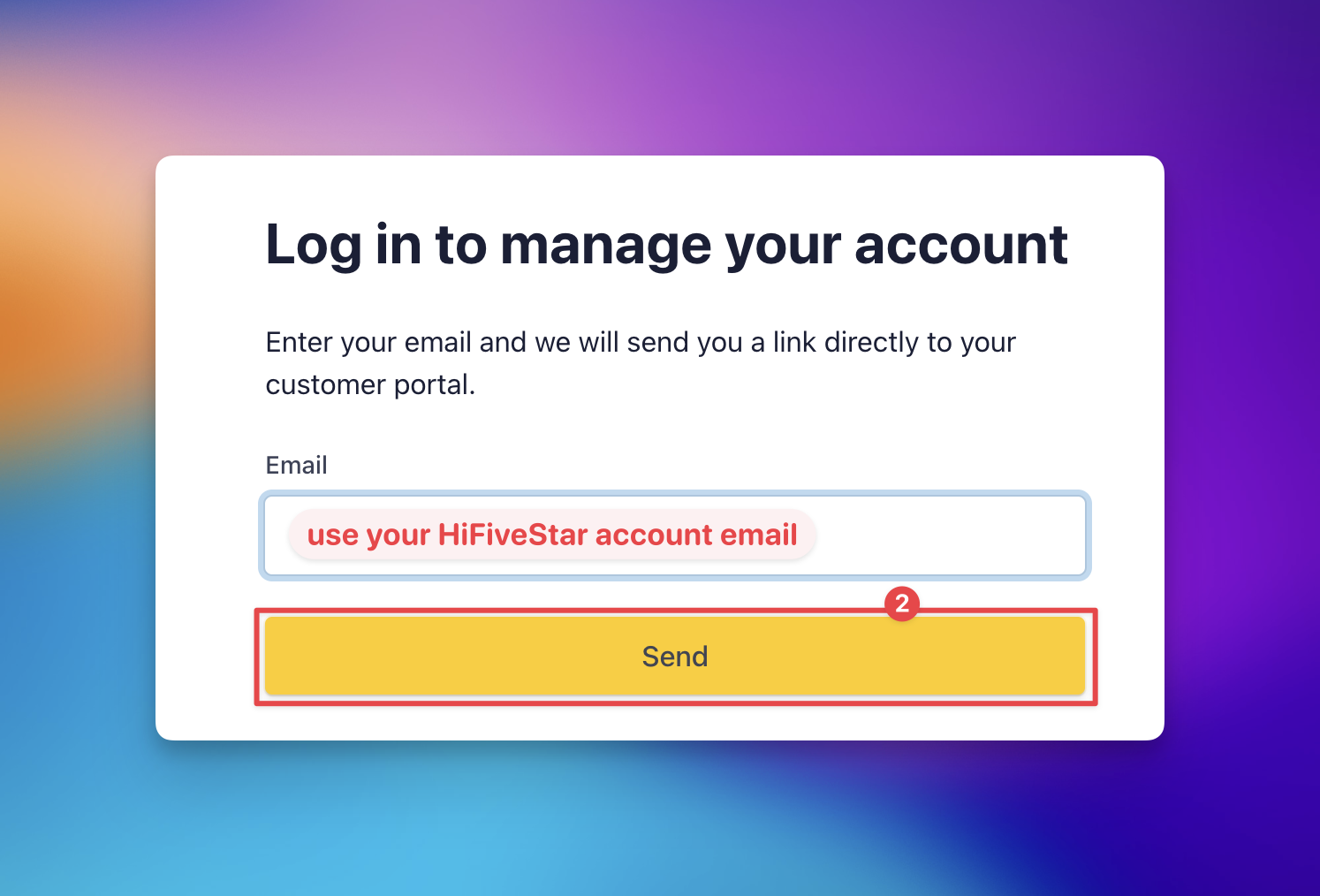
Enter your registered email address when prompted to receive a secure access link for your customer login portal.
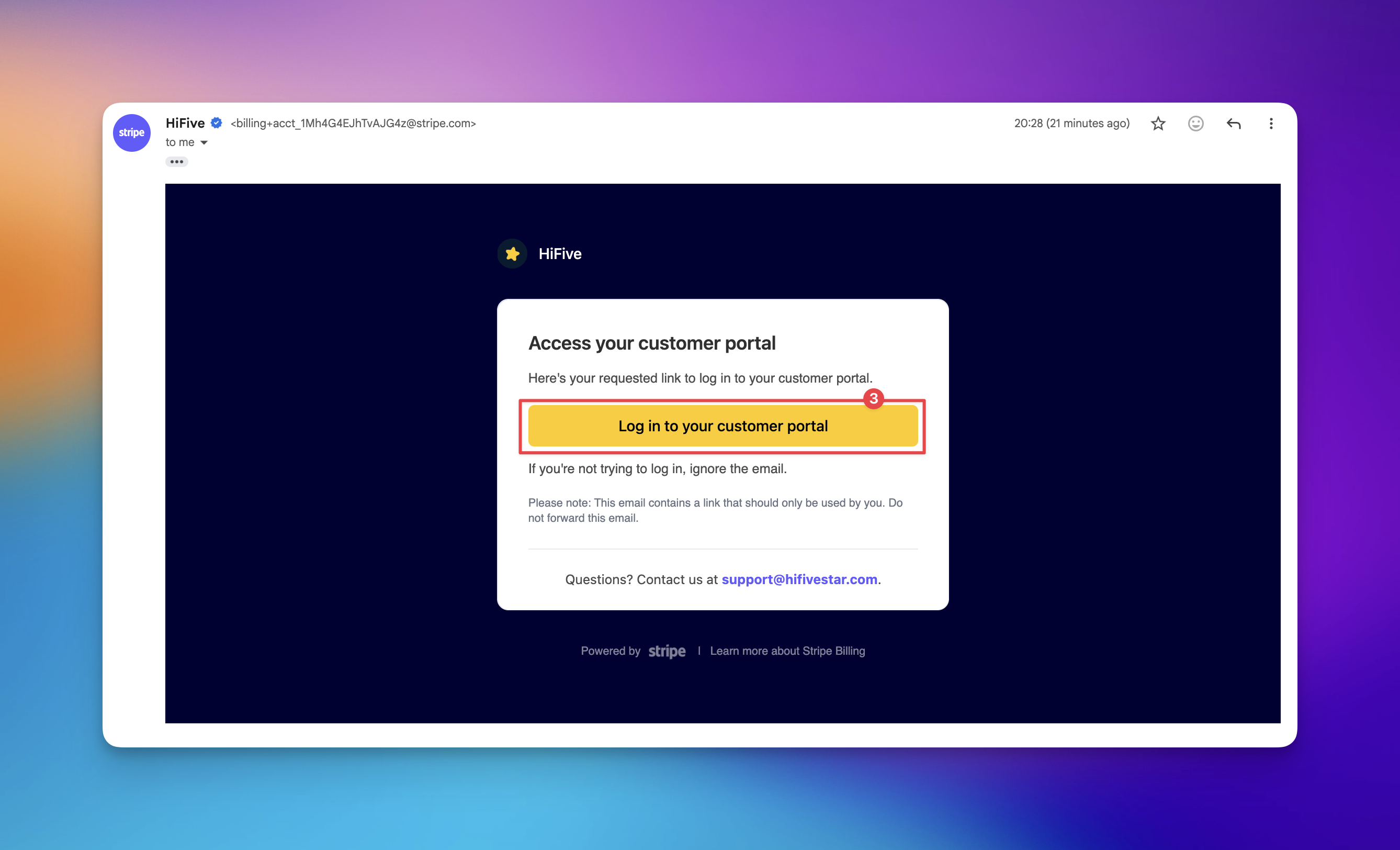
Open the email in your inbox and click the link to enter the customer portal.
Click 'Cancel Subscription' to be redirected to a new window.
Review the details and confirm the process by clicking 'Cancel Subscription'.
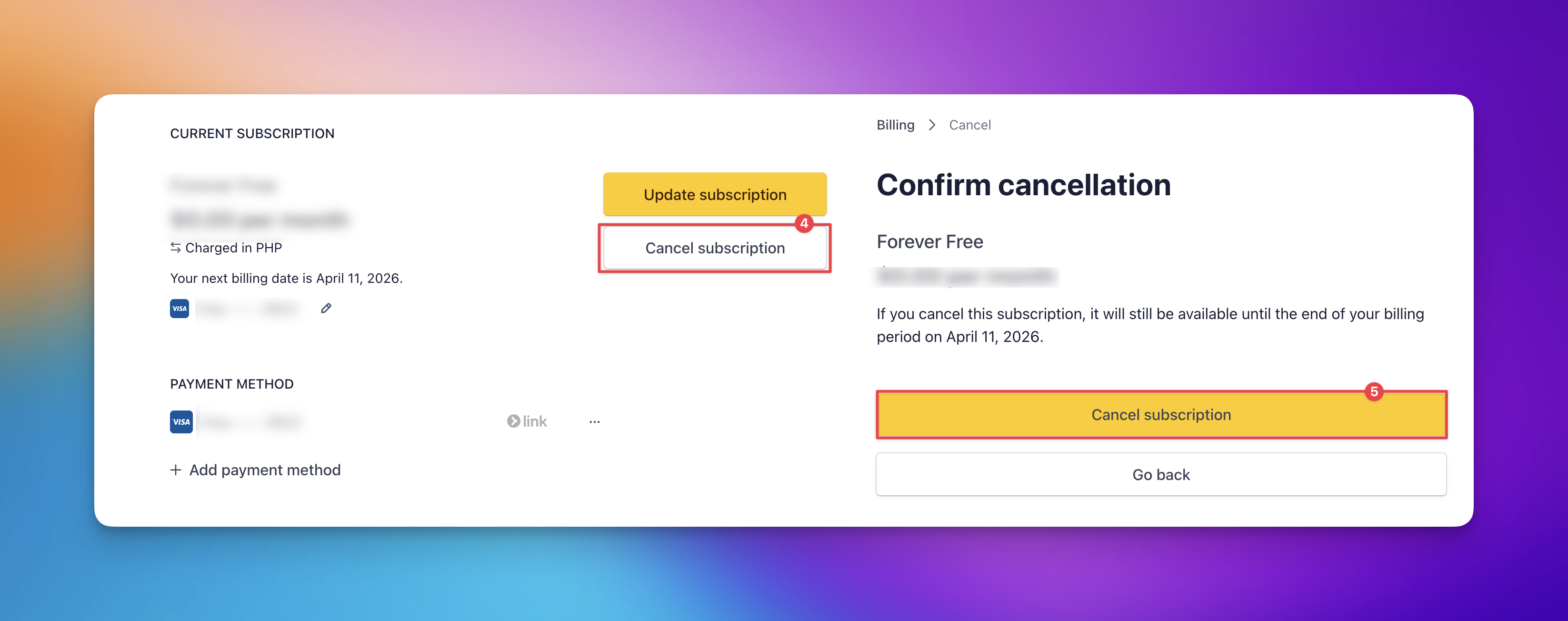
Once these steps are complete, your subscription will remain active until the end of the current billing period.
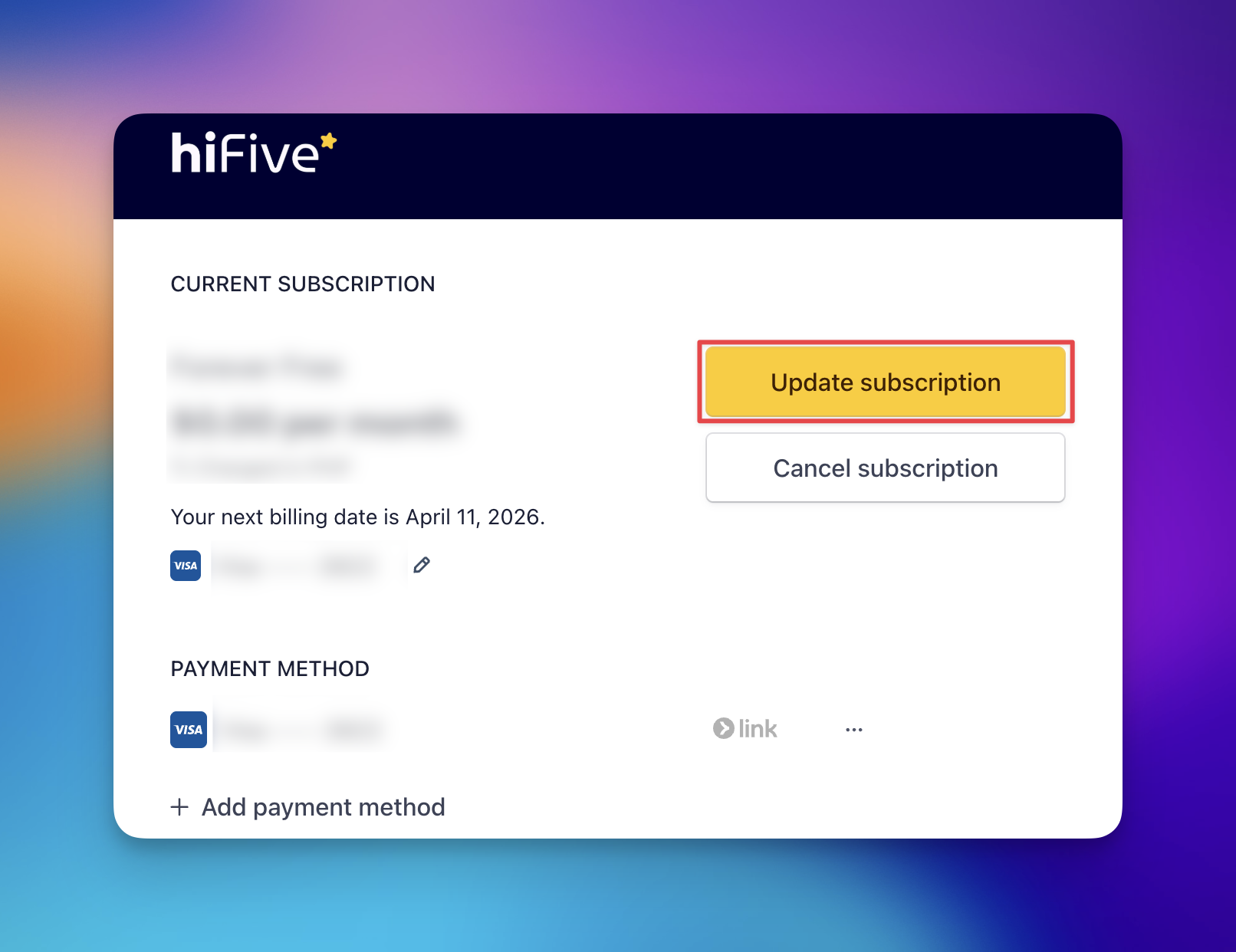
If you prefer to change your plan instead of canceling, you can modify your current level of service within the same portal.
Once in the portal, click 'Update Subscription' to view the available tier plans and select the one that best fits your needs.
Maximize Your Online Presence with HiFive: A Complete Feature Guide
Explore the Full Range of HiFive's Capabilities to Enhance Customer Engagement and Business Growth
Harness the Power of Online Reviews to Grow Your Business in 2024
Maximizing Growth with Reviews: Leveraging HiFive for Enhanced Visibility and Customer Engagement
