
Manage Your HiFiveStar Subscription
Adjusting your HiFiveStar subscription is a straightforward process on the Billing screen inside the app. From there, you can move between plans so your plan always fits your business. Only a Business Owner can change the plan.
HiFiveStar Subscription Tier Change Walkthrough
Use these instructions to change your plan.
Log in to your HiFiveStar account.
Click Billing at the bottom of the menu on the left (on a phone, More › Billing; in the classic look, 💳 Billing).
On the Your plan card, click Change plan. On the Forever Free plan, this button says See plans.
In Choose a plan, pick Monthly or Yearly at the top.
Choose the plan (Core, Pro, Growth, Business, Enterprise or Unlimited) and click its Upgrade to or Switch to button.
Stripe's secure page opens and shows exactly what you will pay today. Confirm the change there, and you come back to Billing. If you do not have a paid plan yet, this page also asks for your card.
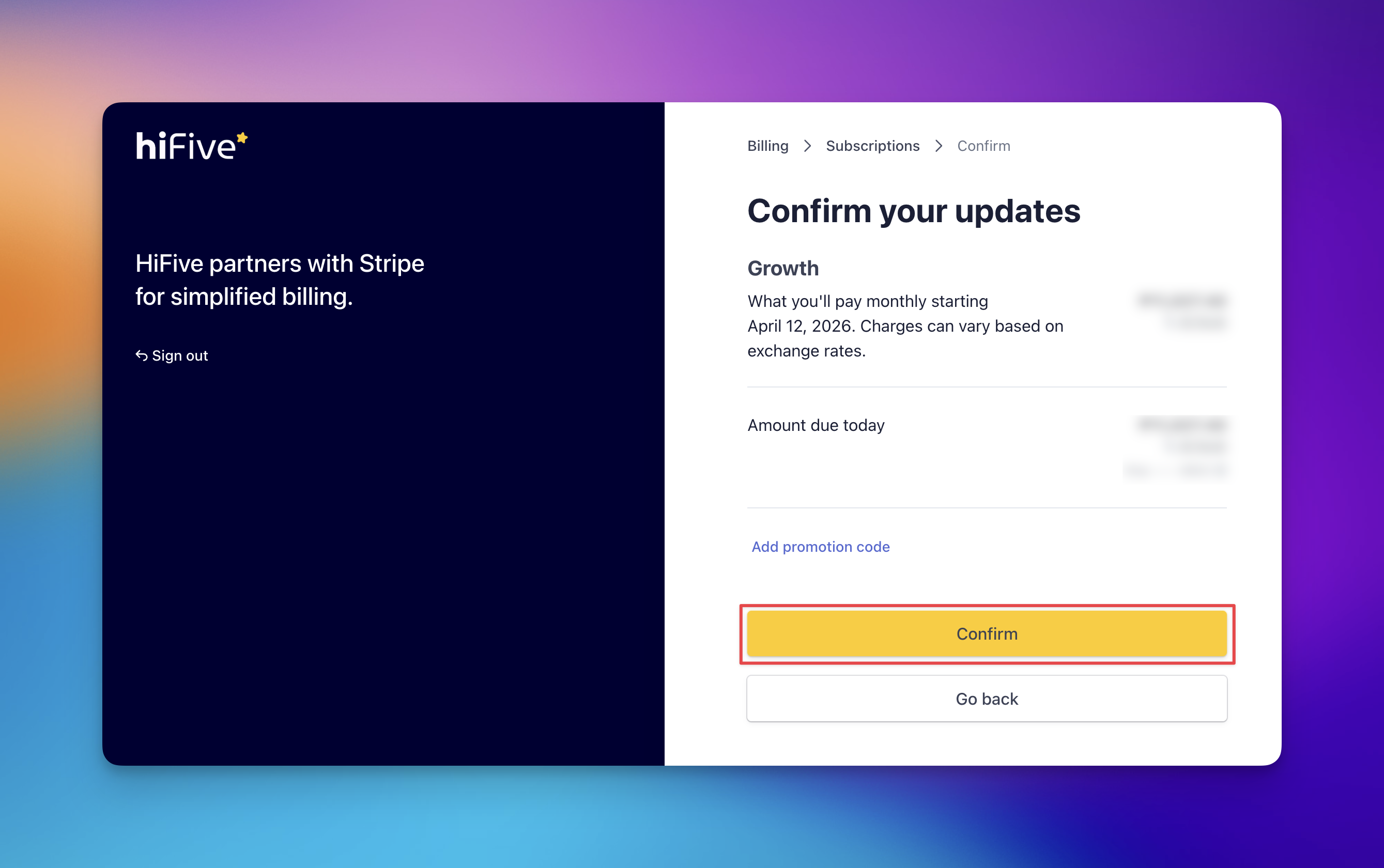
A move to a bigger plan takes effect straight away, and you pay only the difference for the rest of your current billing period.
A move to a smaller plan takes effect straight away too, and the unused part of what you have paid comes off your next bills.
Troubleshooting and Tips
Change plan Is Greyed Out: Your plan was set up specially for you, so changes go through us at [email protected].
Plan Set to End: If you have cancelled, click Keep my plan on the Billing screen first, then change your plan.
Support Contact: If you encounter issues while updating your plan, contact the support team at [email protected] for assistance.
Plan Availability and Features
Each plan includes different features and room for a different number of locations and team members. Before you confirm a change, ensure the new plan meets your business requirements. Your existing reviews and account data remain safe during any transition between plans.
HiFive Plans ExplainedRelated Articles
What is HiFive?
How HiFiveStar works, what it can do for your business and what makes it different to other solutions.