Building a reliable reputation starts with your patient feedback, and HealthGrades is a key piece of that puzzle. Adding your profile link puts HealthGrades on your HiFiveStar review page, so patients can go there to leave a review. HiFiveStar does not import HealthGrades reviews yet.
This video shows our previous app. The written steps on this page describe the current one.
Connecting your HealthGrades profile adds it to your review page.
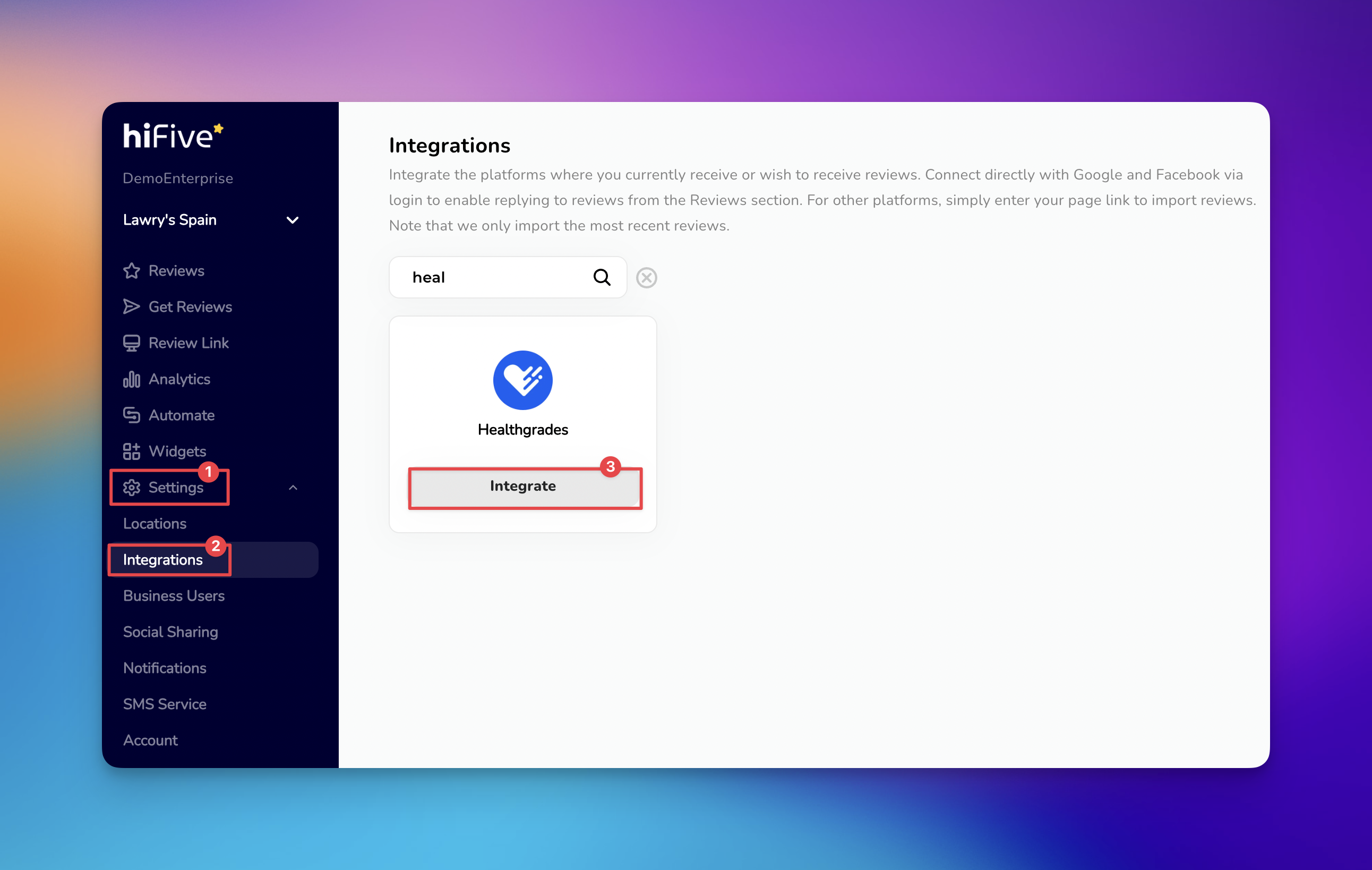
Open the HiFiveStar login page and enter your credentials to open the main dashboard.
Select the 'Settings' option from the navigation menu to view your account preferences.
Choose the 'Integrations' section under the settings dropdown menu. This area displays all the external platforms that can be linked with your dashboard.
Browse the list of services or use the Search bar to find HealthGrades. Typing the name into the search field will quickly highlight the correct option.
Select the 'Integrate' button next to HealthGrades. A window will appear asking for your specific HealthGrades Professional Profile URL.
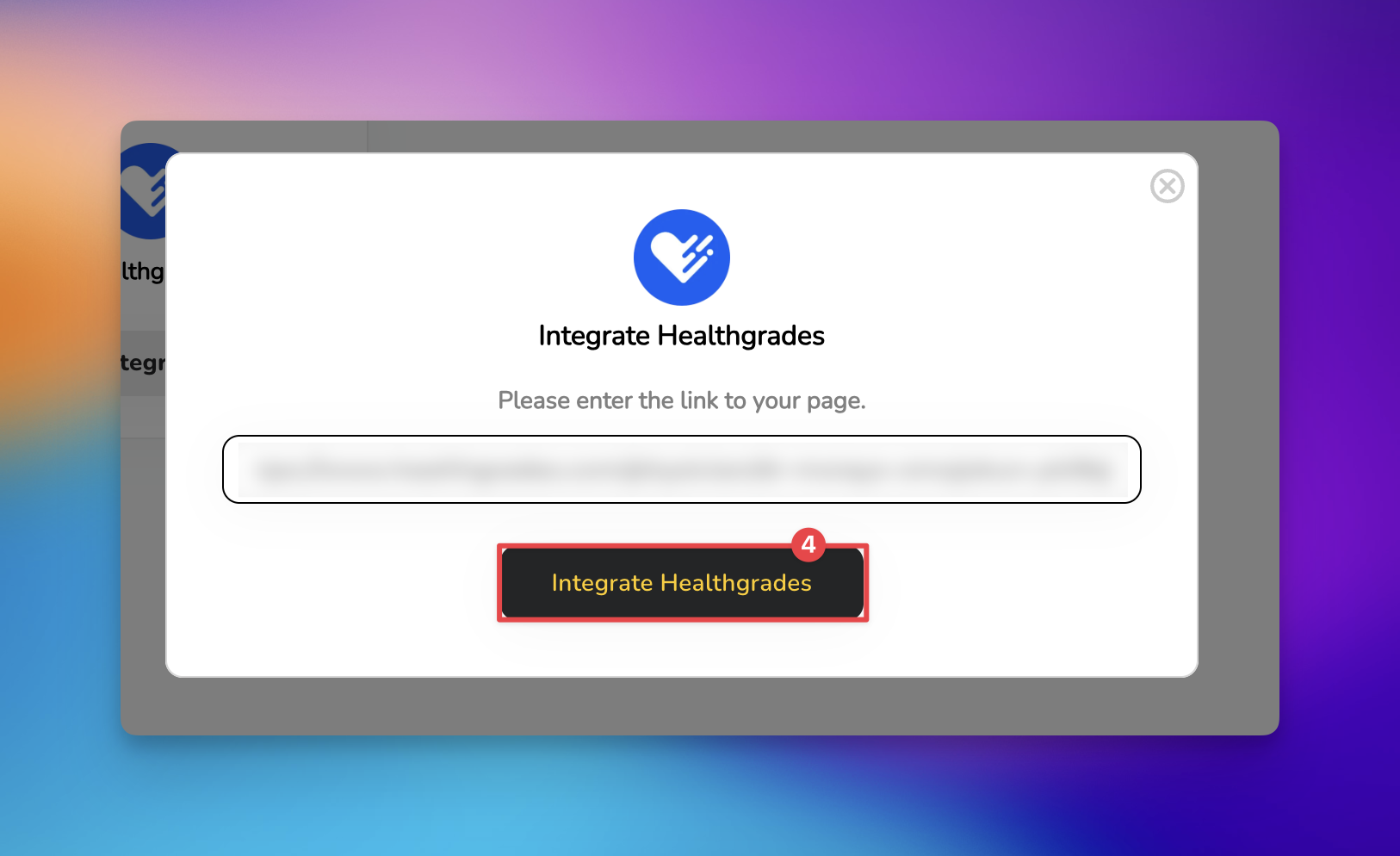
Paste your profile link into the empty field and select the 'Integrate HealthGrades' button to complete the process.
Following these steps adds HealthGrades to your review page.

HiFiveStar does not import HealthGrades reviews yet. Reply to HealthGrades reviews on HealthGrades itself.
Integrating HealthGrades is a strategic move for any medical professional or practice looking to strengthen their digital presence. HealthGrades is one of the most trusted sources for patient research, so sending happy patients there helps. This visibility builds immediate trust with new patients and helps improve your overall search engine ranking within the healthcare niche.
Expanding your reach through HealthGrades is one of the most effective ways to grow your practice and manage your professional reputation. By following these steps and keeping your profile updated, you ensure that every patient interaction contributes to a stronger, more reliable brand.
Should you have any questions about adding multiple locations or practitioners, our support team is happy to guide you through the setup.
Managing Reviews
Elevating Your Business with Advanced Review Management
